
FoxinBan - Minecraft Skins & Skin History
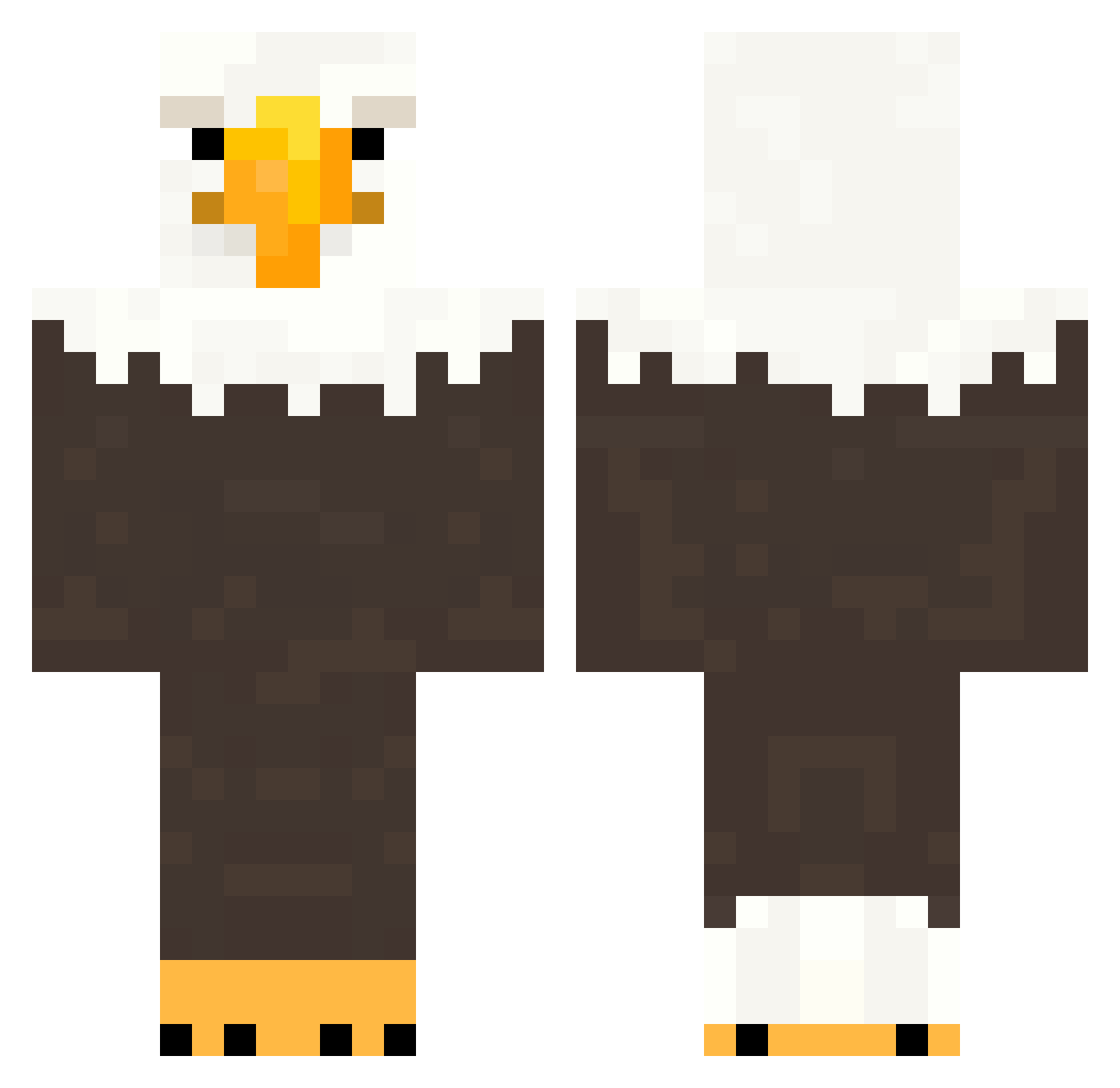
Current Minecraft skin of the player FoxinBan, loaded from the official Mojang API. Rotate the 3D model with your mouse or finger, then download the skin as a PNG file and use it in Minecraft: Bedrock Edition or Java Edition for free. When FoxinBan changes their skin, this page updates automatically and the old skin stays in the history below.
Other players with this skin (155)
FoxinBan was the 81st player we have seen with this skin, first spotted on 22.09.2026. The same skin was seen on these players. Open a nickname to see their current skin and skin history.
 bigbodyblackman hekvit Gav29784 TanTanRB oil897 BigBorchy KIM1000WON jippimoj MiniOvens TheGreatNile2 pu1lermann Ruviaa idgafgreg sz3jker_ OeildeLynx1 a_05_ Jolly890 0zhi0 FILTHYRAT82 bluelotus_ Emirkirkinci N1kush44 Outrate bimosband Ju1c Lugga992 Bayzy1125 s0fac0uch Harrttsy T8snow1267 orchidblossomm TarantelFisch30 gravballemand12 fahrigstanzer BaekSeolgi09 Khona_Kade Raltz_On_YT zinqyy bobbydingle Reckc gilrang niklas_xx14 H0tcake brunopellegrinii FierceAce tmosb aGiantSimp FennyKinger 19RueSolo Mate_0317 ZuzajdiX kevsann seek9r bruno_n1f Felek089 ItsStat1c Kryst4lazz alizh XxStellardreamzX outpizzahutt
More Eagle Minecraft skins
How to install the FoxinBan skin
- Press the Download button above to save the skin as a PNG file.
- Minecraft: Bedrock Edition (PE): open the Dressing Room from the main menu (or tap your character → Edit Character), go to Classic Skins → Owned, press the + (new skin) button, choose the downloaded PNG and pick the Classic (Steve) model. Works on PC and mobile; consoles cannot import custom skins.
- Minecraft: Java Edition: open the Minecraft Launcher, go to the Skins tab, click New Skin, load the PNG, pick the Classic (Steve) model and press Save & Use. You can also upload it at minecraft.net → Profile → Change Skin.
The skin does not show up after import - what should I do?
Restart Minecraft and open the Dressing Room again - imported skins sometimes appear only after a restart. Also make sure you selected the imported skin and picked the Classic (Steve) model.
Which model should I choose, Classic or Slim?
This skin is designed for the Classic (Steve) model. If you pick the wrong model, the arms of the skin will look stretched or squeezed.
Is the skin of FoxinBan free to download?
Yes. Press Download, save the PNG file and use it in Minecraft: Bedrock Edition or Java Edition - no payment or registration needed. The skin also works on multiplayer servers and Realms.
More skins
Looking for more? Go back to all Minecraft skins and check the top skins of the week, month and all time, or find any player's skin by nickname.