
Mate_0317 - Minecraft Skins & Skin History
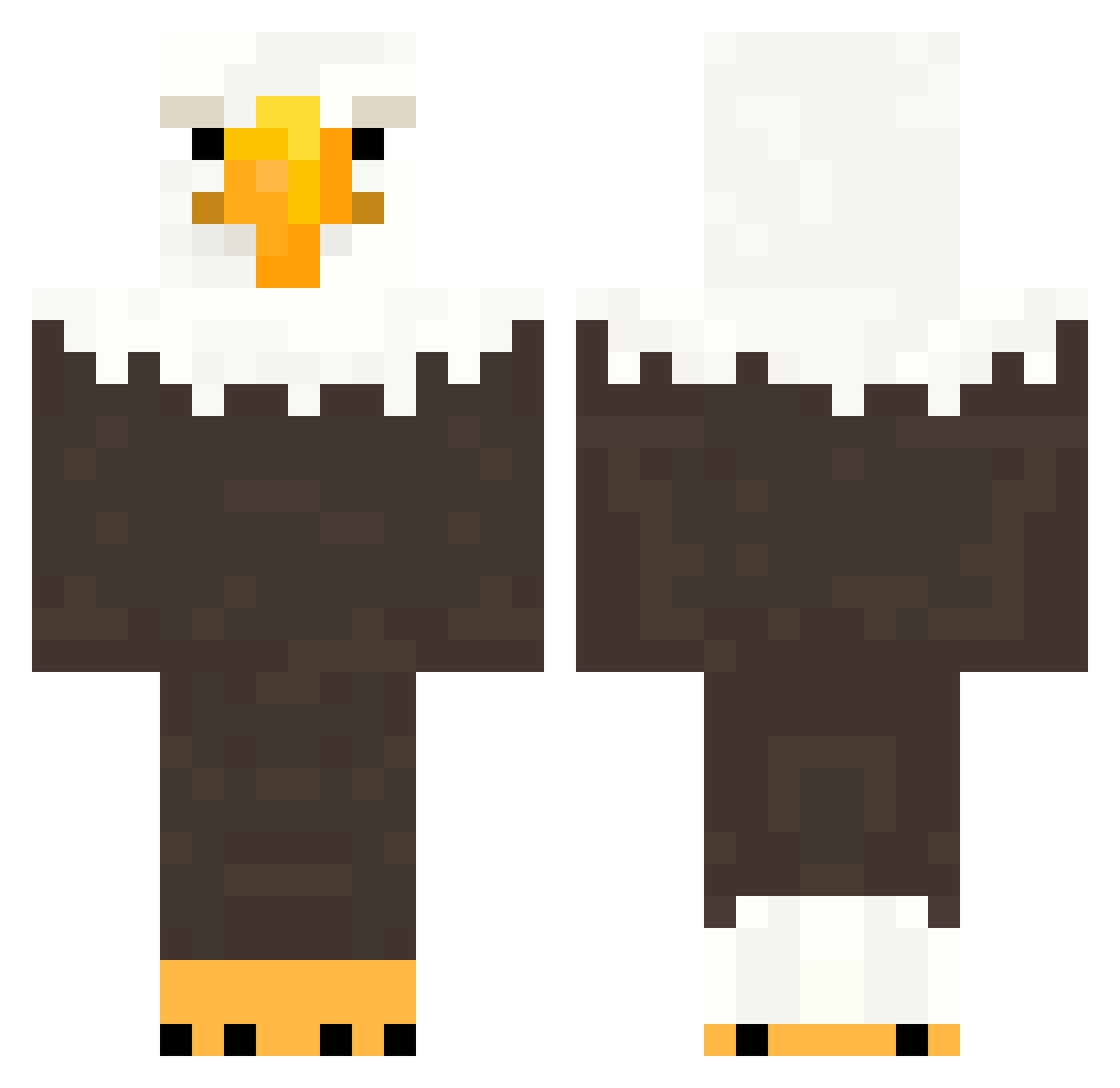
Current Minecraft skin of the player Mate_0317, loaded from the official Mojang API. Rotate the 3D model with your mouse or finger, then download the skin as a PNG file and use it in Minecraft: Bedrock Edition or Java Edition for free. When Mate_0317 changes their skin, this page updates automatically and the old skin stays in the history below.
Other players with this skin (155)
Mate_0317 was the 113th player we have seen with this skin, first spotted on 11.10.2026. The same skin was seen on these players. Open a nickname to see their current skin and skin history.
 19RueSolo ZuzajdiX FennyKinger seek9r aGiantSimp tmosb ItsStat1c alizh FierceAce brunopellegrinii XxStellardreamzX H0tcake gilrang Reckc RichieRich1738 bobbydingle Raltz_On_YT dubszn_baybay error5 McNugget43 PatrickZ09 Kumu_39 wiercipientka Khona_Kade fahrigstanzer TarantelFisch30 orchidblossomm T8snow1267 Harrttsy Potatomonk10164 ostryketchup additively Lugga992 TodoNum1Glazer bluelotus_ FILTHYRAT82 SkyViper737 0zhi0 Jolly890 turzin12 a_05_ OeildeLynx1 sz3jker_ bestcolor18 idgafgreg Mic86 AAlex_305 TheGreatNile2 wizzozz alex0988 _Froggr NicoBrico lorenso9999999 MiniOvens JJvalo7 derontus kahootlobbymusic TominatorXY Emmanuel2022 TanTanRB
More Eagle Minecraft skins
How to install the Mate_0317 skin
- Press the Download button above to save the skin as a PNG file.
- Minecraft: Bedrock Edition (PE): open the Dressing Room from the main menu (or tap your character → Edit Character), go to Classic Skins → Owned, press the + (new skin) button, choose the downloaded PNG and pick the Classic (Steve) model. Works on PC and mobile; consoles cannot import custom skins.
- Minecraft: Java Edition: open the Minecraft Launcher, go to the Skins tab, click New Skin, load the PNG, pick the Classic (Steve) model and press Save & Use. You can also upload it at minecraft.net → Profile → Change Skin.
The skin does not show up after import - what should I do?
Restart Minecraft and open the Dressing Room again - imported skins sometimes appear only after a restart. Also make sure you selected the imported skin and picked the Classic (Steve) model.
Which model should I choose, Classic or Slim?
This skin is designed for the Classic (Steve) model. If you pick the wrong model, the arms of the skin will look stretched or squeezed.
Is the skin of Mate_0317 free to download?
Yes. Press Download, save the PNG file and use it in Minecraft: Bedrock Edition or Java Edition - no payment or registration needed. The skin also works on multiplayer servers and Realms.
More skins
Looking for more? Go back to all Minecraft skins and check the top skins of the week, month and all time, or find any player's skin by nickname.