
Foamyyy - Minecraft Skins & Skin History
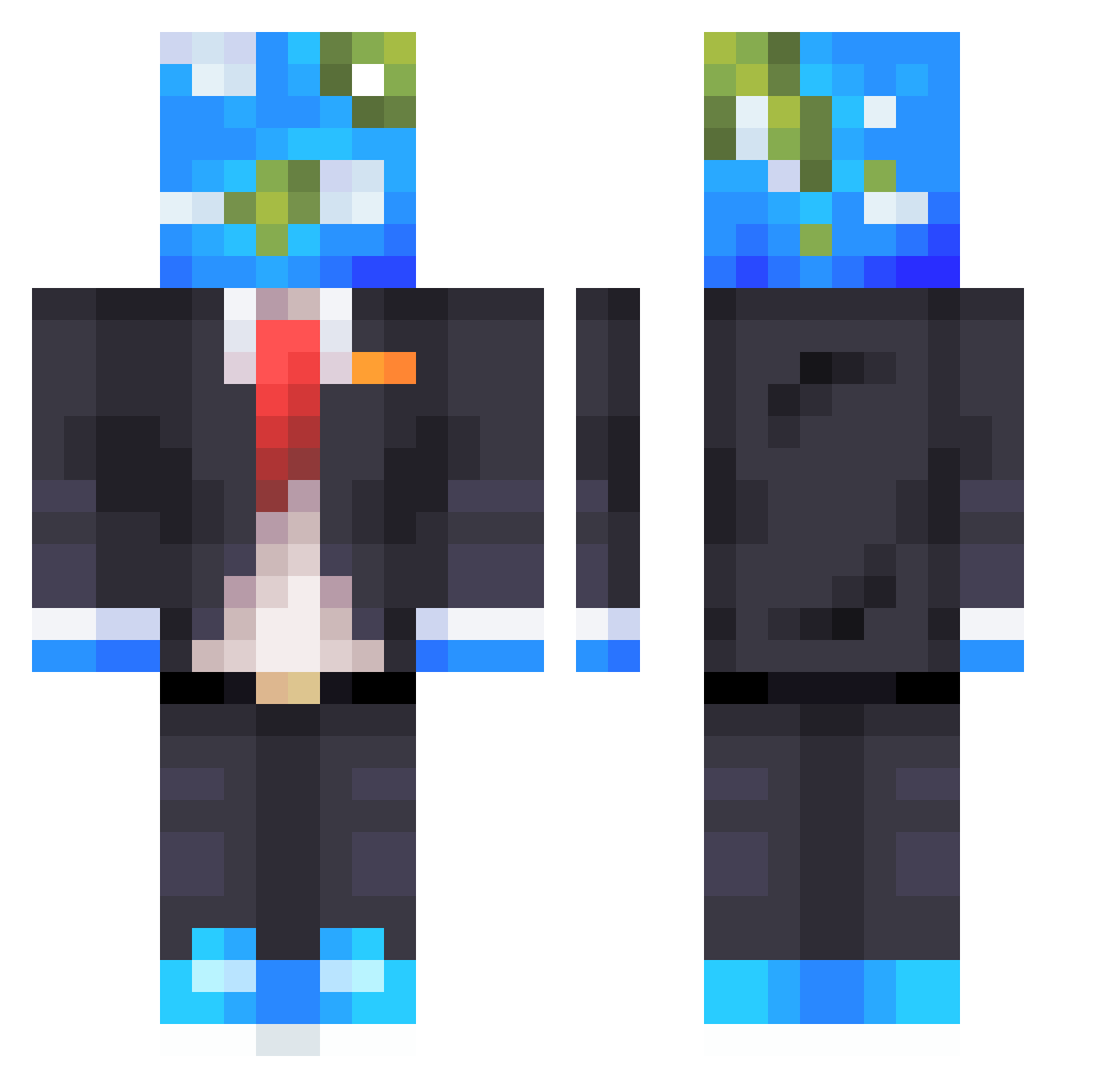
Current Minecraft skin of the player Foamyyy, loaded from the official Mojang API. Rotate the 3D model with your mouse or finger, then download the skin as a PNG file and use it in Minecraft: Bedrock Edition or Java Edition for free. When Foamyyy changes their skin, this page updates automatically and the old skin stays in the history below.
Other players with this skin (610)
Foamyyy was the 415th player we have seen with this skin, first spotted on 09.10.2026. The same skin was seen on these players. Open a nickname to see their current skin and skin history.
 Th3Parz1val Leifibear MarfinALE Lilcrakhed4 Rixtify Formered ReynardoGanias Sad7102 SomethingTrendy Cereall808 TorrentLeech DaulDeath kuoba ArataJoker_ MostLikelyBetter Pollux_AFK yonatan34 ThGamingDodoBird NateA99FG Thuretii PurpleCow28 mikulasek803 Mugzx SonicSulca64 IstrianGuy ADGOLO11 BednarPkZdRk Cube_Killeur geklmao EniuSolo Kazianex Aestorashi 3lvisf Soccerconor713 plxsma_bruh PaperSlayer Clack37 zettelhills xoxowithey Avtoritett LinMing_1123 Liberiam PoggedGlobe1431 GEOCAD BRT_WU Faze_Monkey07 UnstableKoalas Aquaskydiver462 Halland29 GeezaHarri JaDeN1321 FatBotBubs lgbtobias Franky128 YungTK Unforgivable_42 W1LS0N24 BamRoasted233 PhasePond LunarPunch17
More Earth Head Minecraft skins
How to install the Foamyyy skin
- Press the Download button above to save the skin as a PNG file.
- Minecraft: Bedrock Edition (PE): open the Dressing Room from the main menu (or tap your character → Edit Character), go to Classic Skins → Owned, press the + (new skin) button, choose the downloaded PNG and pick the Classic (Steve) model. Works on PC and mobile; consoles cannot import custom skins.
- Minecraft: Java Edition: open the Minecraft Launcher, go to the Skins tab, click New Skin, load the PNG, pick the Classic (Steve) model and press Save & Use. You can also upload it at minecraft.net → Profile → Change Skin.
The skin does not show up after import - what should I do?
Restart Minecraft and open the Dressing Room again - imported skins sometimes appear only after a restart. Also make sure you selected the imported skin and picked the Classic (Steve) model.
Which model should I choose, Classic or Slim?
This skin is designed for the Classic (Steve) model. If you pick the wrong model, the arms of the skin will look stretched or squeezed.
Is the skin of Foamyyy free to download?
Yes. Press Download, save the PNG file and use it in Minecraft: Bedrock Edition or Java Edition - no payment or registration needed. The skin also works on multiplayer servers and Realms.
More skins
Looking for more? Go back to all Minecraft skins and check the top skins of the week, month and all time, or find any player's skin by nickname.