
Flying_Dutchman_ - Minecraft Skins & Skin History
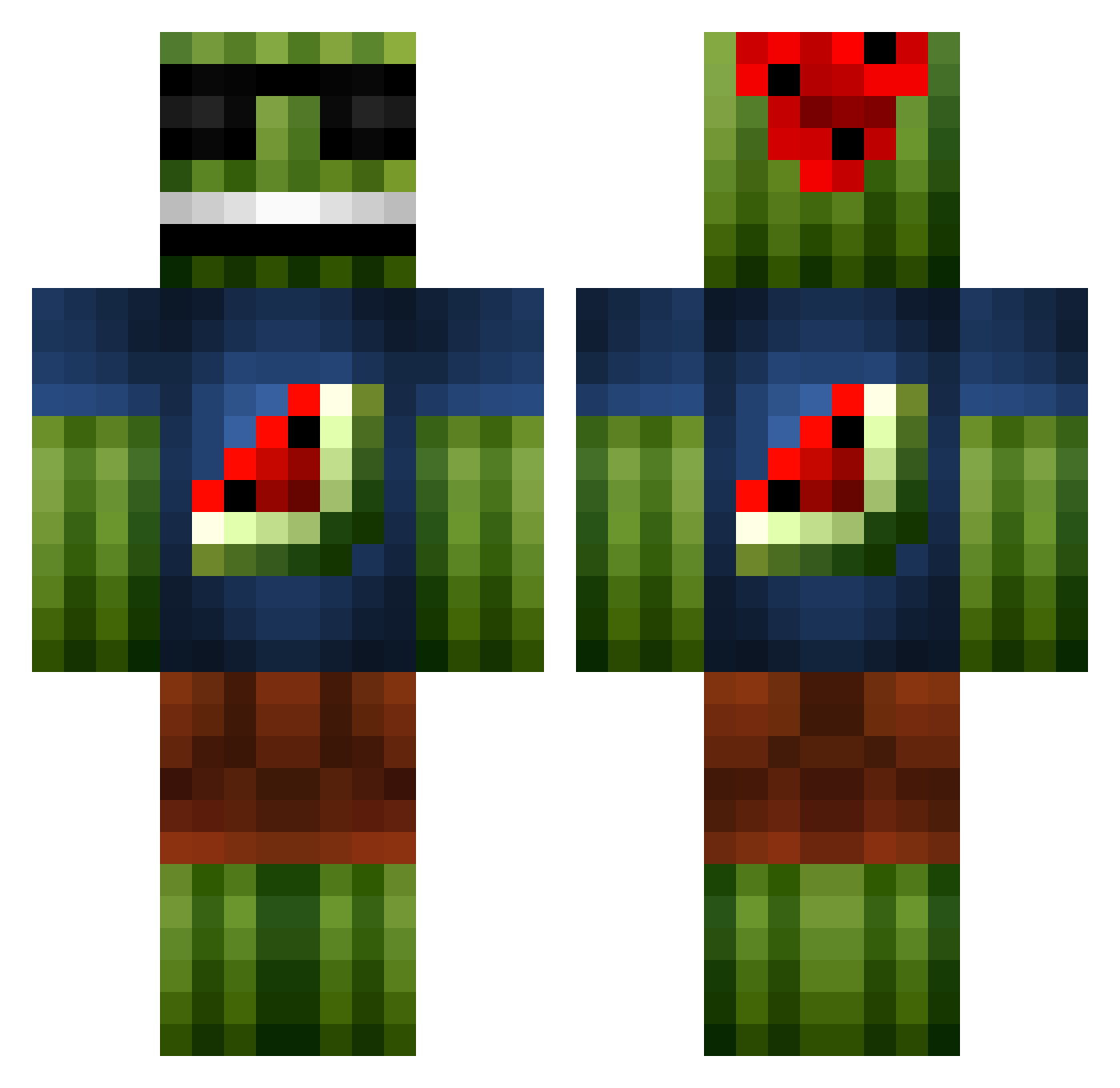
Current Minecraft skin of the player Flying_Dutchman_, loaded from the official Mojang API. Rotate the 3D model with your mouse or finger, then download the skin as a PNG file and use it in Minecraft: Bedrock Edition or Java Edition for free. When Flying_Dutchman_ changes their skin, this page updates automatically and the old skin stays in the history below.
Other players with this skin (1095)
Flying_Dutchman_ was the 540th player we have seen with this skin, first spotted on 22.09.2026. The same skin was seen on these players. Open a nickname to see their current skin and skin history.
 jobro311 BMAN2410 MasterMicah06 neovan14 Anders6575 kadedale TurdBurglar99 laursen98 BloobAlien FlaminPurpleTaco Murmel82 Fishful yogierin tomm1442 mojangjets JTWdude kev_26 daniferna Rogal235 vettel149 Hoppsasa Cugatti AJANDFRED27 cRaSheRisland Dan242 xXDonTouchXx joelsanta ChickMonk dinojoe100 NlCNAC Theizii SidGD eamonn9 fitey15 RickertOnHuts MelonenBruder OG_Connorrr FrOsTy_NiPs_12 hnomedal9 Mimbo1 MaxZi99 tiggerisdabest TeH_NooB_GameR SeaEloz footymaster125 jpetitpas36 CJPhil AssasinsCrafter1 Kroryyk jamiedrei MinecraftOasis Anderzog JonathanKenneth etsang06 ferdie9123 lennder Kassusaatana SabalDub MamrikPlay SaltedPigs
More Watermelon Minecraft skins
How to install the Flying_Dutchman_ skin
- Press the Download button above to save the skin as a PNG file.
- Minecraft: Bedrock Edition (PE): open the Dressing Room from the main menu (or tap your character → Edit Character), go to Classic Skins → Owned, press the + (new skin) button, choose the downloaded PNG and pick the Classic (Steve) model. Works on PC and mobile; consoles cannot import custom skins.
- Minecraft: Java Edition: open the Minecraft Launcher, go to the Skins tab, click New Skin, load the PNG, pick the Classic (Steve) model and press Save & Use. You can also upload it at minecraft.net → Profile → Change Skin.
The skin does not show up after import - what should I do?
Restart Minecraft and open the Dressing Room again - imported skins sometimes appear only after a restart. Also make sure you selected the imported skin and picked the Classic (Steve) model.
Which model should I choose, Classic or Slim?
This skin is designed for the Classic (Steve) model. If you pick the wrong model, the arms of the skin will look stretched or squeezed.
Is the skin of Flying_Dutchman_ free to download?
Yes. Press Download, save the PNG file and use it in Minecraft: Bedrock Edition or Java Edition - no payment or registration needed. The skin also works on multiplayer servers and Realms.
More skins
Looking for more? Go back to all Minecraft skins and check the top skins of the week, month and all time, or find any player's skin by nickname.