
FluffyFujii - Minecraft Skins & Skin History
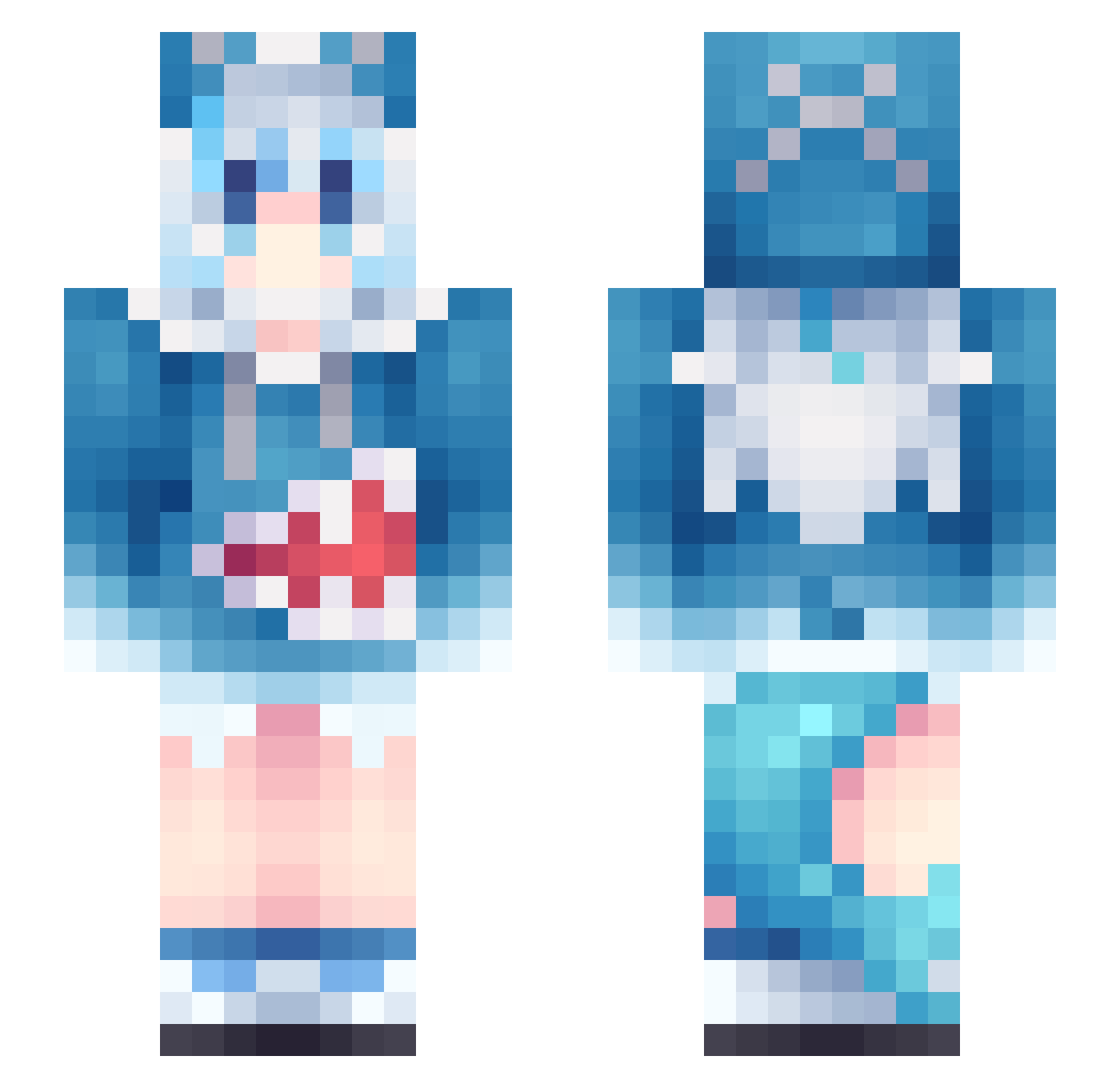
Current Minecraft skin of the player FluffyFujii, loaded from the official Mojang API. Rotate the 3D model with your mouse or finger, then download the skin as a PNG file and use it in Minecraft: Bedrock Edition or Java Edition for free. When FluffyFujii changes their skin, this page updates automatically and the old skin stays in the history below.
Other players with this skin (1134)
FluffyFujii was the 407th player we have seen with this skin, first spotted on 05.09.2026. The same skin was seen on these players. Open a nickname to see their current skin and skin history.
 BINRH Aliya_hyacinth6 Sirora_520 mahiro0108 Oliweja kesteva xingyelian nindzsalany yi_an0609 xiaogao23 RANOLD0501 kaslanai mrmandman1 Demon_cat_man878 Tsukoshi NitiBlake Kin_Diamond ShirakamiHaruka_ xiaguang9 Neko0u0 Myth1971 slowsnail773 picklesandcream Woodman_93227 Sck1pi gxc258 NekoLover56 JOYFU35 ALBioNixxe Cinalt3 Godgrace17 Magdaros_ egetaken PAkOaul1011 POVLGR kielow okamotoma TinyPerson117 CMAX2005 tupapijunin glorious__Trauma wendongua BooMint gaoxuan HenneDog yuyouou dohi0921 ttabori ZSZ25 Dezker_E mayonnaise001 Asta480 Jinju124 Aiko_Natsuki KuroSamaN dongzhi0 milktea010 Ryzuria
 LumiTomato Walshler
More Gawr Gura Minecraft skins
How to install the FluffyFujii skin
- Press the Download button above to save the skin as a PNG file.
- Minecraft: Bedrock Edition (PE): open the Dressing Room from the main menu (or tap your character → Edit Character), go to Classic Skins → Owned, press the + (new skin) button, choose the downloaded PNG and pick the Slim (Alex) model. Works on PC and mobile; consoles cannot import custom skins.
- Minecraft: Java Edition: open the Minecraft Launcher, go to the Skins tab, click New Skin, load the PNG, pick the Slim (Alex) model and press Save & Use. You can also upload it at minecraft.net → Profile → Change Skin.
The skin does not show up after import - what should I do?
Restart Minecraft and open the Dressing Room again - imported skins sometimes appear only after a restart. Also make sure you selected the imported skin and picked the Slim (Alex) model.
Which model should I choose, Classic or Slim?
This skin is designed for the Slim (Alex) model. If you pick the wrong model, the arms of the skin will look stretched or squeezed.
Is the skin of FluffyFujii free to download?
Yes. Press Download, save the PNG file and use it in Minecraft: Bedrock Edition or Java Edition - no payment or registration needed. The skin also works on multiplayer servers and Realms.
More skins
Looking for more? Go back to all Minecraft skins and check the top skins of the week, month and all time, or find any player's skin by nickname.