
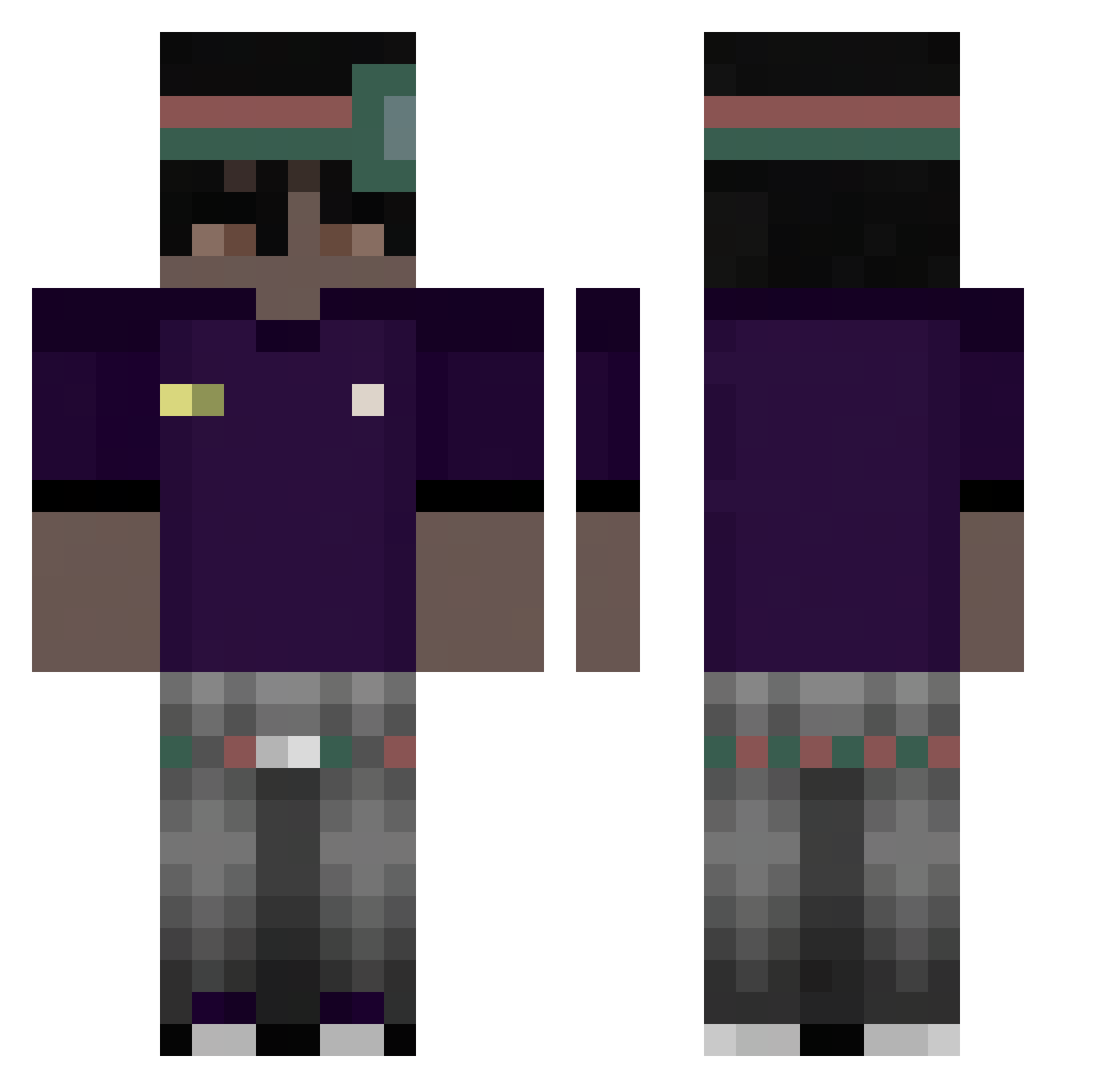
Current Minecraft skin of the player Flizx_04, loaded from the official Mojang API. Rotate the 3D model with your mouse or finger, then download the skin as a PNG file and use it in Minecraft: Bedrock Edition or Java Edition for free. When Flizx_04 changes their skin, this page updates automatically and the old skin stays in the history below.
Other players with this skin (63)
Flizx_04 was the 29th player we have seen with this skin, first spotted on 27.08.2026. The same skin was seen on these players. Open a nickname to see their current skin and skin history.
 Amityyx_ onlinebetrueger 411M siano_ezzzz Chinovisk7 mossayc KENGANWIRDGEFCKT 1karuuu
 Crayon_Levid akuyin m0mmy_enj0yer BoomTaeYT uji__ M1n5ki philipp_plein Tomi2633 Che3toxs polski_murzyn692 mouezzzz TT_dxmy NieDoF0resta chrixsvyx hellokittymeoow Fentbandito _PatrykX_ bukhoor Aqsri smolaak GlowingChip7260 Feleple vvskacpix
 Dzejcek vincentLARPS frown67 fergod_ lumpeksboss Rudzking1337
 lion6827 20NE tr1pLX KOJI557 K4CP3R_ez Sh4dow3_ Juz3k 5randson sabevv Szymen33_ FancyWicky Vitindohp WodduOnTop Tiltizinho M4tulek__ Abardes xHero7 3h2g Larroque Kritxzz young_xx ykylex SpoKyoo
How to install the Flizx_04 skin
- Press the Download button above to save the skin as a PNG file.
- Minecraft: Bedrock Edition (PE): open the Dressing Room from the main menu (or tap your character → Edit Character), go to Classic Skins → Owned, press the + (new skin) button, choose the downloaded PNG and pick the Classic (Steve) model. Works on PC and mobile; consoles cannot import custom skins.
- Minecraft: Java Edition: open the Minecraft Launcher, go to the Skins tab, click New Skin, load the PNG, pick the Classic (Steve) model and press Save & Use. You can also upload it at minecraft.net → Profile → Change Skin.
The skin does not show up after import - what should I do?
Restart Minecraft and open the Dressing Room again - imported skins sometimes appear only after a restart. Also make sure you selected the imported skin and picked the Classic (Steve) model.
Which model should I choose, Classic or Slim?
This skin is designed for the Classic (Steve) model. If you pick the wrong model, the arms of the skin will look stretched or squeezed.
Is the skin of Flizx_04 free to download?
Yes. Press Download, save the PNG file and use it in Minecraft: Bedrock Edition or Java Edition - no payment or registration needed. The skin also works on multiplayer servers and Realms.
More skins
Looking for more? Go back to all Minecraft skins and check the top skins of the week, month and all time, or find any player's skin by nickname.