
Flaoz - Minecraft Skins & Skin History
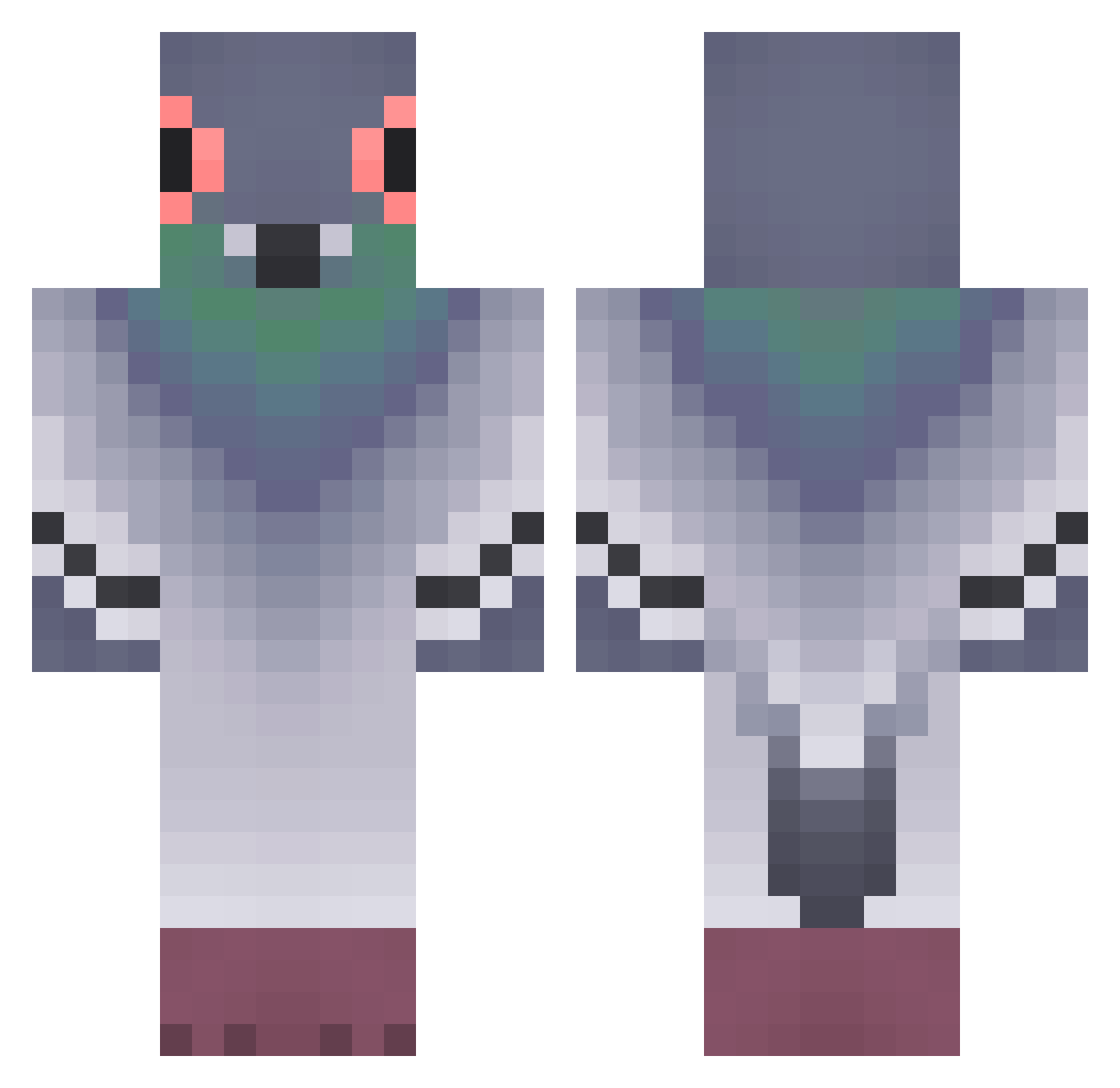
Current Minecraft skin of the player Flaoz, loaded from the official Mojang API. Rotate the 3D model with your mouse or finger, then download the skin as a PNG file and use it in Minecraft: Bedrock Edition or Java Edition for free. When Flaoz changes their skin, this page updates automatically and the old skin stays in the history below.
Other players with this skin (320)
Flaoz was the 85th player we have seen with this skin, first spotted on 18.08.2026. The same skin was seen on these players. Open a nickname to see their current skin and skin history.
 opnee Maytzob lakiwina bird911 Ella237 NazarProPlayer Gow3r NotsoMonkz StormLily Easypeasy35 Durende01 Professor_Korrok Gurrtelgurrr
 Pato2312 Underdogman6 elielyeli DAIRYCOW0314 Julian_loki Michel20002 gryphonslade_
 Chedario _Doodle_Bop_ Lil_Cash gracecarolinea yarakami0926 Infante63
 59x siwon37 FakeRafex N4hVi Xavier11010 OggY21 CynicaIBehaviour yun1235 inkwand potattis XerussX Roucool_ ghstmanee mikrd dlwcow Djlucasparty SierzantGolombek damien4life
 Phiwalker Shun1202 Fesch4 zeeni7 Giulia03xz KolinCool gummyfart zarathuszebra gabbers0n M0R0_ MoreSquidz JLtoken Hihol Carlosjohnson JulianKMeister Queen_Zamboozle
More Pigeon Minecraft skins
How to install the Flaoz skin
- Press the Download button above to save the skin as a PNG file.
- Minecraft: Bedrock Edition (PE): open the Dressing Room from the main menu (or tap your character → Edit Character), go to Classic Skins → Owned, press the + (new skin) button, choose the downloaded PNG and pick the Classic (Steve) model. Works on PC and mobile; consoles cannot import custom skins.
- Minecraft: Java Edition: open the Minecraft Launcher, go to the Skins tab, click New Skin, load the PNG, pick the Classic (Steve) model and press Save & Use. You can also upload it at minecraft.net → Profile → Change Skin.
The skin does not show up after import - what should I do?
Restart Minecraft and open the Dressing Room again - imported skins sometimes appear only after a restart. Also make sure you selected the imported skin and picked the Classic (Steve) model.
Which model should I choose, Classic or Slim?
This skin is designed for the Classic (Steve) model. If you pick the wrong model, the arms of the skin will look stretched or squeezed.
Is the skin of Flaoz free to download?
Yes. Press Download, save the PNG file and use it in Minecraft: Bedrock Edition or Java Edition - no payment or registration needed. The skin also works on multiplayer servers and Realms.
More skins
Looking for more? Go back to all Minecraft skins and check the top skins of the week, month and all time, or find any player's skin by nickname.