
Flankerxs - Minecraft Skins & Skin History
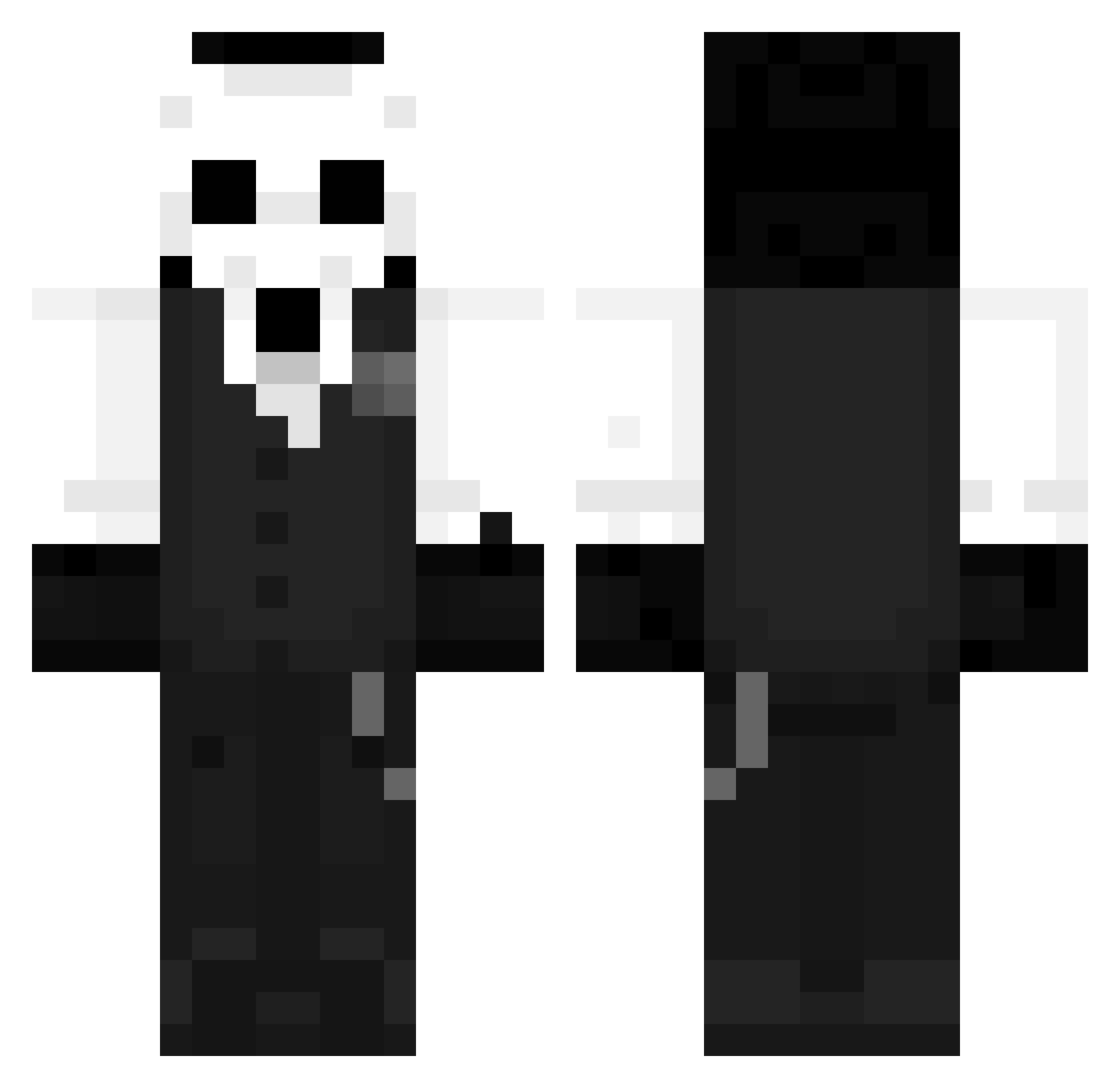
Current Minecraft skin of the player Flankerxs, loaded from the official Mojang API. Rotate the 3D model with your mouse or finger, then download the skin as a PNG file and use it in Minecraft: Bedrock Edition or Java Edition for free. When Flankerxs changes their skin, this page updates automatically and the old skin stays in the history below.
Other players with this skin (1273)
Flankerxs was the 200th player we have seen with this skin, first spotted on 10.08.2026. The same skin was seen on these players. Open a nickname to see their current skin and skin history.
 catastrophe52 EZ_Water shampooDcareca feeeazy Moonsoft retsu0202 BerJang mypbddf Kilou Jannis1848 Definitely1v4nn TotonerDestroyer jochu7777 AJunn_ff 7eivaaa AzazeliTV Nothingflash Bigabean LUNATICOJR115 RoyaalK JorpanGamer Diego14sisi ismeDIO Vanished_T tangcluo AlexGru
 quartzyyyyy Rosiarz MagicMai MarizaMC Sherlocksz Super_Huge_Dwarf NasO0 idealwhite Noboru____ aceqzs Revv446 PandaExpress18 Okami1177 MrIrgis Inocentiu0109 Dezaqa23 J0NLeii CinnamonNolan Creedidd OneShoot_xd
 Kark001 Squirreliey TAZ0921 Dimos55 MrfoxZ_ GhostDF Rickeh_menk minimsre snowboardemon Wleesm Null_oscuro XxJaqBxX Liecast Mightyelf20
More Sans Minecraft skins
How to install the Flankerxs skin
- Press the Download button above to save the skin as a PNG file.
- Minecraft: Bedrock Edition (PE): open the Dressing Room from the main menu (or tap your character → Edit Character), go to Classic Skins → Owned, press the + (new skin) button, choose the downloaded PNG and pick the Classic (Steve) model. Works on PC and mobile; consoles cannot import custom skins.
- Minecraft: Java Edition: open the Minecraft Launcher, go to the Skins tab, click New Skin, load the PNG, pick the Classic (Steve) model and press Save & Use. You can also upload it at minecraft.net → Profile → Change Skin.
The skin does not show up after import - what should I do?
Restart Minecraft and open the Dressing Room again - imported skins sometimes appear only after a restart. Also make sure you selected the imported skin and picked the Classic (Steve) model.
Which model should I choose, Classic or Slim?
This skin is designed for the Classic (Steve) model. If you pick the wrong model, the arms of the skin will look stretched or squeezed.
Is the skin of Flankerxs free to download?
Yes. Press Download, save the PNG file and use it in Minecraft: Bedrock Edition or Java Edition - no payment or registration needed. The skin also works on multiplayer servers and Realms.
More skins
Looking for more? Go back to all Minecraft skins and check the top skins of the week, month and all time, or find any player's skin by nickname.