
FireNukEM - Minecraft Skins & Skin History
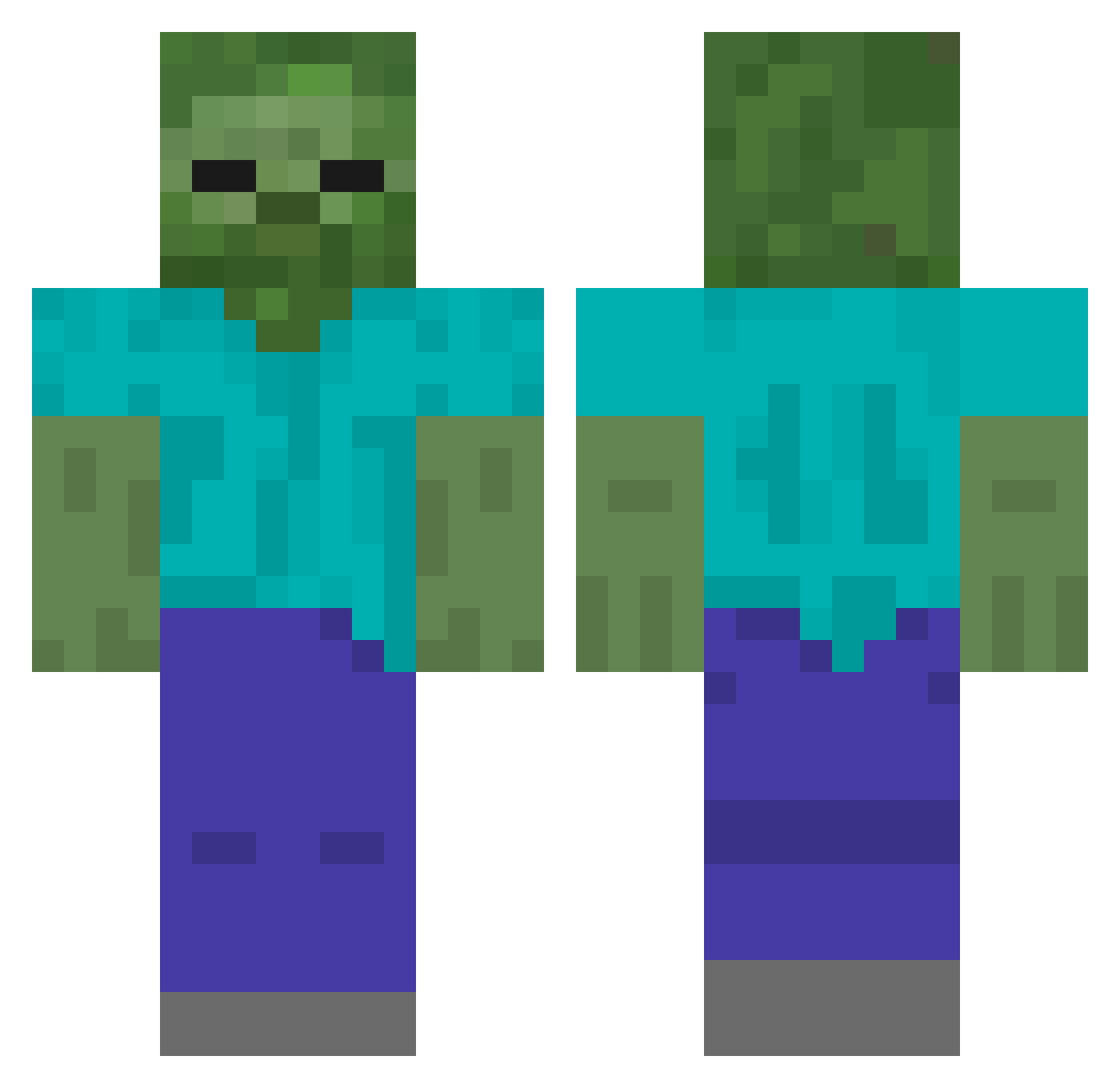
Current Minecraft skin of the player FireNukEM, loaded from the official Mojang API. Rotate the 3D model with your mouse or finger, then download the skin as a PNG file and use it in Minecraft: Bedrock Edition or Java Edition for free. When FireNukEM changes their skin, this page updates automatically and the old skin stays in the history below.
Other players with this skin (434)
FireNukEM was the 266th player we have seen with this skin, first spotted on 02.10.2026. The same skin was seen on these players. Open a nickname to see their current skin and skin history.
 Lakeboy0114 dingking111 KrPaz territorius Obronca wordhundar Lemuriusss maricrafth harima_827 FofuxaRosa dark_goldmaster Janosxh SKD0G_ Aayyoouubb icebumb aimimi0726 _MONODY _Natanek_ ElmaSheitan Mango_HK JZ_SQ hugopizzz Jesusiano yu_0210 broadzls bidinganteng sssssbb hatamotohiroki Ledukas16 ErenYeager1022 Eveli11 Corpusa NakNak_ liulijal CreativeGuide63 kadabra2k CasheeeewNuts Mamar69 JANN__ ThCaner justyourboi Yiayia1978 jeomjae eellenf gman06261 AJ_Bricker yam_woo DKasset Eduardoaad 420Joe_Mama RiverRider05 Davichi937 HaessligeAugen koutayuji Loupka yusufkizilirmakk Guanyu01 gi13 Maxdocter Ousuke1001
More Undead Minecraft skins
How to install the FireNukEM skin
- Press the Download button above to save the skin as a PNG file.
- Minecraft: Bedrock Edition (PE): open the Dressing Room from the main menu (or tap your character → Edit Character), go to Classic Skins → Owned, press the + (new skin) button, choose the downloaded PNG and pick the Classic (Steve) model. Works on PC and mobile; consoles cannot import custom skins.
- Minecraft: Java Edition: open the Minecraft Launcher, go to the Skins tab, click New Skin, load the PNG, pick the Classic (Steve) model and press Save & Use. You can also upload it at minecraft.net → Profile → Change Skin.
The skin does not show up after import - what should I do?
Restart Minecraft and open the Dressing Room again - imported skins sometimes appear only after a restart. Also make sure you selected the imported skin and picked the Classic (Steve) model.
Which model should I choose, Classic or Slim?
This skin is designed for the Classic (Steve) model. If you pick the wrong model, the arms of the skin will look stretched or squeezed.
Is the skin of FireNukEM free to download?
Yes. Press Download, save the PNG file and use it in Minecraft: Bedrock Edition or Java Edition - no payment or registration needed. The skin also works on multiplayer servers and Realms.
More skins
Looking for more? Go back to all Minecraft skins and check the top skins of the week, month and all time, or find any player's skin by nickname.