
FerHarkness - Minecraft Skins & Skin History
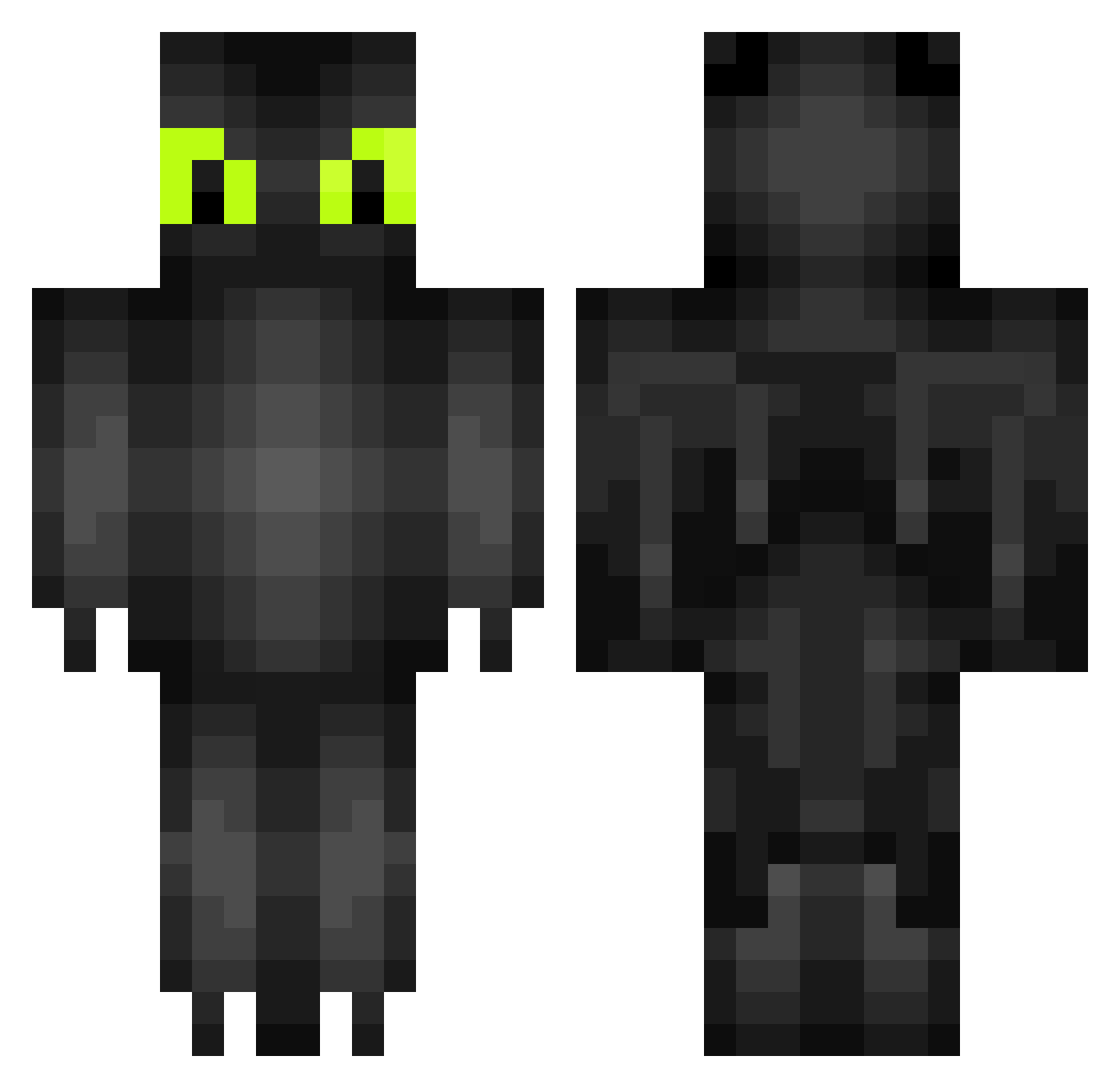
Current Minecraft skin of the player FerHarkness, loaded from the official Mojang API. Rotate the 3D model with your mouse or finger, then download the skin as a PNG file and use it in Minecraft: Bedrock Edition or Java Edition for free. When FerHarkness changes their skin, this page updates automatically and the old skin stays in the history below.
Other players with this skin (264)
FerHarkness was the 94th player we have seen with this skin, first spotted on 02.09.2026. The same skin was seen on these players. Open a nickname to see their current skin and skin history.
 Comet2003 Das_Hex Aido__04 TheAsuro awesomeaxe7 LeeroyJenkans InTheGreenForest AdamTrent drummerjade hkat321 SparkiePixel eddiemac ChaoticPuppet3 Turtle_Meat trolface2003 JonathanKee123 leroy1986 18tim theMaudDib PORORIRI CHUBBS_271104 Toothless_Wonder yoloskywalker
 CaptCon5002 laughner TheSereal69 Kim792 Fenshae seamonkey0 JakusoAble VirusTE maruTR Garfeello ShadesOfTheGame Jasmin4112 kira1374 Mat_Lee Mc_Buddz Gabbuccino jemmac2002 portal711 adidasbro explosion25 Horser xBlinker MozaTengoTierras Dee_13 DEagleEye tom3277 Hunting_Soul Ozonfussel Svejdur adlin0 JONOMAN10 MediaShadow31 Zhertix MandMBoone StarsInAGalaxy Juno_Wat kamcio69
More Toothless Minecraft skins
How to install the FerHarkness skin
- Press the Download button above to save the skin as a PNG file.
- Minecraft: Bedrock Edition (PE): open the Dressing Room from the main menu (or tap your character → Edit Character), go to Classic Skins → Owned, press the + (new skin) button, choose the downloaded PNG and pick the Classic (Steve) model. Works on PC and mobile; consoles cannot import custom skins.
- Minecraft: Java Edition: open the Minecraft Launcher, go to the Skins tab, click New Skin, load the PNG, pick the Classic (Steve) model and press Save & Use. You can also upload it at minecraft.net → Profile → Change Skin.
The skin does not show up after import - what should I do?
Restart Minecraft and open the Dressing Room again - imported skins sometimes appear only after a restart. Also make sure you selected the imported skin and picked the Classic (Steve) model.
Which model should I choose, Classic or Slim?
This skin is designed for the Classic (Steve) model. If you pick the wrong model, the arms of the skin will look stretched or squeezed.
Is the skin of FerHarkness free to download?
Yes. Press Download, save the PNG file and use it in Minecraft: Bedrock Edition or Java Edition - no payment or registration needed. The skin also works on multiplayer servers and Realms.
More skins
Looking for more? Go back to all Minecraft skins and check the top skins of the week, month and all time, or find any player's skin by nickname.