
FaxterW - Minecraft Skins & Skin History
Current Minecraft skin of the player FaxterW, loaded from the official Mojang API. Rotate the 3D model with your mouse or finger, then download the skin as a PNG file and use it in Minecraft: Bedrock Edition or Java Edition for free. When FaxterW changes their skin, this page updates automatically and the old skin stays in the history below.
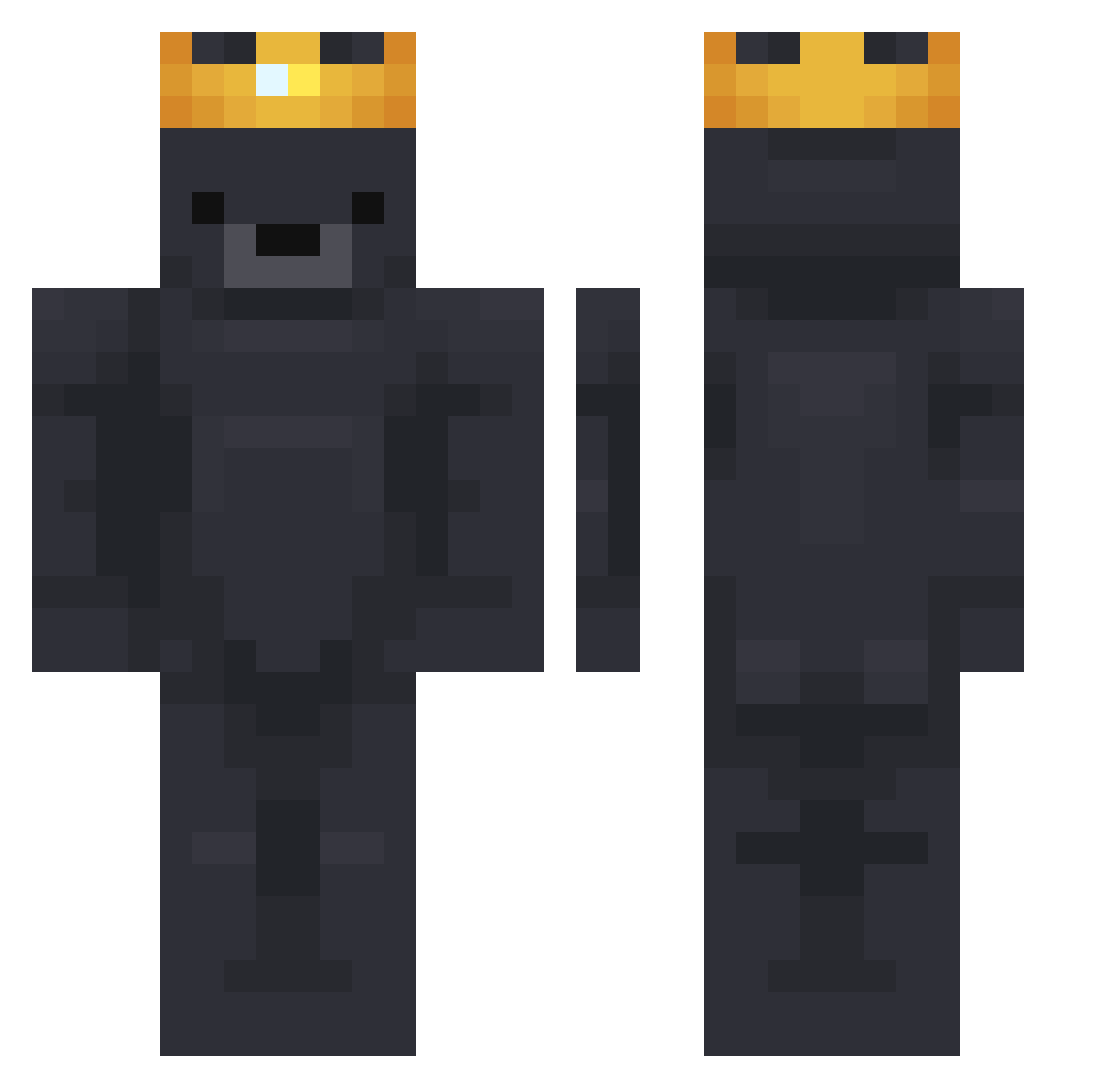
Other players with this skin (784)
FaxterW was the 573rd player we have seen with this skin, first spotted on 12.10.2026. The same skin was seen on these players. Open a nickname to see their current skin and skin history.
 finnyboy300 OnMovaz AzraelPhilosophy ed07_ BestBearr Capekk ttmmaann8576 Luca2701_ m4kyyyx Corsed Koolyn _SpookyPvps_ Gang2Two Pyrzu kanaaaaaaaaams YoGruTi asapnorock ThoreTuberHD hobni Waste_Can reyOff Risinqq XUAN12349 Zaezu DarkLordStewie Phailnwza martinxjam MINI__i Nautix__ BaconBasti Raidogwilson99 eoeriic Lemon7726 Ferdii7 zzzzzangb zayhen Luke_Chae Kano15409 Iam_Daze Cinnt Gemini0008 choihead I_Tyz_ popdog2333 Maxplo Loopsiefluff0 DerKnueppel NateL4444 KONG10 LeonardoLXIX thread_30 TheRealMVP23 possumiscool21 VAIYAHHG0DPVP quaney3000 _dkwns_ KolzyyYT nickbangs CandleFiree BeerBatman69
More Crown Minecraft skins
How to install the FaxterW skin
- Press the Download button above to save the skin as a PNG file.
- Minecraft: Bedrock Edition (PE): open the Dressing Room from the main menu (or tap your character → Edit Character), go to Classic Skins → Owned, press the + (new skin) button, choose the downloaded PNG and pick the Classic (Steve) model. Works on PC and mobile; consoles cannot import custom skins.
- Minecraft: Java Edition: open the Minecraft Launcher, go to the Skins tab, click New Skin, load the PNG, pick the Classic (Steve) model and press Save & Use. You can also upload it at minecraft.net → Profile → Change Skin.
The skin does not show up after import - what should I do?
Restart Minecraft and open the Dressing Room again - imported skins sometimes appear only after a restart. Also make sure you selected the imported skin and picked the Classic (Steve) model.
Which model should I choose, Classic or Slim?
This skin is designed for the Classic (Steve) model. If you pick the wrong model, the arms of the skin will look stretched or squeezed.
Is the skin of FaxterW free to download?
Yes. Press Download, save the PNG file and use it in Minecraft: Bedrock Edition or Java Edition - no payment or registration needed. The skin also works on multiplayer servers and Realms.
More skins
Looking for more? Go back to all Minecraft skins and check the top skins of the week, month and all time, or find any player's skin by nickname.