
FadeIsBored - Minecraft Skins & Skin History
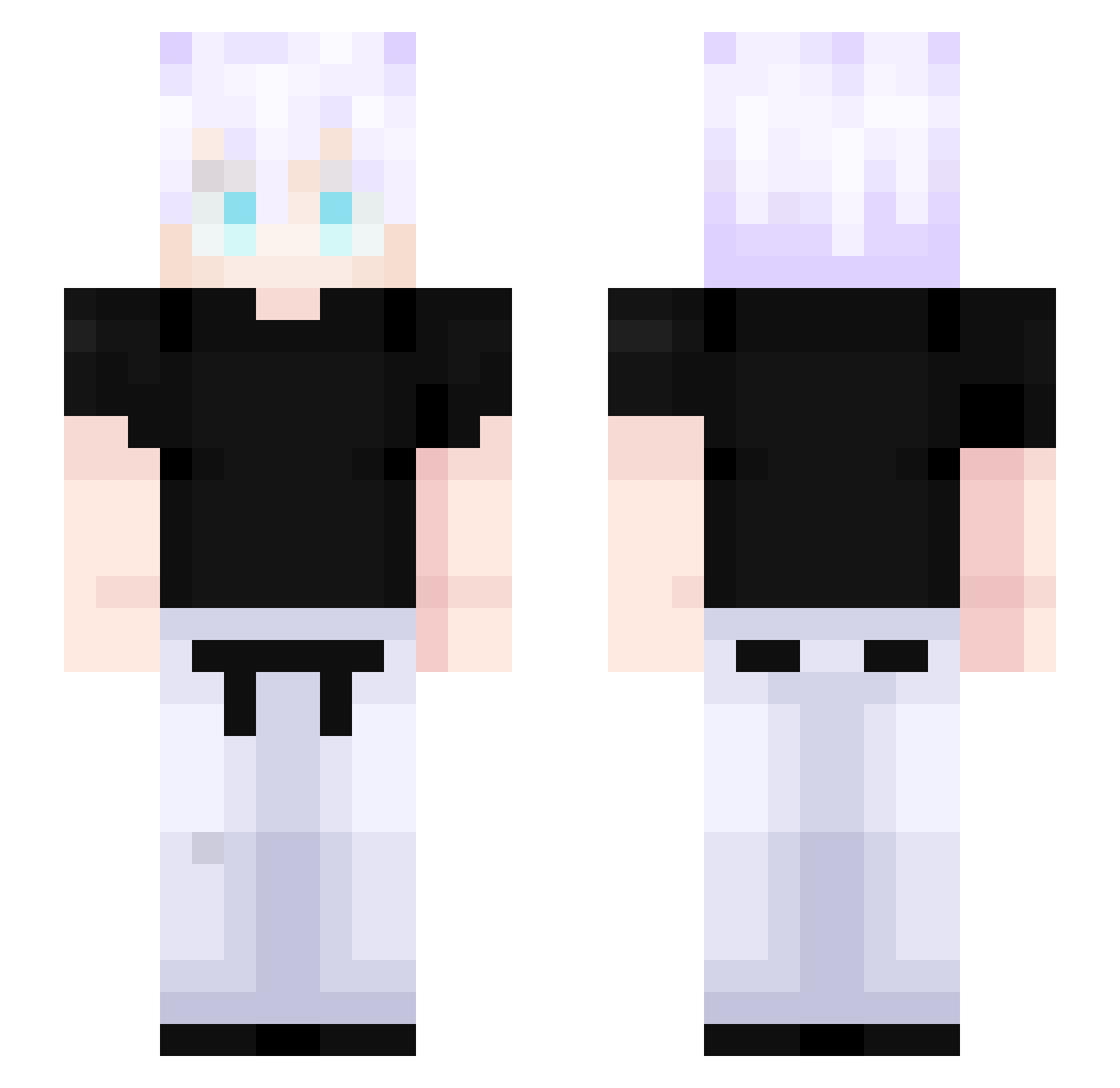
Current Minecraft skin of the player FadeIsBored, loaded from the official Mojang API. Rotate the 3D model with your mouse or finger, then download the skin as a PNG file and use it in Minecraft: Bedrock Edition or Java Edition for free. When FadeIsBored changes their skin, this page updates automatically and the old skin stays in the history below.
Other players with this skin (527)
FadeIsBored was the 398th player we have seen with this skin, first spotted on 17.10.2026. The same skin was seen on these players. Open a nickname to see their current skin and skin history.
 _Sxmidt seqqquel feber1 Pikachu9735 Satorugoat12 physik981 I_Ryder_I Juls231 Hametol07 UnusualAbilities kyh0616 Drimerz YTheMaster2415 jndhwnn Sizzykky jayceeeee1 Alimavaland Espanol2 TheoComH dabear00 _OfT3N_ XammarX AVKA12345 bentendo43 GojoSatoruIsBacq Andrettii mufc_ep mandioca_play GenjutsuisEpic Lordofgod Jches BANDIT_97 happyhappyhappyj RagingBullXD LordBrunao Coalado DGuzmann Goe_Joe ack3470 Artyistaken tutz22 Bogsan0 Personah Vex_k Blumonkiii Maikey54 W3HitTh0se Clover_XT darveXik_ Gojo_Satoru3169 Despair3456 Escanor9076 SoaresSW2 HFrigor Darrelll666 Maiikin Goku07891 Brex2 C7Samurai Randres_075
More Satoru Gojo Minecraft skins
See all 1375 Satoru Gojo skins
How to install the FadeIsBored skin
- Press the Download button above to save the skin as a PNG file.
- Minecraft: Bedrock Edition (PE): open the Dressing Room from the main menu (or tap your character → Edit Character), go to Classic Skins → Owned, press the + (new skin) button, choose the downloaded PNG and pick the Slim (Alex) model. Works on PC and mobile; consoles cannot import custom skins.
- Minecraft: Java Edition: open the Minecraft Launcher, go to the Skins tab, click New Skin, load the PNG, pick the Slim (Alex) model and press Save & Use. You can also upload it at minecraft.net → Profile → Change Skin.
The skin does not show up after import - what should I do?
Restart Minecraft and open the Dressing Room again - imported skins sometimes appear only after a restart. Also make sure you selected the imported skin and picked the Slim (Alex) model.
Which model should I choose, Classic or Slim?
This skin is designed for the Slim (Alex) model. If you pick the wrong model, the arms of the skin will look stretched or squeezed.
Is the skin of FadeIsBored free to download?
Yes. Press Download, save the PNG file and use it in Minecraft: Bedrock Edition or Java Edition - no payment or registration needed. The skin also works on multiplayer servers and Realms.
More skins
Looking for more? Go back to all Minecraft skins and check the top skins of the week, month and all time, or find any player's skin by nickname.