
FURIOUSSSS - Minecraft Skins & Skin History
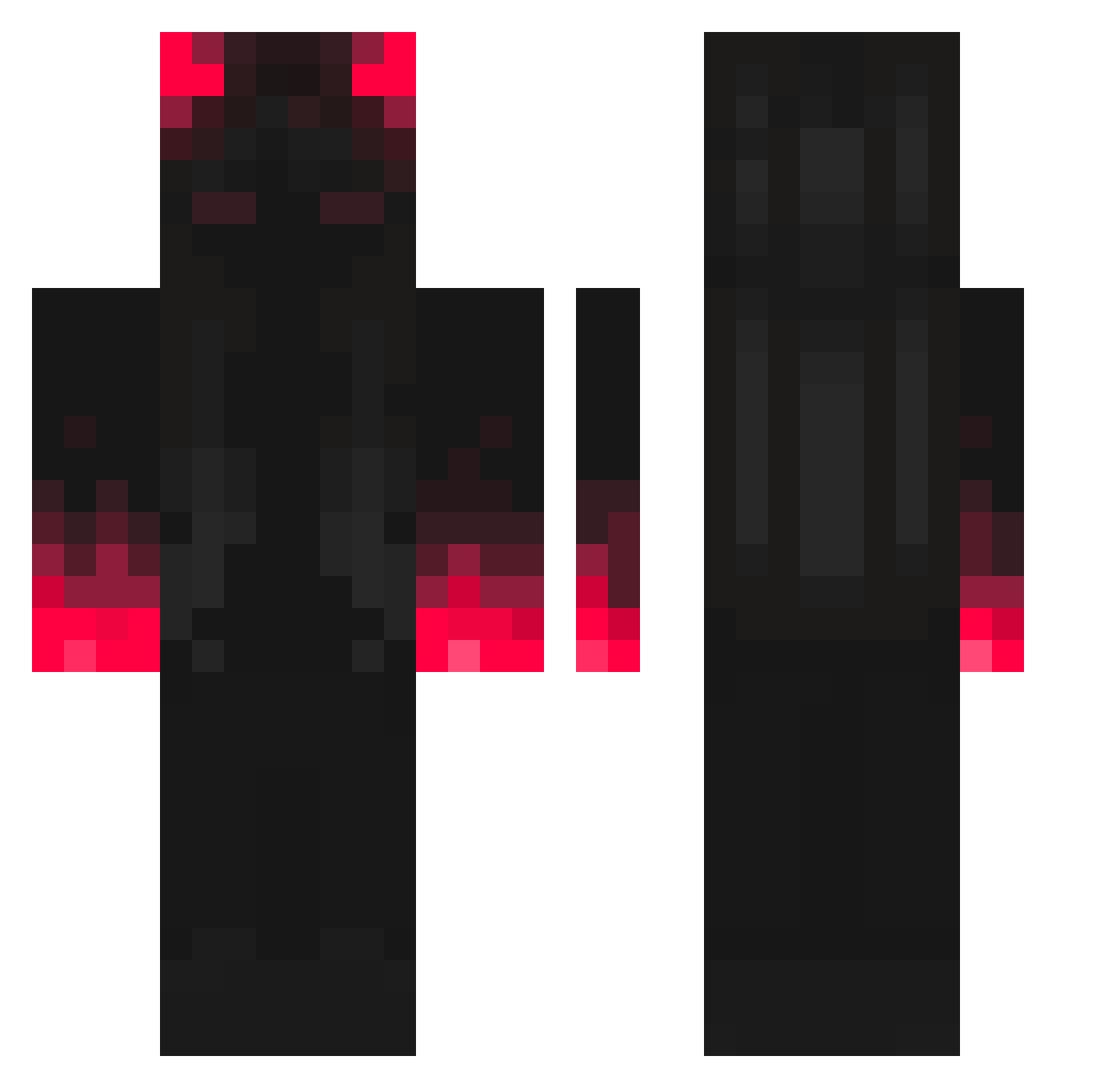
Current Minecraft skin of the player FURIOUSSSS, loaded from the official Mojang API. Rotate the 3D model with your mouse or finger, then download the skin as a PNG file and use it in Minecraft: Bedrock Edition or Java Edition for free. When FURIOUSSSS changes their skin, this page updates automatically and the old skin stays in the history below.
Other players with this skin (307)
FURIOUSSSS was the 212th player we have seen with this skin, first spotted on 28.09.2026. The same skin was seen on these players. Open a nickname to see their current skin and skin history.
 Nepitune NekoGirlKawaii Jazz4Y0urSoul LeandrinOfoda New_GT Rsfe _Somni_ KurkOBanz chan0213 Lajzo11 RPochyly4 Reaper_Hound yubuchobbab1 Justinzeer0 bialek2_game Indivvlite Wikizplay YaMumsCat RedBlazz Soulstealer6789 deapthzz serenity4673 HypeDisaster21 zAlinaaaa TiPos PlayboiRetardee _Yuri_999 LittleBigOtter DDongee35 Martino_BC clettshesh MrLogisK Jynxly2 Darkrie1234 PatateAlForno petkoooo TamimGH Freechoccymil SethAnubio Kukisawa Gepakko Erwiin_ broli26 Deckx RIDEROP dominator1382 SpCeles HUGHMIDBALLS Jaegerr12 BloodMoonLight 8Nozufka yue_Po Alim008 werap113 HKCS79 DawnX0 Peyton_Jaguar LucifeDeVelotrol Eduardo984 Flo4514
More Shadow Minecraft skins
How to install the FURIOUSSSS skin
- Press the Download button above to save the skin as a PNG file.
- Minecraft: Bedrock Edition (PE): open the Dressing Room from the main menu (or tap your character → Edit Character), go to Classic Skins → Owned, press the + (new skin) button, choose the downloaded PNG and pick the Classic (Steve) model. Works on PC and mobile; consoles cannot import custom skins.
- Minecraft: Java Edition: open the Minecraft Launcher, go to the Skins tab, click New Skin, load the PNG, pick the Classic (Steve) model and press Save & Use. You can also upload it at minecraft.net → Profile → Change Skin.
The skin does not show up after import - what should I do?
Restart Minecraft and open the Dressing Room again - imported skins sometimes appear only after a restart. Also make sure you selected the imported skin and picked the Classic (Steve) model.
Which model should I choose, Classic or Slim?
This skin is designed for the Classic (Steve) model. If you pick the wrong model, the arms of the skin will look stretched or squeezed.
Is the skin of FURIOUSSSS free to download?
Yes. Press Download, save the PNG file and use it in Minecraft: Bedrock Edition or Java Edition - no payment or registration needed. The skin also works on multiplayer servers and Realms.
More skins
Looking for more? Go back to all Minecraft skins and check the top skins of the week, month and all time, or find any player's skin by nickname.