
FREAK_E2 - Minecraft Skins & Skin History
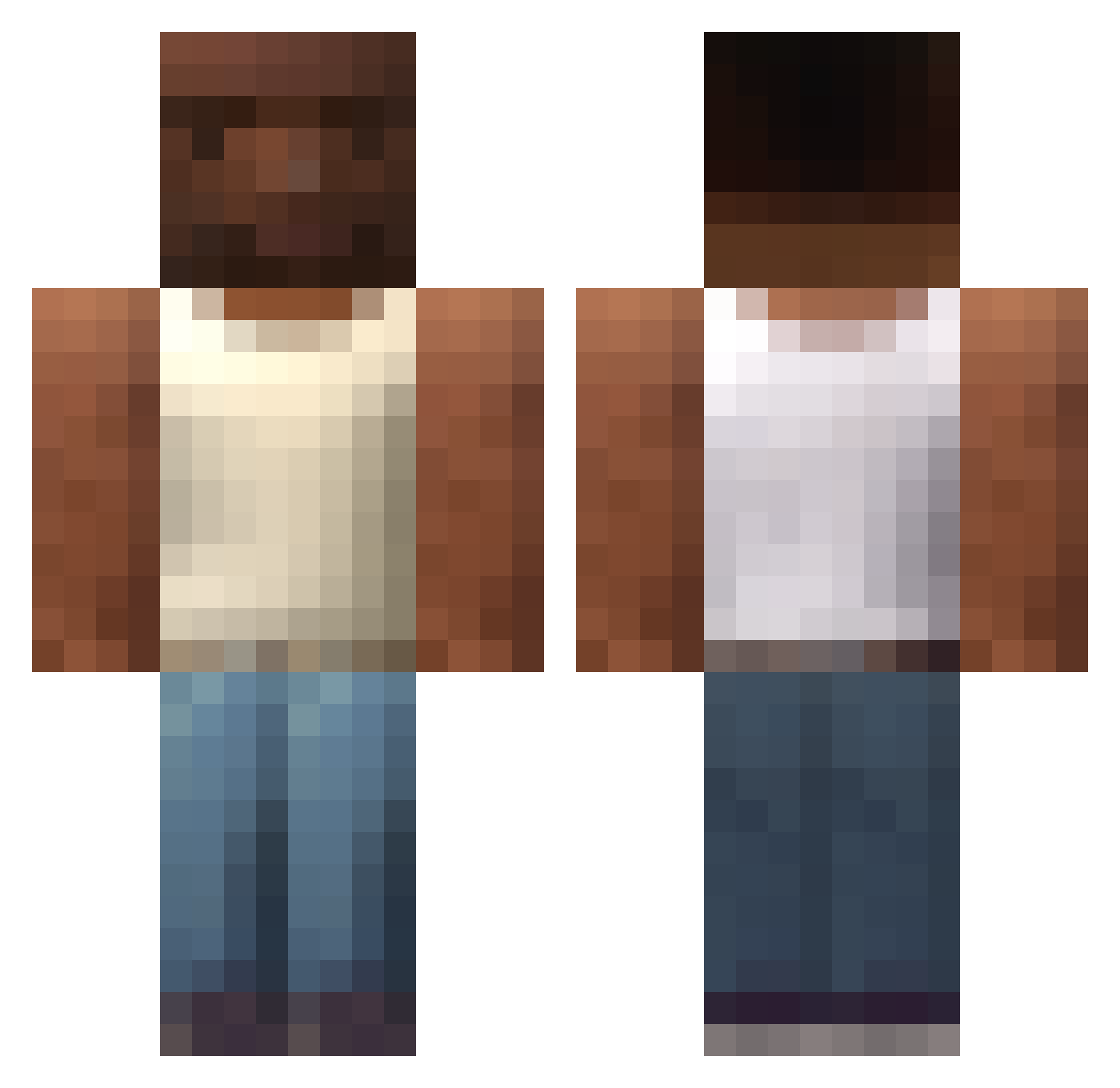
Current Minecraft skin of the player FREAK_E2, loaded from the official Mojang API. Rotate the 3D model with your mouse or finger, then download the skin as a PNG file and use it in Minecraft: Bedrock Edition or Java Edition for free. When FREAK_E2 changes their skin, this page updates automatically and the old skin stays in the history below.
Other players with this skin (201)
FREAK_E2 was the 116th player we have seen with this skin, first spotted on 02.10.2026. The same skin was seen on these players. Open a nickname to see their current skin and skin history.
 antipr3talhada JuNNKie BeeCreeper914 _TheJoke_ th3seg Yukimura_K Koweras Luizlll HeyVictorHugo Tennur Bufii Getea_ AlikeRaccoon David4255 Douradinn01 MigHeadGH coba_69 ITST0MI BALCK_SIMON Lisu___ 0leekuscz Care_chimba SumoTrash smellycart805 ec9l KitCat2019 LSP_Farring Rimelon BorraLinguisa kazy99 EA91 Sotto7 Hakgun bubafael DarkGamerDark Z1emn FalcoMalc0 Bobykiri cyanFB _Spine_0 Ragzin_ kronoxpotlar Luther1G Lucas_CJ ValkonM dziubek69420 daviddanka Bombypup Petanus gaylizard97 IMPOST0R ComicTexas1109 IEPunkk PCFPrize thethatone mancraty Bonjor Master6616 starydron MclovinFogell28
How to install the FREAK_E2 skin
- Press the Download button above to save the skin as a PNG file.
- Minecraft: Bedrock Edition (PE): open the Dressing Room from the main menu (or tap your character → Edit Character), go to Classic Skins → Owned, press the + (new skin) button, choose the downloaded PNG and pick the Classic (Steve) model. Works on PC and mobile; consoles cannot import custom skins.
- Minecraft: Java Edition: open the Minecraft Launcher, go to the Skins tab, click New Skin, load the PNG, pick the Classic (Steve) model and press Save & Use. You can also upload it at minecraft.net → Profile → Change Skin.
The skin does not show up after import - what should I do?
Restart Minecraft and open the Dressing Room again - imported skins sometimes appear only after a restart. Also make sure you selected the imported skin and picked the Classic (Steve) model.
Which model should I choose, Classic or Slim?
This skin is designed for the Classic (Steve) model. If you pick the wrong model, the arms of the skin will look stretched or squeezed.
Is the skin of FREAK_E2 free to download?
Yes. Press Download, save the PNG file and use it in Minecraft: Bedrock Edition or Java Edition - no payment or registration needed. The skin also works on multiplayer servers and Realms.
More skins
Looking for more? Go back to all Minecraft skins and check the top skins of the week, month and all time, or find any player's skin by nickname.