
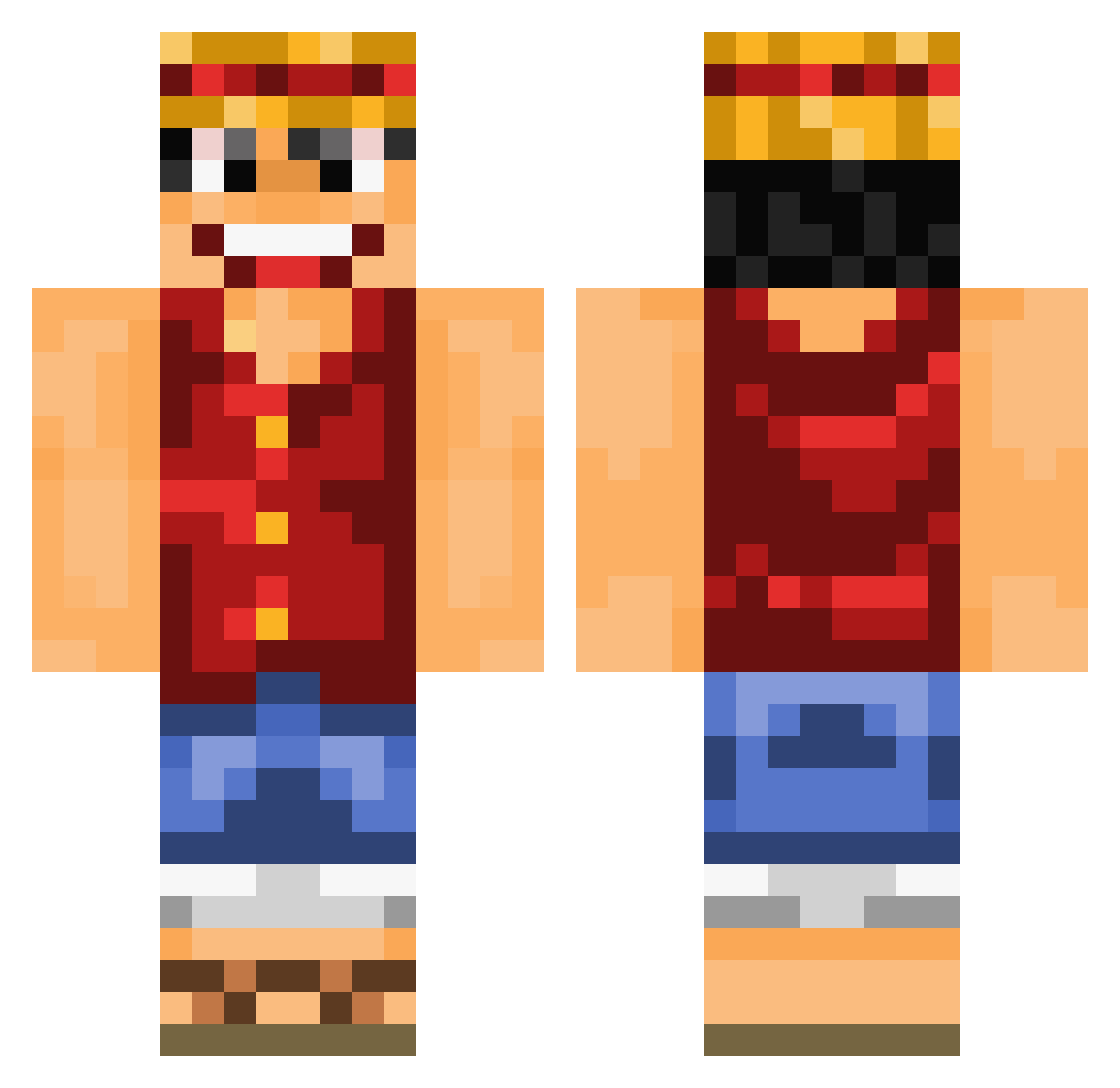
Current Minecraft skin of the player Eztair, loaded from the official Mojang API. Rotate the 3D model with your mouse or finger, then download the skin as a PNG file and use it in Minecraft: Bedrock Edition or Java Edition for free. When Eztair changes their skin, this page updates automatically and the old skin stays in the history below.
Other players with this skin (639)
Eztair was the 280th player we have seen with this skin, first spotted on 31.08.2026. The same skin was seen on these players. Open a nickname to see their current skin and skin history.
 Bounty96 Poppyyyyyy521 CrashingRhino62 Milan_kzl Just_eat_it jjjello11 anonymous00776 Cameo_XP ManuManjak kingofkyros PikaTiK Dave363 RAZCAL13 voiceee UmapK3 PatricZ Venumea Leo191200 Vezsace Mr_general21 herodeez Turwick hanmomomo LoTaRiE51 soria24 Rafskaa91 songuko135 Twityy ComradeCannabis Darmo29 Jon11noJ AIMonsterI owenyeh123 Eowilic CodeOneX reoljp glassder MrNouch leftkape ilarramendi BachHades97 sanroque Jc_Kaye Behlinho DANTE9911 moreFREDthanyou Yilmaz_3 victor289 GodLikeGamerHere crustygamer737 N0wooo K1nGx3 GuiZmo57__ Beau_Pants auto11551 aCaribbeanPirate erikthe10man JLRayou IAMUMN Arrock88
More Monkey D Luffy Minecraft skins
See all 773 Monkey D Luffy skins
How to install the Eztair skin
- Press the Download button above to save the skin as a PNG file.
- Minecraft: Bedrock Edition (PE): open the Dressing Room from the main menu (or tap your character → Edit Character), go to Classic Skins → Owned, press the + (new skin) button, choose the downloaded PNG and pick the Classic (Steve) model. Works on PC and mobile; consoles cannot import custom skins.
- Minecraft: Java Edition: open the Minecraft Launcher, go to the Skins tab, click New Skin, load the PNG, pick the Classic (Steve) model and press Save & Use. You can also upload it at minecraft.net → Profile → Change Skin.
The skin does not show up after import - what should I do?
Restart Minecraft and open the Dressing Room again - imported skins sometimes appear only after a restart. Also make sure you selected the imported skin and picked the Classic (Steve) model.
Which model should I choose, Classic or Slim?
This skin is designed for the Classic (Steve) model. If you pick the wrong model, the arms of the skin will look stretched or squeezed.
Is the skin of Eztair free to download?
Yes. Press Download, save the PNG file and use it in Minecraft: Bedrock Edition or Java Edition - no payment or registration needed. The skin also works on multiplayer servers and Realms.
More skins
Looking for more? Go back to all Minecraft skins and check the top skins of the week, month and all time, or find any player's skin by nickname.