
Ez4le - Minecraft Skins & Skin History
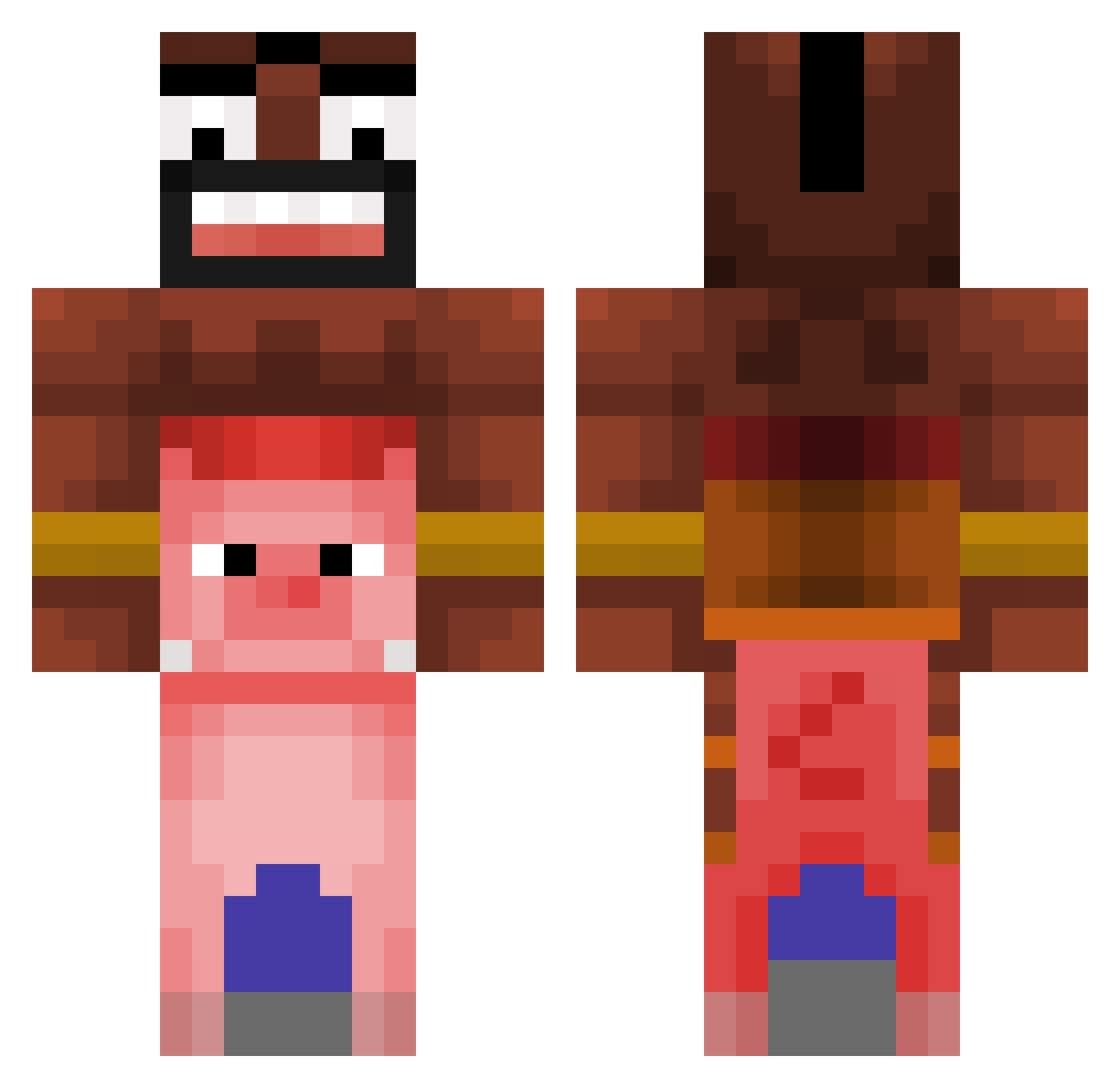
Current Minecraft skin of the player Ez4le, loaded from the official Mojang API. Rotate the 3D model with your mouse or finger, then download the skin as a PNG file and use it in Minecraft: Bedrock Edition or Java Edition for free. When Ez4le changes their skin, this page updates automatically and the old skin stays in the history below.
Other players with this skin (476)
Ez4le was the 334th player we have seen with this skin, first spotted on 11.10.2026. The same skin was seen on these players. Open a nickname to see their current skin and skin history.
 liquidate321 titouzz MaykkOff cocojungle IgnMateo BlackKidOnV4 Tamoule nupie69 Mir00z SlungDungg Teanex AralNorman UnafraidLotus50 MrWaschiWaschi Peter7050 AgentJSX MoManxxxx Cri177 loupop0245 tomahowkjon SkyBlueLambo Marcogamez21 Lach_is_cool NenndyxOwO JasonChung008 Adej206 GIeB0SS Yakcay NinjaUber FusionGamer530 minos1035 Killan64 vgguede Fuzznoid cwnl MrNova10 jackjackvu05 d1vot WaterMouse reltih_od_tylu DVkubmat7 willim256 malpro7x Erykson9 eeeuuuhhh Lammeratje kidlegomaster2 Krisd_ cooldewdXD NickVenera KittyBolleUwU MeLoveAlexis jelmerNL038 xSmyK GianSweets SourteN mstar_0430_0 Kijasp godito124 RickteXX
More Pig Minecraft skins
How to install the Ez4le skin
- Press the Download button above to save the skin as a PNG file.
- Minecraft: Bedrock Edition (PE): open the Dressing Room from the main menu (or tap your character → Edit Character), go to Classic Skins → Owned, press the + (new skin) button, choose the downloaded PNG and pick the Classic (Steve) model. Works on PC and mobile; consoles cannot import custom skins.
- Minecraft: Java Edition: open the Minecraft Launcher, go to the Skins tab, click New Skin, load the PNG, pick the Classic (Steve) model and press Save & Use. You can also upload it at minecraft.net → Profile → Change Skin.
The skin does not show up after import - what should I do?
Restart Minecraft and open the Dressing Room again - imported skins sometimes appear only after a restart. Also make sure you selected the imported skin and picked the Classic (Steve) model.
Which model should I choose, Classic or Slim?
This skin is designed for the Classic (Steve) model. If you pick the wrong model, the arms of the skin will look stretched or squeezed.
Is the skin of Ez4le free to download?
Yes. Press Download, save the PNG file and use it in Minecraft: Bedrock Edition or Java Edition - no payment or registration needed. The skin also works on multiplayer servers and Realms.
More skins
Looking for more? Go back to all Minecraft skins and check the top skins of the week, month and all time, or find any player's skin by nickname.