
Exclamatus - Minecraft Skins & Skin History
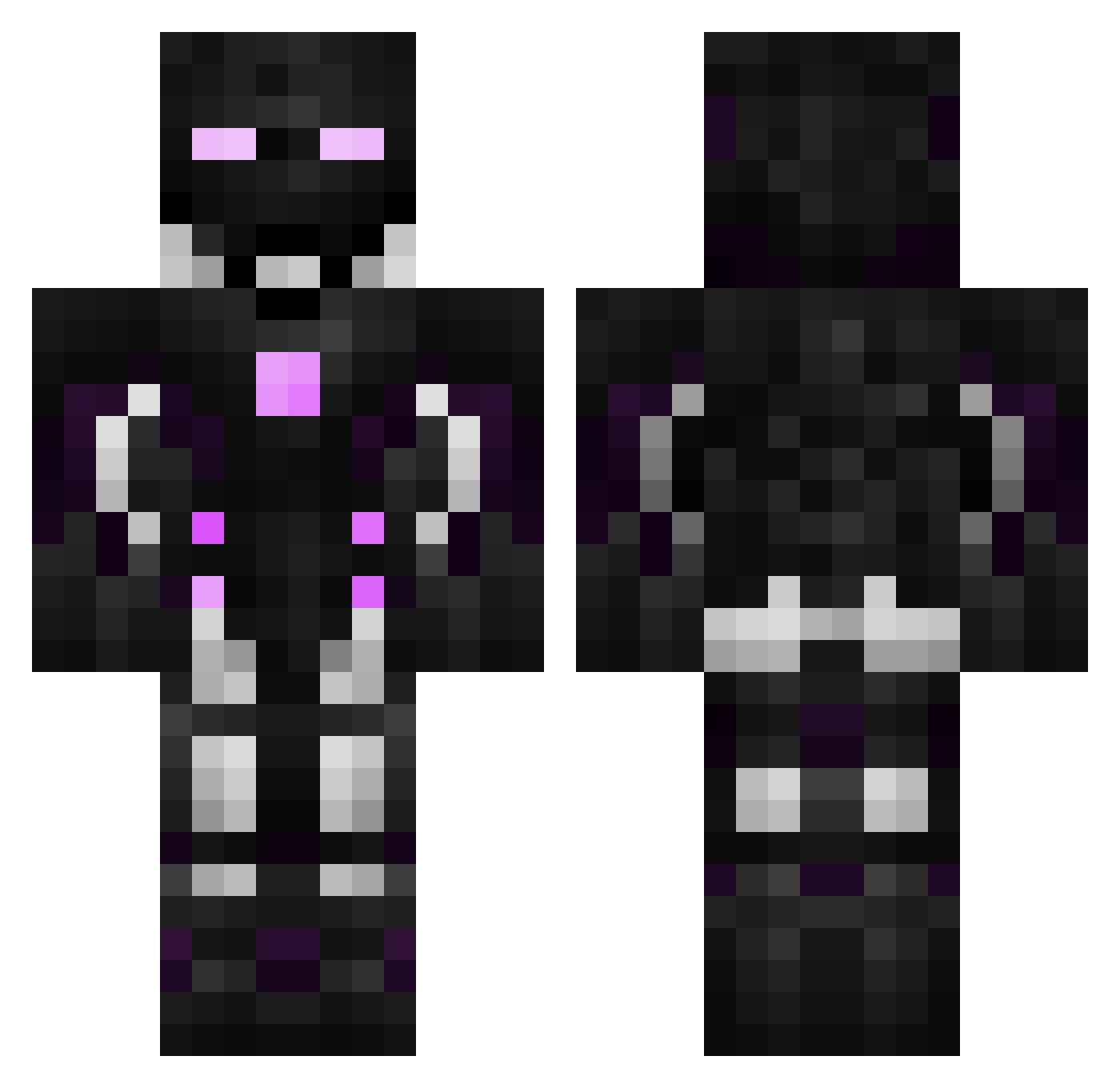
Current Minecraft skin of the player Exclamatus, loaded from the official Mojang API. Rotate the 3D model with your mouse or finger, then download the skin as a PNG file and use it in Minecraft: Bedrock Edition or Java Edition for free. When Exclamatus changes their skin, this page updates automatically and the old skin stays in the history below.
Other players with this skin (596)
Exclamatus was the 170th player we have seen with this skin, first spotted on 29.08.2026. The same skin was seen on these players. Open a nickname to see their current skin and skin history.
 Saroggoras Elkenhearth Rag3melon OneHit321 Lovewins1 KrytechX Bel_HTML Wambo121 Zachcamp Swybix Pr0Hunt3r WhiteBull Avajee fatal_bert8272 BigClappy lordbaldr Ketinai papisebas654 Glouby1605 Onikaryu SchneeYTGamer1 Fly_boi18 JRGoulart Huajie666 Gatillo20 FjonkMasterXD Shredder1303 minecartdispy Ascendnt BoriskaPyatak Bouilledamour Calox2215 SkyBornDemon Bodziolewski Eonarc08 HuSkY20216 hellseeker60 PARKSANGYEON_ labouilledamour verIust Rahul0918 Happy_Meal14 Yin_yang001 krypy mad4horse BroptimusPrime Tionant AllyDaemon dorodango1984 Broken_Lighter Dragon_Mast3r_13 Gxx19 KINGALEX07 DFoux Mc_Lamp Tensui9 Implify Discard__ Magusius Quazen
More Cyborg Minecraft skins
How to install the Exclamatus skin
- Press the Download button above to save the skin as a PNG file.
- Minecraft: Bedrock Edition (PE): open the Dressing Room from the main menu (or tap your character → Edit Character), go to Classic Skins → Owned, press the + (new skin) button, choose the downloaded PNG and pick the Classic (Steve) model. Works on PC and mobile; consoles cannot import custom skins.
- Minecraft: Java Edition: open the Minecraft Launcher, go to the Skins tab, click New Skin, load the PNG, pick the Classic (Steve) model and press Save & Use. You can also upload it at minecraft.net → Profile → Change Skin.
The skin does not show up after import - what should I do?
Restart Minecraft and open the Dressing Room again - imported skins sometimes appear only after a restart. Also make sure you selected the imported skin and picked the Classic (Steve) model.
Which model should I choose, Classic or Slim?
This skin is designed for the Classic (Steve) model. If you pick the wrong model, the arms of the skin will look stretched or squeezed.
Is the skin of Exclamatus free to download?
Yes. Press Download, save the PNG file and use it in Minecraft: Bedrock Edition or Java Edition - no payment or registration needed. The skin also works on multiplayer servers and Realms.
More skins
Looking for more? Go back to all Minecraft skins and check the top skins of the week, month and all time, or find any player's skin by nickname.