
Exceed023 - Minecraft Skins & Skin History
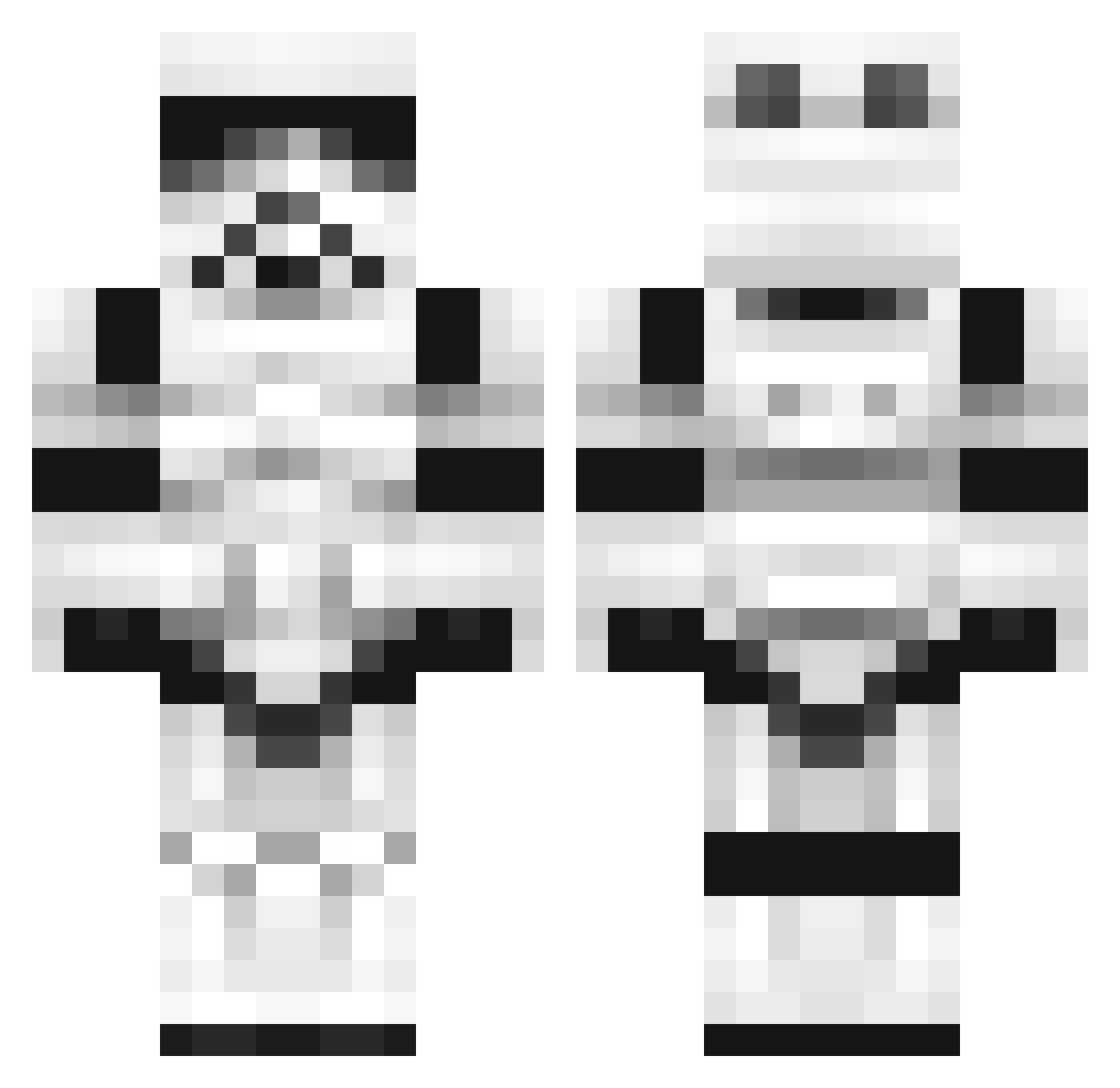
Current Minecraft skin of the player Exceed023, loaded from the official Mojang API. Rotate the 3D model with your mouse or finger, then download the skin as a PNG file and use it in Minecraft: Bedrock Edition or Java Edition for free. When Exceed023 changes their skin, this page updates automatically and the old skin stays in the history below.
Other players with this skin (1102)
Exceed023 was the 638th player we have seen with this skin, first spotted on 26.09.2026. The same skin was seen on these players. Open a nickname to see their current skin and skin history.
 tomfie psycoclown4286 N0rt4 Bowmore Drogias Cozystan jordansrival storrum TomBradyCudDoTht marshalXD1 RyanRumble2006 sportsmonster Hypps_MacGypsea Brunern JoKGaming FutureDaVinci adbtermined AdrianoNoro sweapan Golachab KhanBubbs Thresh122 lord_rhys03 McCringleberry kinderlied Sgt_Linden dryshady HJ55855F xXbyJonasXx billboy2404 DoubleHorn soyverde bobshakademus az_joker KoenigHagart Juelz1992 Dankem JuanluR8 cyber_chris LJcoolboy afourawesome 7elysium FesterMurle Lroy23 Elzok Jholic Nearlol Meatsawce DShez90 Stormpoooper Maxlhaxl McKelsaynator LegoStian LeaftopWill vishtank TimsBarista Brothersbrown xXCadoganXx wiiplaya Scuddd
More Trooper Minecraft skins
How to install the Exceed023 skin
- Press the Download button above to save the skin as a PNG file.
- Minecraft: Bedrock Edition (PE): open the Dressing Room from the main menu (or tap your character → Edit Character), go to Classic Skins → Owned, press the + (new skin) button, choose the downloaded PNG and pick the Classic (Steve) model. Works on PC and mobile; consoles cannot import custom skins.
- Minecraft: Java Edition: open the Minecraft Launcher, go to the Skins tab, click New Skin, load the PNG, pick the Classic (Steve) model and press Save & Use. You can also upload it at minecraft.net → Profile → Change Skin.
The skin does not show up after import - what should I do?
Restart Minecraft and open the Dressing Room again - imported skins sometimes appear only after a restart. Also make sure you selected the imported skin and picked the Classic (Steve) model.
Which model should I choose, Classic or Slim?
This skin is designed for the Classic (Steve) model. If you pick the wrong model, the arms of the skin will look stretched or squeezed.
Is the skin of Exceed023 free to download?
Yes. Press Download, save the PNG file and use it in Minecraft: Bedrock Edition or Java Edition - no payment or registration needed. The skin also works on multiplayer servers and Realms.
More skins
Looking for more? Go back to all Minecraft skins and check the top skins of the week, month and all time, or find any player's skin by nickname.