
Erzyk - Minecraft Skins & Skin History
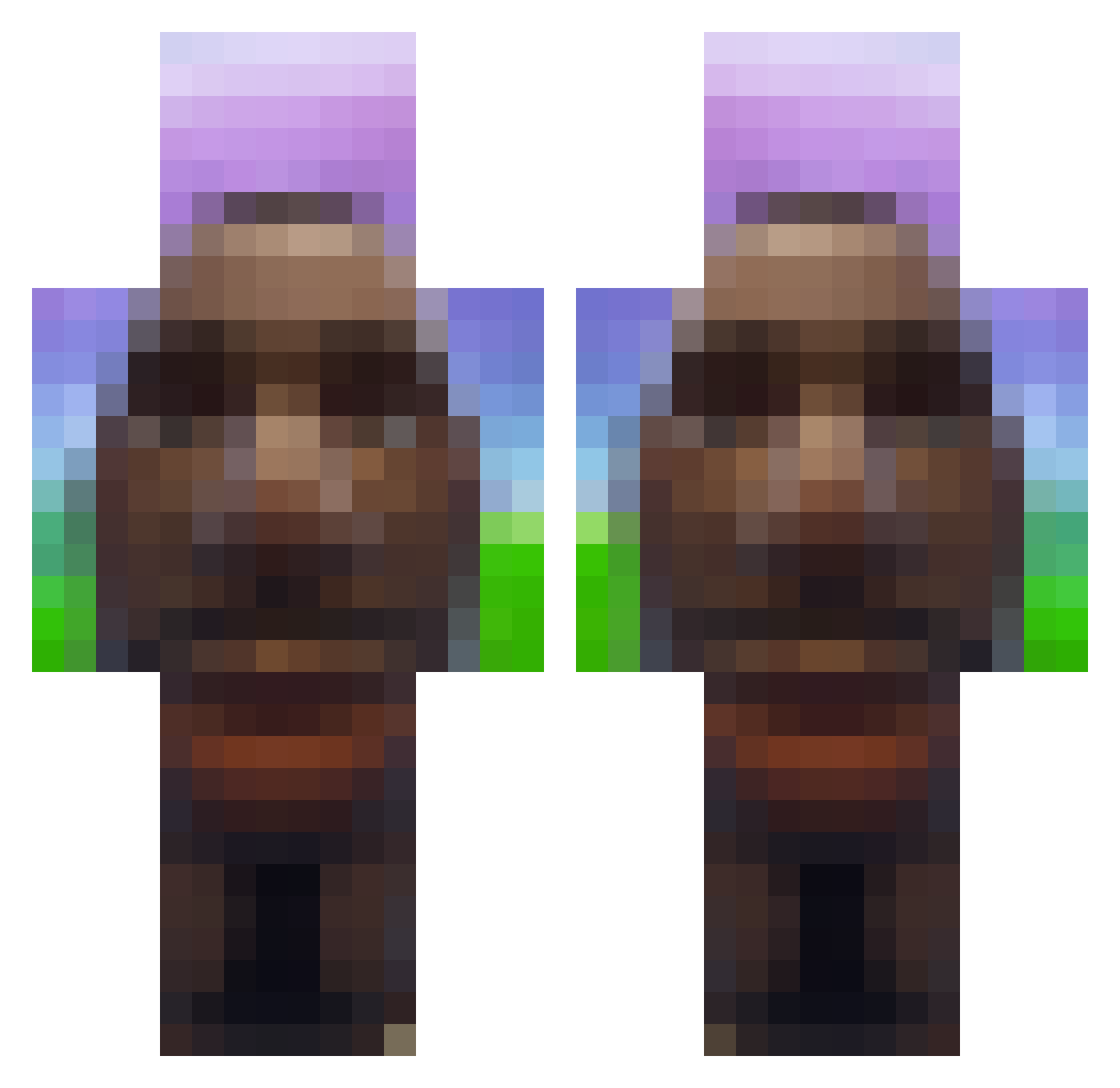
Current Minecraft skin of the player Erzyk, loaded from the official Mojang API. Rotate the 3D model with your mouse or finger, then download the skin as a PNG file and use it in Minecraft: Bedrock Edition or Java Edition for free. When Erzyk changes their skin, this page updates automatically and the old skin stays in the history below.
Other players with this skin (721)
Erzyk was the 484th player we have seen with this skin, first spotted on 05.10.2026. The same skin was seen on these players. Open a nickname to see their current skin and skin history.
 Libanes67 Highgr0und66 panchotax Shadow_Storm1410 DR_D00F d4wsyn KirkMichael andrexone SIgmaPiotr2137 S1ntyx47 Flex_mit_R8 Shlimebruh aussie1232 FunAlt18 YangShane MikoOFF hk3m xRubyyy_ JeanTartina2 eefhun ZiiqxFC Moca223 goldentyy Paravozik69 HCM732 Bowkenn EnzoMaldinni spirosDAMAN LAMOwer576 oliwka_diddiego_ Keeneyy Mango71409 militroyer1000 pro_plejer_buba Noswallig GIANPIETRO_SCULO Kaleid0320 PiranhaFingers1 denis_rizzler dmvs3mnsampler LaCaccaRosa striker061206 Maxymuzzz Innernutssf cooperrr3 Konstantin__ RandoRaj autopecasnahouse Brvland Gamerethan23 stinky_silas Fiona0073 izebs Devotedness simpitut xBlackPanther12 Whitelightningg Peepo_Hey Mooshy_YT MCGameplayZ
More Moai Minecraft skins
How to install the Erzyk skin
- Press the Download button above to save the skin as a PNG file.
- Minecraft: Bedrock Edition (PE): open the Dressing Room from the main menu (or tap your character → Edit Character), go to Classic Skins → Owned, press the + (new skin) button, choose the downloaded PNG and pick the Classic (Steve) model. Works on PC and mobile; consoles cannot import custom skins.
- Minecraft: Java Edition: open the Minecraft Launcher, go to the Skins tab, click New Skin, load the PNG, pick the Classic (Steve) model and press Save & Use. You can also upload it at minecraft.net → Profile → Change Skin.
The skin does not show up after import - what should I do?
Restart Minecraft and open the Dressing Room again - imported skins sometimes appear only after a restart. Also make sure you selected the imported skin and picked the Classic (Steve) model.
Which model should I choose, Classic or Slim?
This skin is designed for the Classic (Steve) model. If you pick the wrong model, the arms of the skin will look stretched or squeezed.
Is the skin of Erzyk free to download?
Yes. Press Download, save the PNG file and use it in Minecraft: Bedrock Edition or Java Edition - no payment or registration needed. The skin also works on multiplayer servers and Realms.
More skins
Looking for more? Go back to all Minecraft skins and check the top skins of the week, month and all time, or find any player's skin by nickname.