
Energy_Toaster_ - Minecraft Skins & Skin History
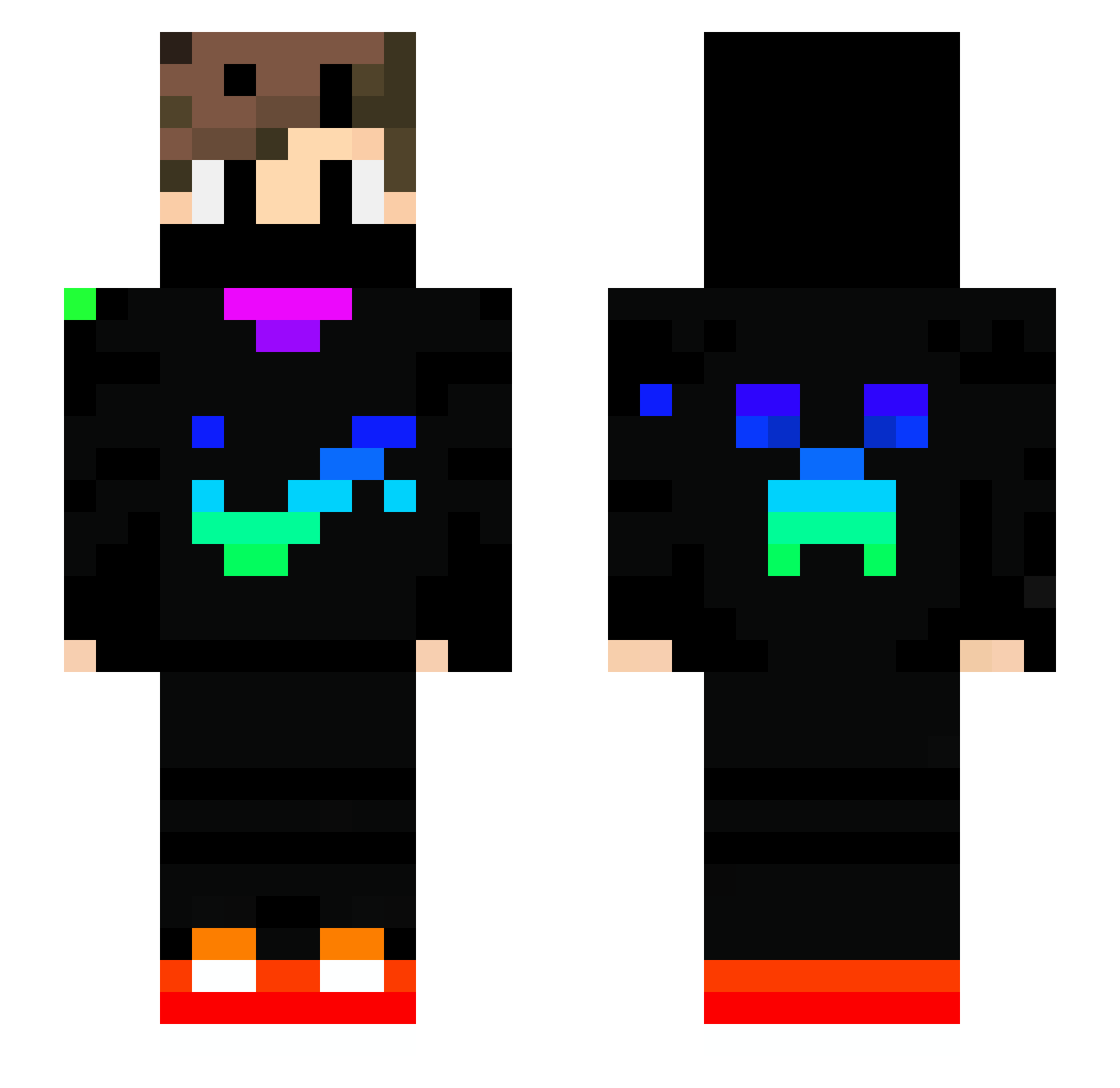
Current Minecraft skin of the player Energy_Toaster_, loaded from the official Mojang API. Rotate the 3D model with your mouse or finger, then download the skin as a PNG file and use it in Minecraft: Bedrock Edition or Java Edition for free. When Energy_Toaster_ changes their skin, this page updates automatically and the old skin stays in the history below.
Other players with this skin (739)
Energy_Toaster_ was the 506th player we have seen with this skin, first spotted on 08.10.2026. The same skin was seen on these players. Open a nickname to see their current skin and skin history.
 Lopguy Maxsigns MEMO6977 DKW2010 Lixsara ferruh1 Saylix_yt taikaviitta_ eloelo9012345 YOSOYJULIO_XD mookayla17 m_cbalog dungeuons pouletjaune yudai1006 JuliCooli Brodelparchetto Amobou qianxun0522 juanjogamerpro GODSE0 philirun Vitaemors Dark_killer_king Faze_shy Jasono233 DarkPg Pinkpinkpinks SlimerGhost Sebyt010 AkiraYuuki1 Hurvajz aoto0624 Chiefhawk2008 _HASHTAGXRP_ CLASHING_WARYTop LinusDigre Tim999YT gkm54 MatheusTyler09 M1xel79 Razzerx_ MDelta_o2 Danielgurrero5 Tobkominer mospiv FAHSAIST KaanAcikel Josh7aa AquaticChair200 RCK1207 leoyau Matesko_11 MilchBubi2207 sminkelbeer01 Inside_Gamer06 MrShnack lucasip12 Kudla_z_pudla ArnoWalter
More Creeper Minecraft skins
How to install the Energy_Toaster_ skin
- Press the Download button above to save the skin as a PNG file.
- Minecraft: Bedrock Edition (PE): open the Dressing Room from the main menu (or tap your character → Edit Character), go to Classic Skins → Owned, press the + (new skin) button, choose the downloaded PNG and pick the Slim (Alex) model. Works on PC and mobile; consoles cannot import custom skins.
- Minecraft: Java Edition: open the Minecraft Launcher, go to the Skins tab, click New Skin, load the PNG, pick the Slim (Alex) model and press Save & Use. You can also upload it at minecraft.net → Profile → Change Skin.
The skin does not show up after import - what should I do?
Restart Minecraft and open the Dressing Room again - imported skins sometimes appear only after a restart. Also make sure you selected the imported skin and picked the Slim (Alex) model.
Which model should I choose, Classic or Slim?
This skin is designed for the Slim (Alex) model. If you pick the wrong model, the arms of the skin will look stretched or squeezed.
Is the skin of Energy_Toaster_ free to download?
Yes. Press Download, save the PNG file and use it in Minecraft: Bedrock Edition or Java Edition - no payment or registration needed. The skin also works on multiplayer servers and Realms.
More skins
Looking for more? Go back to all Minecraft skins and check the top skins of the week, month and all time, or find any player's skin by nickname.