
Endrixik_ - Minecraft Skins & Skin History
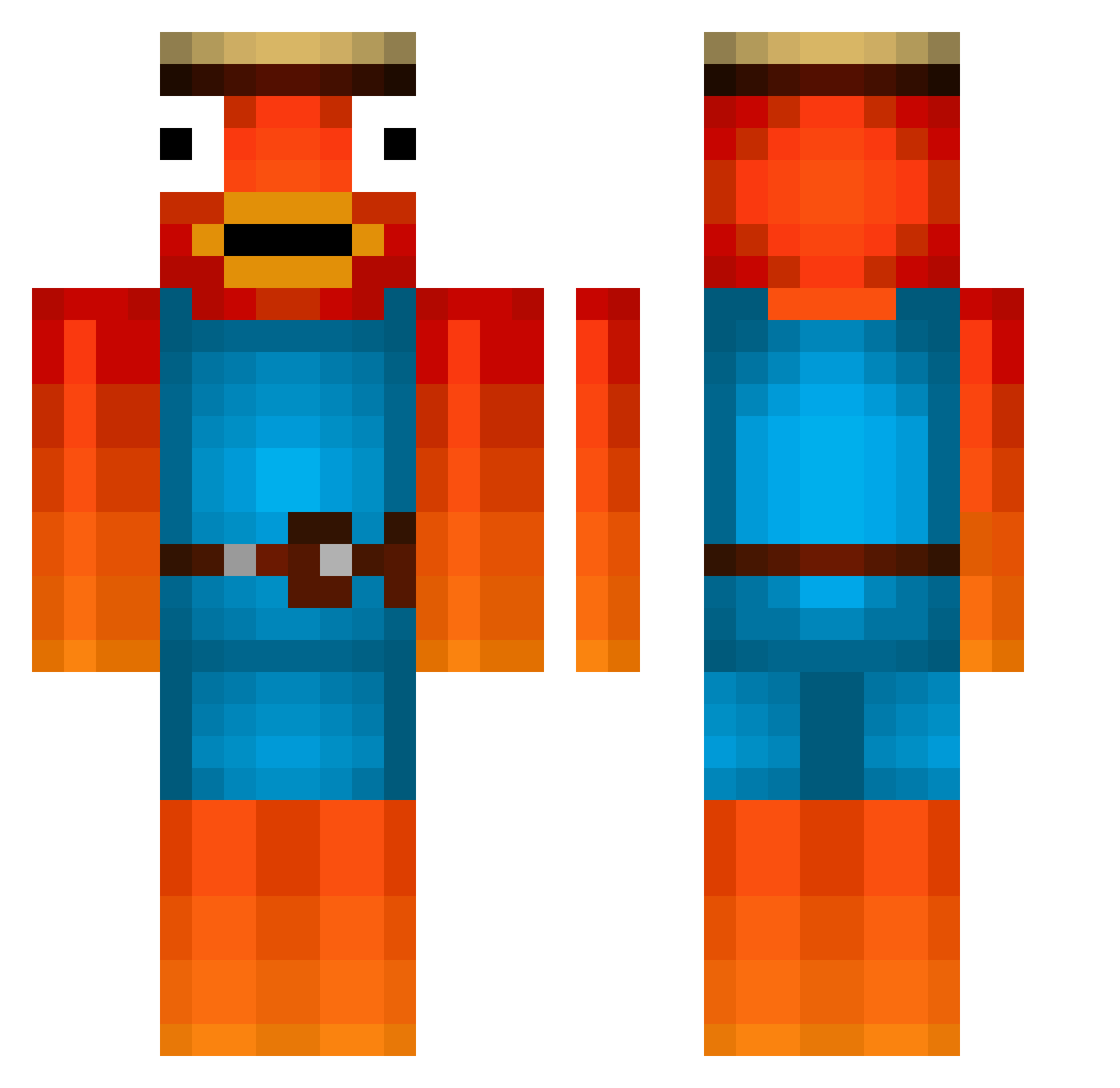
Current Minecraft skin of the player Endrixik_, loaded from the official Mojang API. Rotate the 3D model with your mouse or finger, then download the skin as a PNG file and use it in Minecraft: Bedrock Edition or Java Edition for free. When Endrixik_ changes their skin, this page updates automatically and the old skin stays in the history below.
Other players with this skin (476)
Endrixik_ was the 451st player we have seen with this skin, first spotted on 26.10.2026. The same skin was seen on these players. Open a nickname to see their current skin and skin history.
 wsabot_1 m2theax_ fichifich ksw_Quetchi swamzii951 wdea nroame Miner_Timbo nxuYT PiggyFNA USGBorris Clyxn_27 Schneida_ Minimim2 YarakiDerKrieger nutsdestroyer88 PoppaLobo neuileeeeee jorgenheggen stelix10 Lombreur KebapDandler davciuu GAMENICK1 Fishman9876 lblg x_DerLadewage swontka96 Mxnixx Tombo_der_colle Black_yalo NINJA_BROCHACHO MandlFranz Schnitzel17 Eliah06 zyohmc Infinity_God Kratzbuerste187 adri237 Pinguin_Pacific Elias44444 cooldoodjoe NotBadJustLazy hate_C00kies MR_Swagy_Gaming _Fishii_ Sweatyy2302 Harrythompson457 KnightLifter Ninjadragon153 xxkleinJeffxxd PHILIPP112014 SEC_NILS Tayli2005 Jonashd16 kyroxXXX bensoost MasterYTB RealPapaNemo Tageslauch
More Fishstick Minecraft skins
How to install the Endrixik_ skin
- Press the Download button above to save the skin as a PNG file.
- Minecraft: Bedrock Edition (PE): open the Dressing Room from the main menu (or tap your character → Edit Character), go to Classic Skins → Owned, press the + (new skin) button, choose the downloaded PNG and pick the Classic (Steve) model. Works on PC and mobile; consoles cannot import custom skins.
- Minecraft: Java Edition: open the Minecraft Launcher, go to the Skins tab, click New Skin, load the PNG, pick the Classic (Steve) model and press Save & Use. You can also upload it at minecraft.net → Profile → Change Skin.
The skin does not show up after import - what should I do?
Restart Minecraft and open the Dressing Room again - imported skins sometimes appear only after a restart. Also make sure you selected the imported skin and picked the Classic (Steve) model.
Which model should I choose, Classic or Slim?
This skin is designed for the Classic (Steve) model. If you pick the wrong model, the arms of the skin will look stretched or squeezed.
Is the skin of Endrixik_ free to download?
Yes. Press Download, save the PNG file and use it in Minecraft: Bedrock Edition or Java Edition - no payment or registration needed. The skin also works on multiplayer servers and Realms.
More skins
Looking for more? Go back to all Minecraft skins and check the top skins of the week, month and all time, or find any player's skin by nickname.