
EnderMiles57 - Minecraft Skins & Skin History
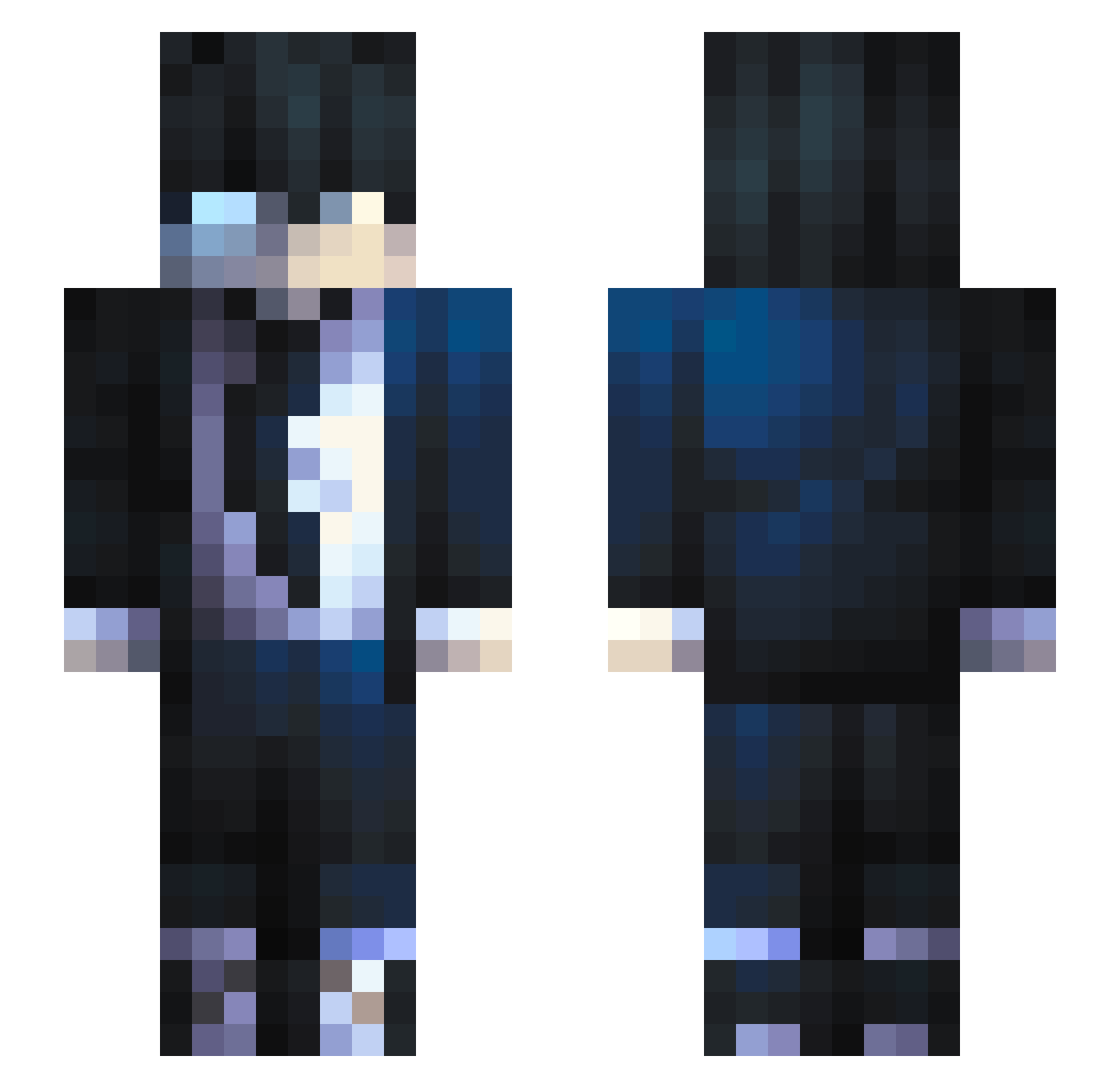
Current Minecraft skin of the player EnderMiles57, loaded from the official Mojang API. Rotate the 3D model with your mouse or finger, then download the skin as a PNG file and use it in Minecraft: Bedrock Edition or Java Edition for free. When EnderMiles57 changes their skin, this page updates automatically and the old skin stays in the history below.
Other players with this skin (136)
EnderMiles57 was the 75th player we have seen with this skin, first spotted on 25.09.2026. The same skin was seen on these players. Open a nickname to see their current skin and skin history.
 TIme_days Wookievander imzobra ookiepookiebear ECOPEETA Loaghtan zamasuu1405 luizdorodo Reazzz GoeMoe lys01 Nixcholas_ Inuoh 420_weezer Nicolaev C9_Flip EunoiaAT V3nnZ Trytoba goodfantomas Yodastalker Traidorbb CikMad chxxlie2912 Tanjirozz Calisthenia oXara_ ScubaWth Shanxun DeadByTobi Mahedes SnowManV2 Vlakisa
 Epiccmp tjc266 ProFighter jobro19000 Cxfly_ EmmetBrickwoski Deadpool8941 Pendrive117 ProdM21 Xn3 _Swamttert_ ShaftWyatt Ycaro777 HolziKB Hwng21 Zeldris_147 Arystoteles_ SteezyBoba rojelioraja pricoloko AbdullahQath Riickiii iShein stan0407 Reccor Jiawe_ AgentMeowsicles
How to install the EnderMiles57 skin
- Press the Download button above to save the skin as a PNG file.
- Minecraft: Bedrock Edition (PE): open the Dressing Room from the main menu (or tap your character → Edit Character), go to Classic Skins → Owned, press the + (new skin) button, choose the downloaded PNG and pick the Slim (Alex) model. Works on PC and mobile; consoles cannot import custom skins.
- Minecraft: Java Edition: open the Minecraft Launcher, go to the Skins tab, click New Skin, load the PNG, pick the Slim (Alex) model and press Save & Use. You can also upload it at minecraft.net → Profile → Change Skin.
The skin does not show up after import - what should I do?
Restart Minecraft and open the Dressing Room again - imported skins sometimes appear only after a restart. Also make sure you selected the imported skin and picked the Slim (Alex) model.
Which model should I choose, Classic or Slim?
This skin is designed for the Slim (Alex) model. If you pick the wrong model, the arms of the skin will look stretched or squeezed.
Is the skin of EnderMiles57 free to download?
Yes. Press Download, save the PNG file and use it in Minecraft: Bedrock Edition or Java Edition - no payment or registration needed. The skin also works on multiplayer servers and Realms.
More skins
Looking for more? Go back to all Minecraft skins and check the top skins of the week, month and all time, or find any player's skin by nickname.