
 vanishlol Edgaruuu Mxhmxt40 Raison_Bran Cumulus__ NoobMitAngst NeMoThEFiSh23457 gerian12 LucasVANDALLUS kannenn Appreciation SchrottoNummer1 FrontScout _zombieee Swarlesthe3rd Zero_897 gtv Badzxy98 MasterSurge Rankoholicc Lorenzo036 Tokio_999 BonHalf oLiquids Briiiaan DennGG Namcery Sirius_Blaack KingRylieJames BelfeGore_ waizer22 s0lar10 ratod4 SpeedWeedTGH AgentMeowsicles Jiawe_ stan0407 oXara_ iShein Arystoteles_ MaqLuvin dylanisthebest nhatthp scotss_ SteezyBoba otleus pricoloko rojelioraja Hwng21 izzyboi12369 ShaftWyatt Riickiii _Swamttert_ REDVOLK ZMDR Kasiex ProFighter Zeldris_147 HolziKB Xn3
Minecraft skin of Weirdo758. Rotate the 3D model with your mouse or finger to view the skin from every angle, then download it as a PNG file and use it in Minecraft: Bedrock Edition or Java Edition for free. Rate the skin with stars to help other players find the best skins in our collection.
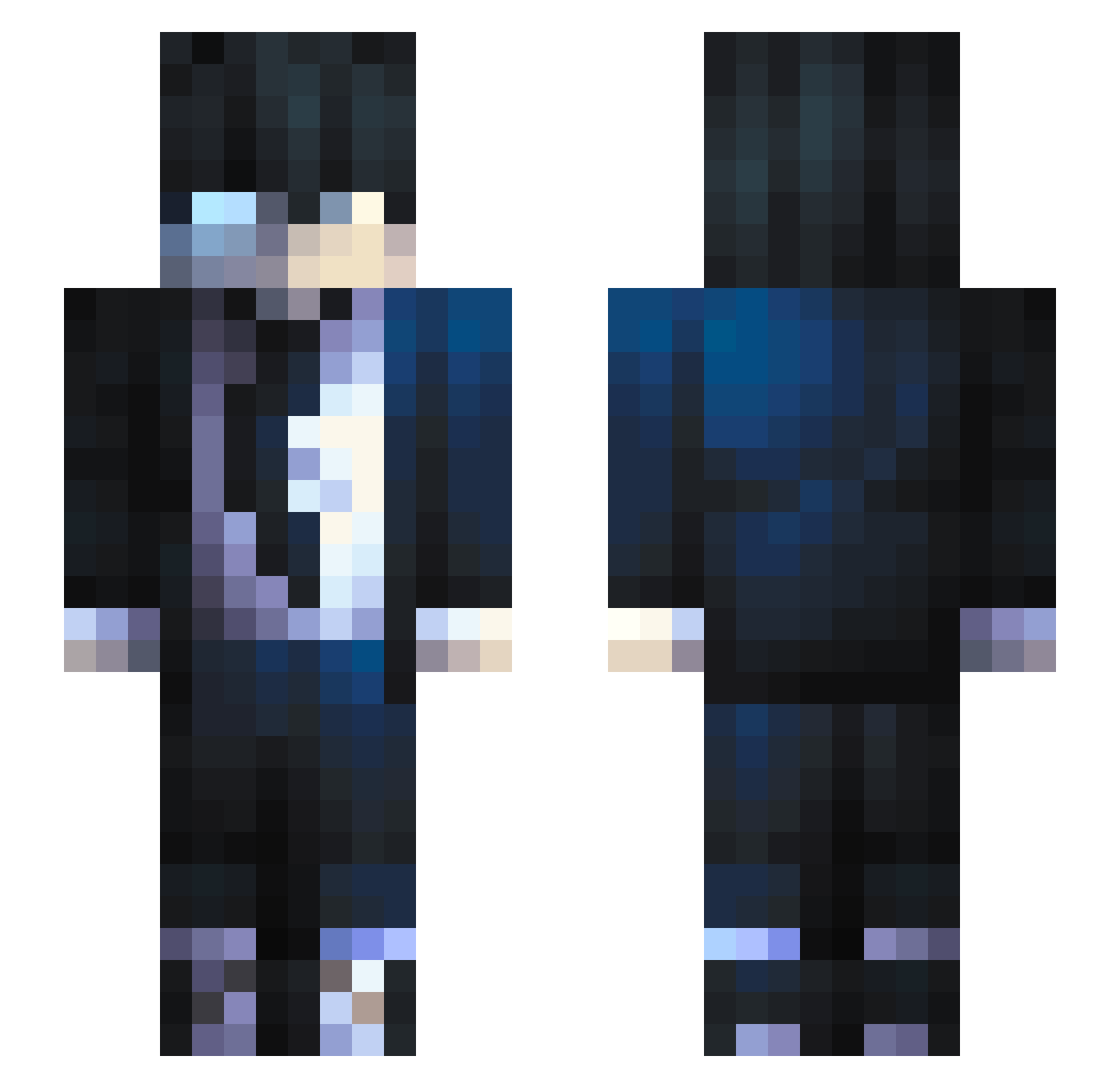
How to install the Weirdo758 skin
- Press the Download button above to save the skin as a PNG file.
- Minecraft: Bedrock Edition (PE): open the Dressing Room from the main menu (or tap your character → Edit Character), go to Classic Skins → Owned, press the + (new skin) button, choose the downloaded PNG and pick the Slim (Alex) model. Works on PC and mobile; consoles cannot import custom skins.
- Minecraft: Java Edition: open the Minecraft Launcher, go to the Skins tab, click New Skin, load the PNG, pick the Slim (Alex) model and press Save & Use. You can also upload it at minecraft.net → Profile → Change Skin.
The skin does not show up after import - what should I do?
Restart Minecraft and open the Dressing Room again - imported skins sometimes appear only after a restart. Also make sure you selected the imported skin and picked the Slim (Alex) model.
Which model should I choose, Classic or Slim?
This skin is designed for the Slim (Alex) model. If you pick the wrong model, the arms of the skin will look stretched or squeezed.
Is this skin free to use?
Yes. Press Download, save the PNG file and use it in Minecraft: Bedrock Edition or Java Edition - no payment or registration needed. The skin also works on multiplayer servers and Realms.
More skins
Looking for more? Go back to all Minecraft skins and check the top skins of the week, month and all time, or find any player's skin by nickname.