
EmersedStew1329 - Minecraft Skins & Skin History
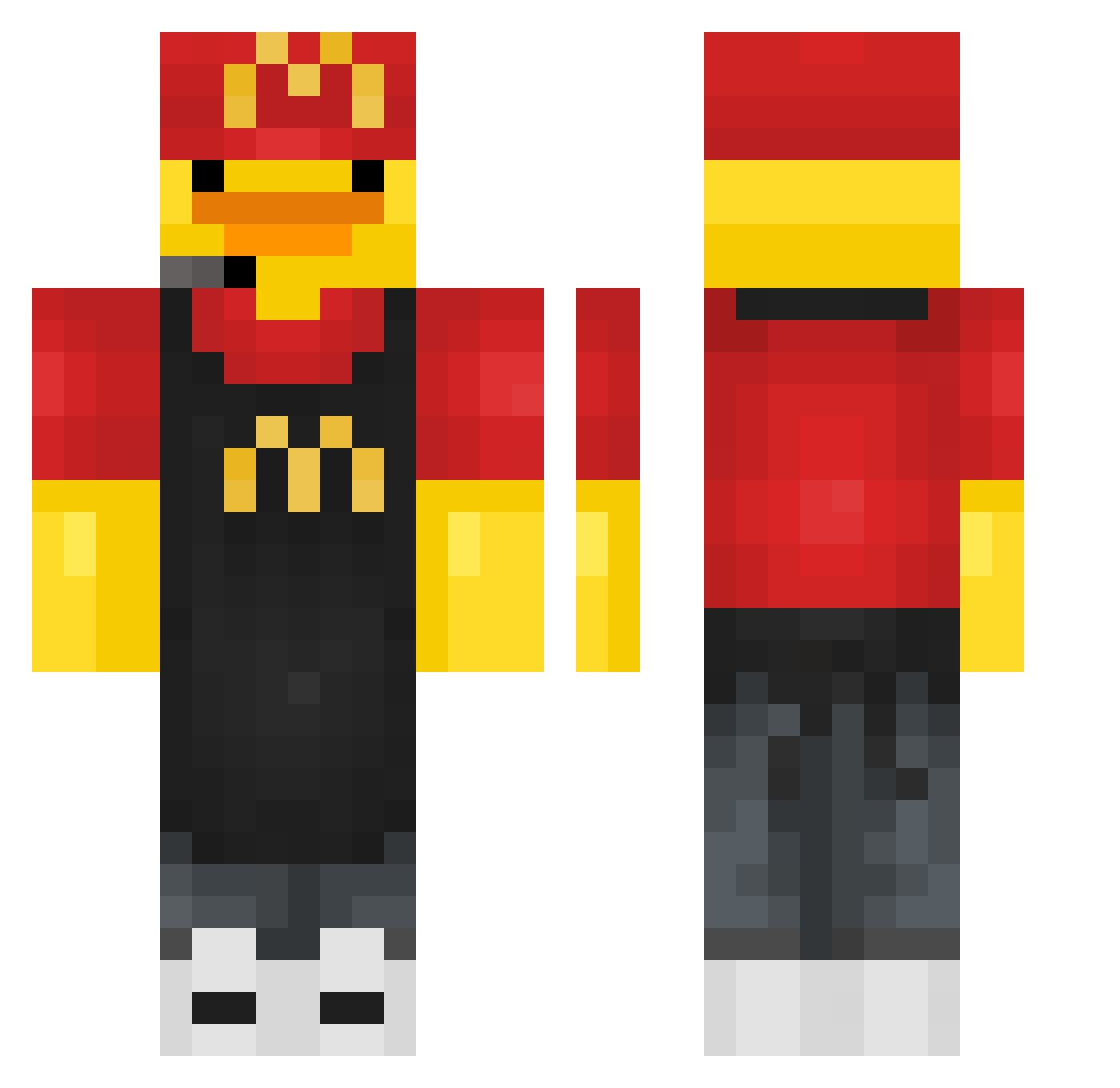
Current Minecraft skin of the player EmersedStew1329, loaded from the official Mojang API. Rotate the 3D model with your mouse or finger, then download the skin as a PNG file and use it in Minecraft: Bedrock Edition or Java Edition for free. When EmersedStew1329 changes their skin, this page updates automatically and the old skin stays in the history below.
Other players with this skin (441)
EmersedStew1329 was the 156th player we have seen with this skin, first spotted on 04.09.2026. The same skin was seen on these players. Open a nickname to see their current skin and skin history.
 Chronosito lili60_sb ilikeducks28 StanleyDaBaddest marwer Grega1603 ElComadombre Minch_Kenobi ZPearlTea123 iSAF1 R0botGTE pongo15 Helmholtz9 wutingel ElPatoLocoBA iliketiktiokhehe StrangeCandy beberto777 tsukiki55 DeadlyDucky Lefl4v musica013 balencixzx WEESMITHY Scary_Kitty adxmsky
 Squish32 TheManOfMans MASE1456 Novaefe JamesH211 ChunckyMunky alejay71 bigboystreave1 MrDuckyMaster loniryz Goliato fredv59 Acraist Nico_017 Veira21 Zora_______ inwoo2012 0satou3 ILveminor MinMin22 HelloYellow11 Nuclearblock MiGormsen kendo0126 MBence26 ZAZA0978 Shaggy7
 Timber_Streams GabriGamer2014 RIYCN swat456 LeChybre Huseyin47 Wartoxxxxx
More Fast Food Worker Minecraft skins
See all 393 Fast Food Worker skins
How to install the EmersedStew1329 skin
- Press the Download button above to save the skin as a PNG file.
- Minecraft: Bedrock Edition (PE): open the Dressing Room from the main menu (or tap your character → Edit Character), go to Classic Skins → Owned, press the + (new skin) button, choose the downloaded PNG and pick the Classic (Steve) model. Works on PC and mobile; consoles cannot import custom skins.
- Minecraft: Java Edition: open the Minecraft Launcher, go to the Skins tab, click New Skin, load the PNG, pick the Classic (Steve) model and press Save & Use. You can also upload it at minecraft.net → Profile → Change Skin.
The skin does not show up after import - what should I do?
Restart Minecraft and open the Dressing Room again - imported skins sometimes appear only after a restart. Also make sure you selected the imported skin and picked the Classic (Steve) model.
Which model should I choose, Classic or Slim?
This skin is designed for the Classic (Steve) model. If you pick the wrong model, the arms of the skin will look stretched or squeezed.
Is the skin of EmersedStew1329 free to download?
Yes. Press Download, save the PNG file and use it in Minecraft: Bedrock Edition or Java Edition - no payment or registration needed. The skin also works on multiplayer servers and Realms.
More skins
Looking for more? Go back to all Minecraft skins and check the top skins of the week, month and all time, or find any player's skin by nickname.