
Ellinor2001 - Minecraft Skins & Skin History
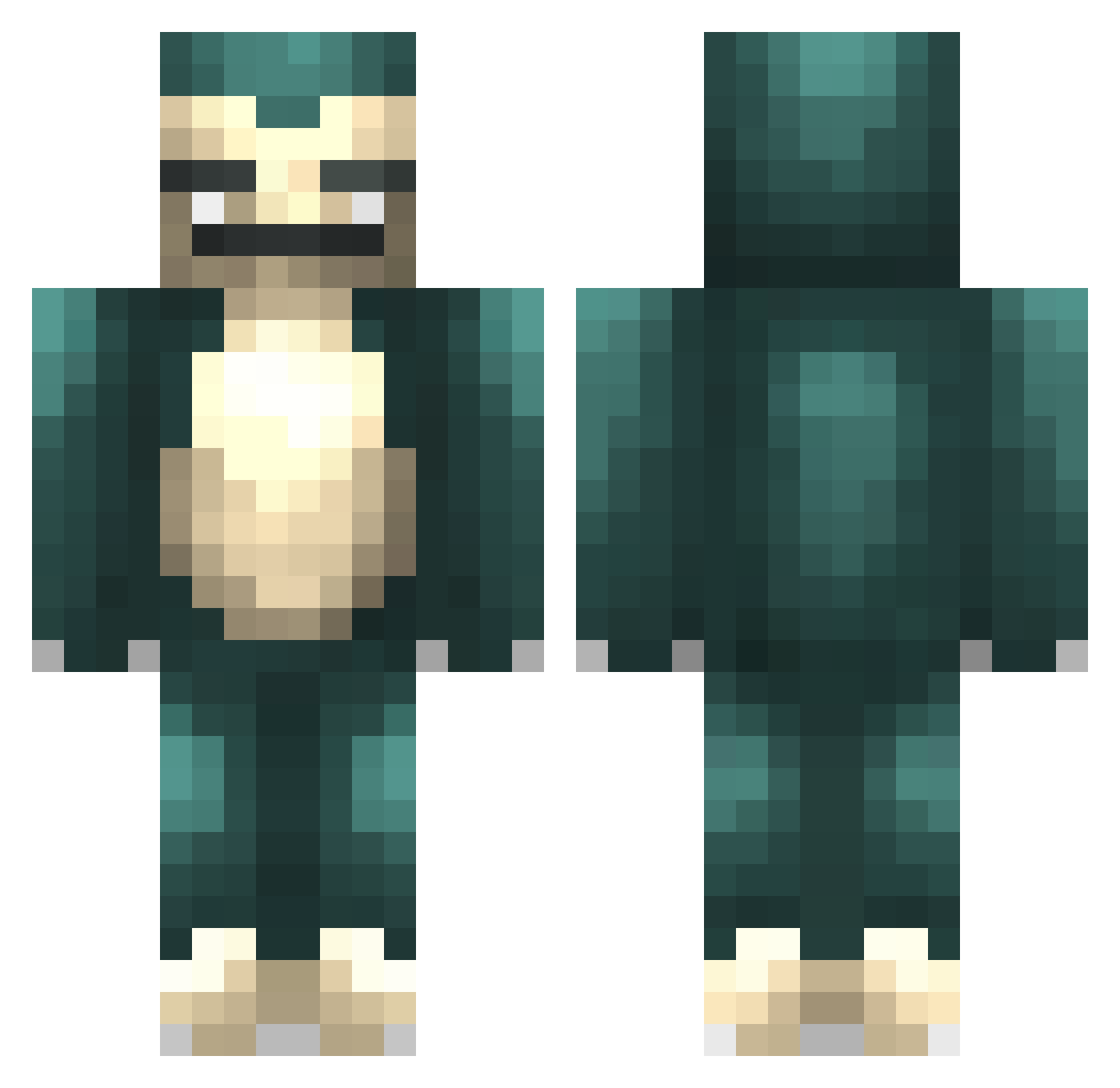
Current Minecraft skin of the player Ellinor2001, loaded from the official Mojang API. Rotate the 3D model with your mouse or finger, then download the skin as a PNG file and use it in Minecraft: Bedrock Edition or Java Edition for free. When Ellinor2001 changes their skin, this page updates automatically and the old skin stays in the history below.
Other players with this skin (479)
Ellinor2001 was the 329th player we have seen with this skin, first spotted on 12.10.2026. The same skin was seen on these players. Open a nickname to see their current skin and skin history.
 xTheQuinn strangeweather CoolEwen Nazcar Mr_Ziggy NarwhalVenom seggskanon RealRikkert Takashi_sempai MatsW__ bartlgamer AverageSarge DigHardd lucssg14 Hugohim Oppticz Oblong_Pineapple DTSA PuffDaddy1 Paunoa Jakepiggott27 jelleveldhuis falkenberg04 Joodt Spectre15 MrPizza14 teddyg1 Wolfkorg2 fastasfuqboi Denstle Juanm8 sockmonkey201 TNCAP3AC929 TheRaygron54 cyptojo steinyyyyy PumpkinMedal97 Skoopa CHUBBELS Fr3shG4maerLp Wiseydude YourLocalMall GottaSmackEmAll utatrane madrasta TrattElliot DDogin AdhesiveBandage JamNo Deathglink Plague_Heart FrostyChilled CptCooper114 mrtomatisch ellieejellie magicthijs XZzeERroO Godzilla_a Quadrel brb_afk
More Snorlax Minecraft skins
How to install the Ellinor2001 skin
- Press the Download button above to save the skin as a PNG file.
- Minecraft: Bedrock Edition (PE): open the Dressing Room from the main menu (or tap your character → Edit Character), go to Classic Skins → Owned, press the + (new skin) button, choose the downloaded PNG and pick the Classic (Steve) model. Works on PC and mobile; consoles cannot import custom skins.
- Minecraft: Java Edition: open the Minecraft Launcher, go to the Skins tab, click New Skin, load the PNG, pick the Classic (Steve) model and press Save & Use. You can also upload it at minecraft.net → Profile → Change Skin.
The skin does not show up after import - what should I do?
Restart Minecraft and open the Dressing Room again - imported skins sometimes appear only after a restart. Also make sure you selected the imported skin and picked the Classic (Steve) model.
Which model should I choose, Classic or Slim?
This skin is designed for the Classic (Steve) model. If you pick the wrong model, the arms of the skin will look stretched or squeezed.
Is the skin of Ellinor2001 free to download?
Yes. Press Download, save the PNG file and use it in Minecraft: Bedrock Edition or Java Edition - no payment or registration needed. The skin also works on multiplayer servers and Realms.
More skins
Looking for more? Go back to all Minecraft skins and check the top skins of the week, month and all time, or find any player's skin by nickname.