
Elizabeth_Ellie - Minecraft Skins & Skin History
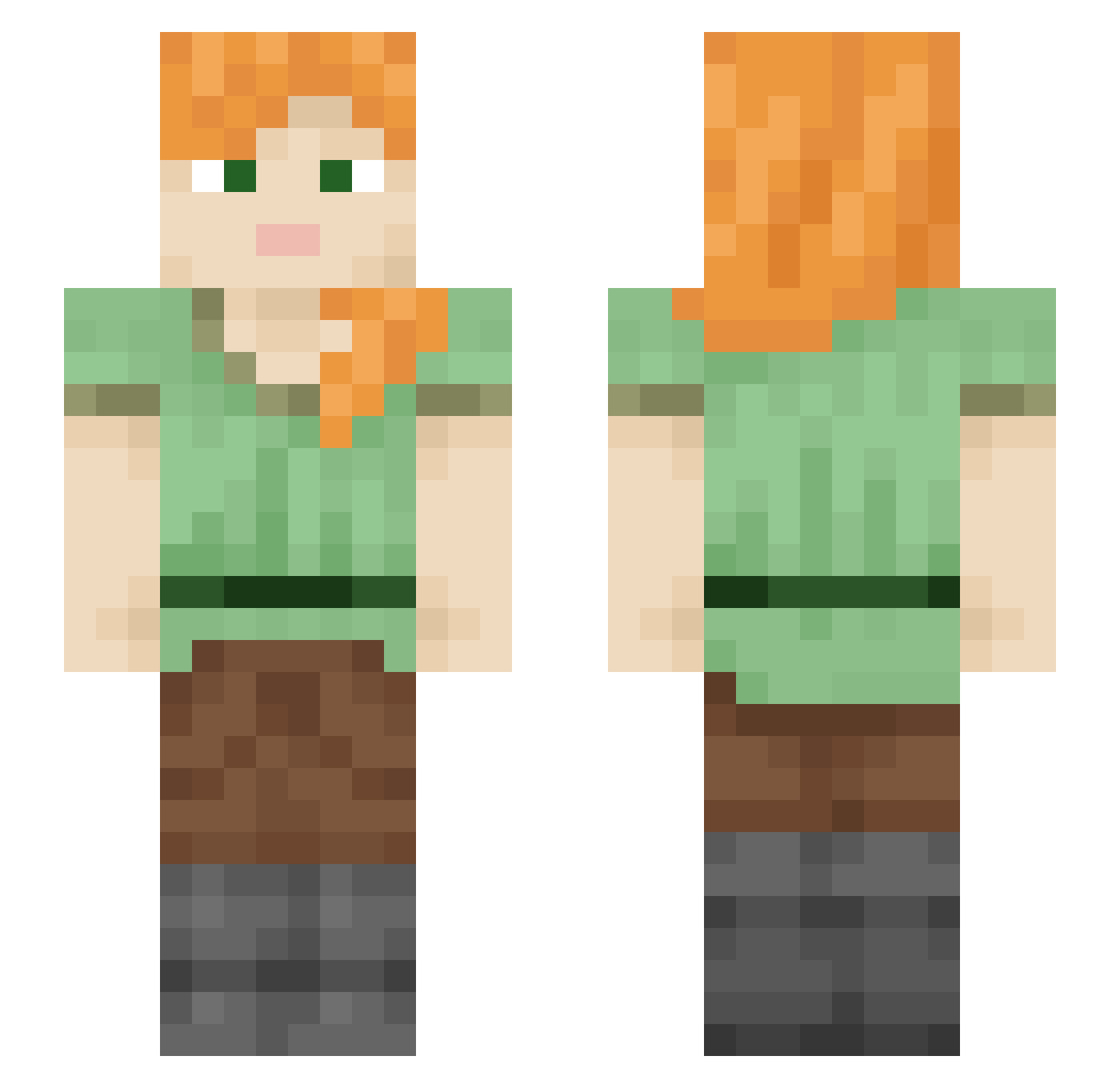
Current Minecraft skin of the player Elizabeth_Ellie, loaded from the official Mojang API. Rotate the 3D model with your mouse or finger, then download the skin as a PNG file and use it in Minecraft: Bedrock Edition or Java Edition for free. When Elizabeth_Ellie changes their skin, this page updates automatically and the old skin stays in the history below.
Other players with this skin (2209)
Elizabeth_Ellie was the 1876th player we have seen with this skin, first spotted on 23.10.2026. The same skin was seen on these players. Open a nickname to see their current skin and skin history.
 Ben_Nixon coochoebackflip robinisgood1 tangGnat wallaroo 2h90 Rotisserie propranolol Osmile7071 molinafan Oryansho May7san Crummock _0a1 AquaBelle Phoss lilyb_123 6253 PontoEX sifweedcodein loSWUNGol Cung_Oi Tingung_ matR_neebatR bloonkaaf Deadmeat13 edhuarda DDabun resetpet Rxve_ SzymonPaszko Michal2345 unbeatable27 thebestmaster01 dissembly Lt0323 jaj92 Peytertot1212 9Sleepy catwoood Tamenix PinMan Alcaligenes Nikiajewel13 vaflya044 uwuwuhoi SamGha signalizing _5eZ __Conny Advective Flaps MissChoupi A_B_C Krypit WhyDidIChangeIGN sleepings Clapoggi Baikenn1 Moon_Silenc3
How to install the Elizabeth_Ellie skin
- Press the Download button above to save the skin as a PNG file.
- Minecraft: Bedrock Edition (PE): open the Dressing Room from the main menu (or tap your character → Edit Character), go to Classic Skins → Owned, press the + (new skin) button, choose the downloaded PNG and pick the Slim (Alex) model. Works on PC and mobile; consoles cannot import custom skins.
- Minecraft: Java Edition: open the Minecraft Launcher, go to the Skins tab, click New Skin, load the PNG, pick the Slim (Alex) model and press Save & Use. You can also upload it at minecraft.net → Profile → Change Skin.
The skin does not show up after import - what should I do?
Restart Minecraft and open the Dressing Room again - imported skins sometimes appear only after a restart. Also make sure you selected the imported skin and picked the Slim (Alex) model.
Which model should I choose, Classic or Slim?
This skin is designed for the Slim (Alex) model. If you pick the wrong model, the arms of the skin will look stretched or squeezed.
Is the skin of Elizabeth_Ellie free to download?
Yes. Press Download, save the PNG file and use it in Minecraft: Bedrock Edition or Java Edition - no payment or registration needed. The skin also works on multiplayer servers and Realms.
More skins
Looking for more? Go back to all Minecraft skins and check the top skins of the week, month and all time, or find any player's skin by nickname.