
 wazapcornet THARF Trickled lowtest beggars Deusvod Trollking76 Kanbercan Varidex SoerenF Mewnoa Hetake_Reshke TheUlka_ Alimuhammad BaconxD Wini Uli_Sim Alexrzp Gandy_666 Kwon_il garrsto candlebeam Expired_mango BigShlappy paularaja Vijore_13 Mucorales genetrix SevenPenny _yoyodekakajes_ Cynical28 Bistro Lumplari Nazwaaa j8ck jebuu1 Spillhuset108 Ririkaax buyoant cdaruik POP_SIMOKEY Ezplic homie_staple ragweeds nadWolfnb8 Pomidorka01 Felucca Monolithe_Noir colophony abbacy TheOldZoom wonder_827592 masakimoi GODcydoxe willhenzel Imaad Pardners Gentiana snorlax_03 trifid
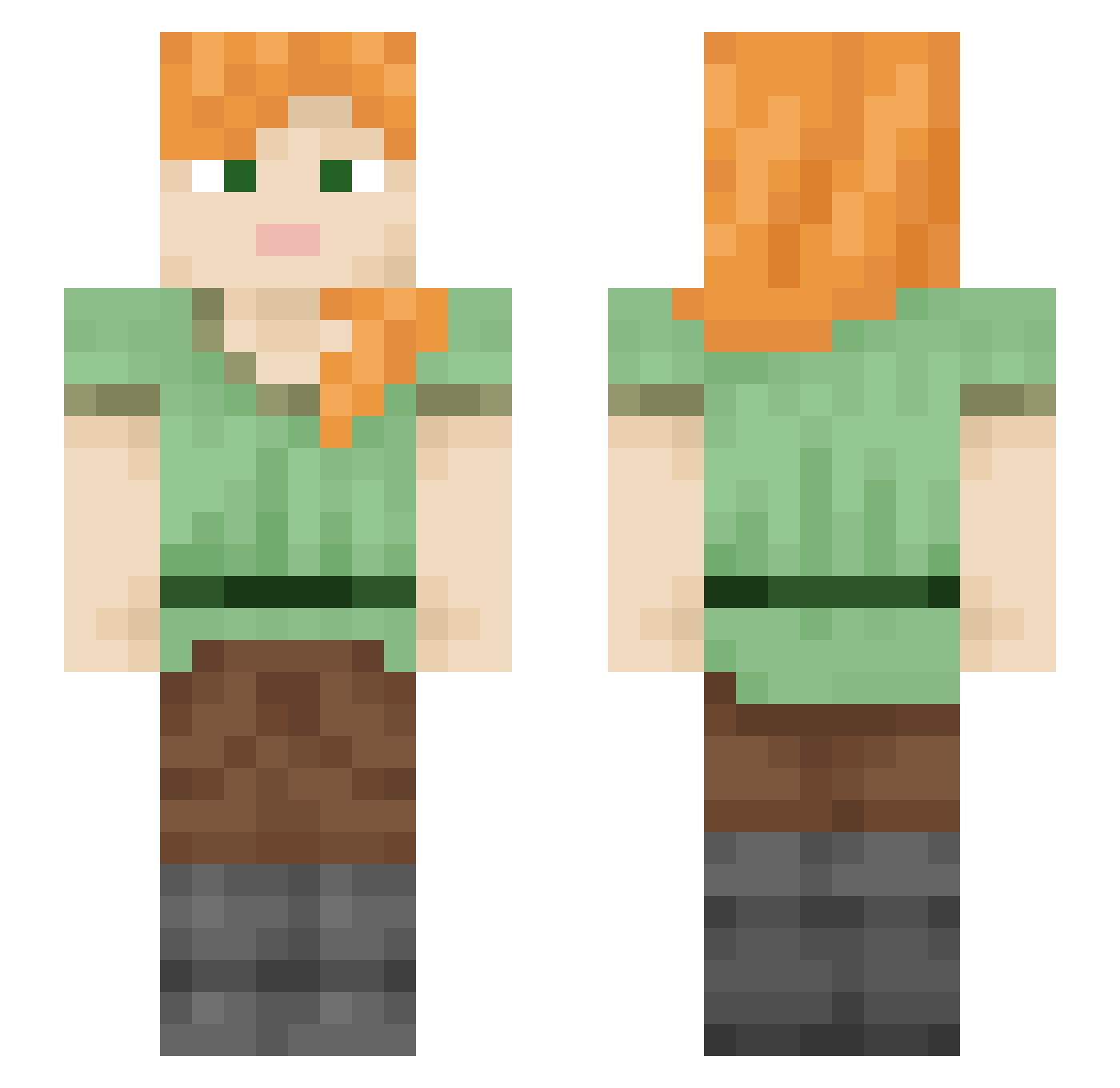
Minecraft skin of albertine. Rotate the 3D model with your mouse or finger to view the skin from every angle, then download it as a PNG file and use it in Minecraft: Bedrock Edition or Java Edition for free. Rate the skin with stars to help other players find the best skins in our collection.
How to install the albertine skin
- Press the Download button above to save the skin as a PNG file.
- Minecraft: Bedrock Edition (PE): open the Dressing Room from the main menu (or tap your character → Edit Character), go to Classic Skins → Owned, press the + (new skin) button, choose the downloaded PNG and pick the Slim (Alex) model. Works on PC and mobile; consoles cannot import custom skins.
- Minecraft: Java Edition: open the Minecraft Launcher, go to the Skins tab, click New Skin, load the PNG, pick the Slim (Alex) model and press Save & Use. You can also upload it at minecraft.net → Profile → Change Skin.
The skin does not show up after import - what should I do?
Restart Minecraft and open the Dressing Room again - imported skins sometimes appear only after a restart. Also make sure you selected the imported skin and picked the Slim (Alex) model.
Which model should I choose, Classic or Slim?
This skin is designed for the Slim (Alex) model. If you pick the wrong model, the arms of the skin will look stretched or squeezed.
Is this skin free to use?
Yes. Press Download, save the PNG file and use it in Minecraft: Bedrock Edition or Java Edition - no payment or registration needed. The skin also works on multiplayer servers and Realms.
More skins
Looking for more? Go back to all Minecraft skins and check the top skins of the week, month and all time, or find any player's skin by nickname.