
ElMeroMatador - Minecraft Skins & Skin History
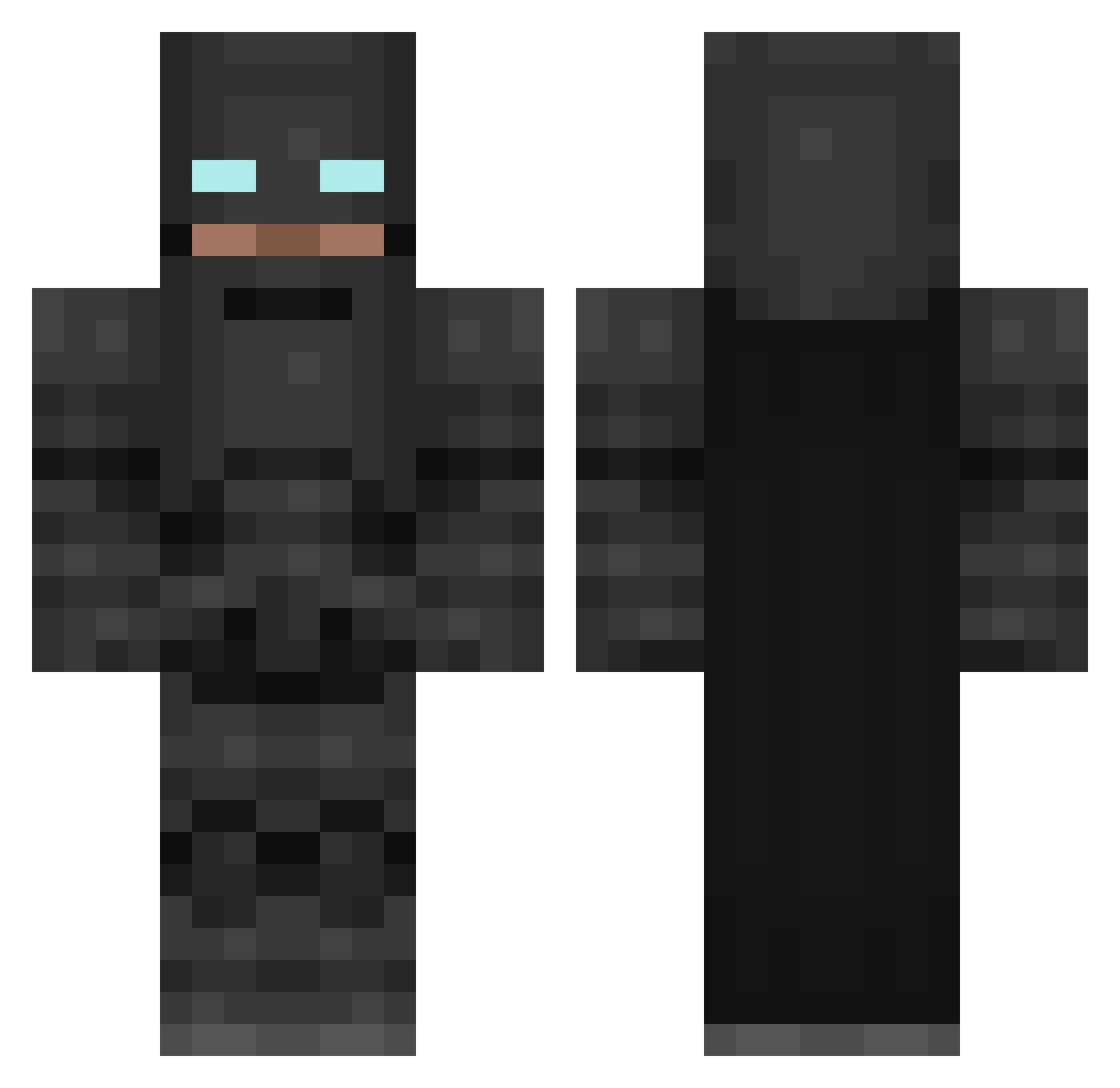
Current Minecraft skin of the player ElMeroMatador, loaded from the official Mojang API. Rotate the 3D model with your mouse or finger, then download the skin as a PNG file and use it in Minecraft: Bedrock Edition or Java Edition for free. When ElMeroMatador changes their skin, this page updates automatically and the old skin stays in the history below.
Other players with this skin (85)
ElMeroMatador was the 45th player we have seen with this skin, first spotted on 25.09.2026. The same skin was seen on these players. Open a nickname to see their current skin and skin history.
 rancheraliso1_ hvlcyonn Mecalord DroppedByKoper omri13579 Kulesz Clerico_ Boredom6534 zeph_rrr Ajspload D6Zone Query_007 carrypotter1453 OrhunReiz timoteofazendero JaeWoo_85 Tugra_14 Vekis Marutein skywalker7042 Wolen72 YeeHawCar Martocares Karmiel Eruptsion L41POO123 Allkatell Seiko_007 pedro66_ gamerdog12 MyRedwood Lee_Gold PLEROLERO hijotone Vegnat theawoesome SmilingSoulTaker Burkan34 treyx0n BaadTen botfine blackpatato UnhappyFossil Kooby999 MING_JJ donter93 Nazkar Ricci1002 yasuma13 Coves_M Kurostache Jaesung7 DirectedFern 87976488b Tommmy47 bccjunx Negro_Gamer bergamemast PonchoGhost Jhulz
More Batman Minecraft skins
How to install the ElMeroMatador skin
- Press the Download button above to save the skin as a PNG file.
- Minecraft: Bedrock Edition (PE): open the Dressing Room from the main menu (or tap your character → Edit Character), go to Classic Skins → Owned, press the + (new skin) button, choose the downloaded PNG and pick the Classic (Steve) model. Works on PC and mobile; consoles cannot import custom skins.
- Minecraft: Java Edition: open the Minecraft Launcher, go to the Skins tab, click New Skin, load the PNG, pick the Classic (Steve) model and press Save & Use. You can also upload it at minecraft.net → Profile → Change Skin.
The skin does not show up after import - what should I do?
Restart Minecraft and open the Dressing Room again - imported skins sometimes appear only after a restart. Also make sure you selected the imported skin and picked the Classic (Steve) model.
Which model should I choose, Classic or Slim?
This skin is designed for the Classic (Steve) model. If you pick the wrong model, the arms of the skin will look stretched or squeezed.
Is the skin of ElMeroMatador free to download?
Yes. Press Download, save the PNG file and use it in Minecraft: Bedrock Edition or Java Edition - no payment or registration needed. The skin also works on multiplayer servers and Realms.
More skins
Looking for more? Go back to all Minecraft skins and check the top skins of the week, month and all time, or find any player's skin by nickname.