
Egor4ik_1999 - Minecraft Skins & Skin History
Current Minecraft skin of the player Egor4ik_1999, loaded from the official Mojang API. Rotate the 3D model with your mouse or finger, then download the skin as a PNG file and use it in Minecraft: Bedrock Edition or Java Edition for free. When Egor4ik_1999 changes their skin, this page updates automatically and the old skin stays in the history below.
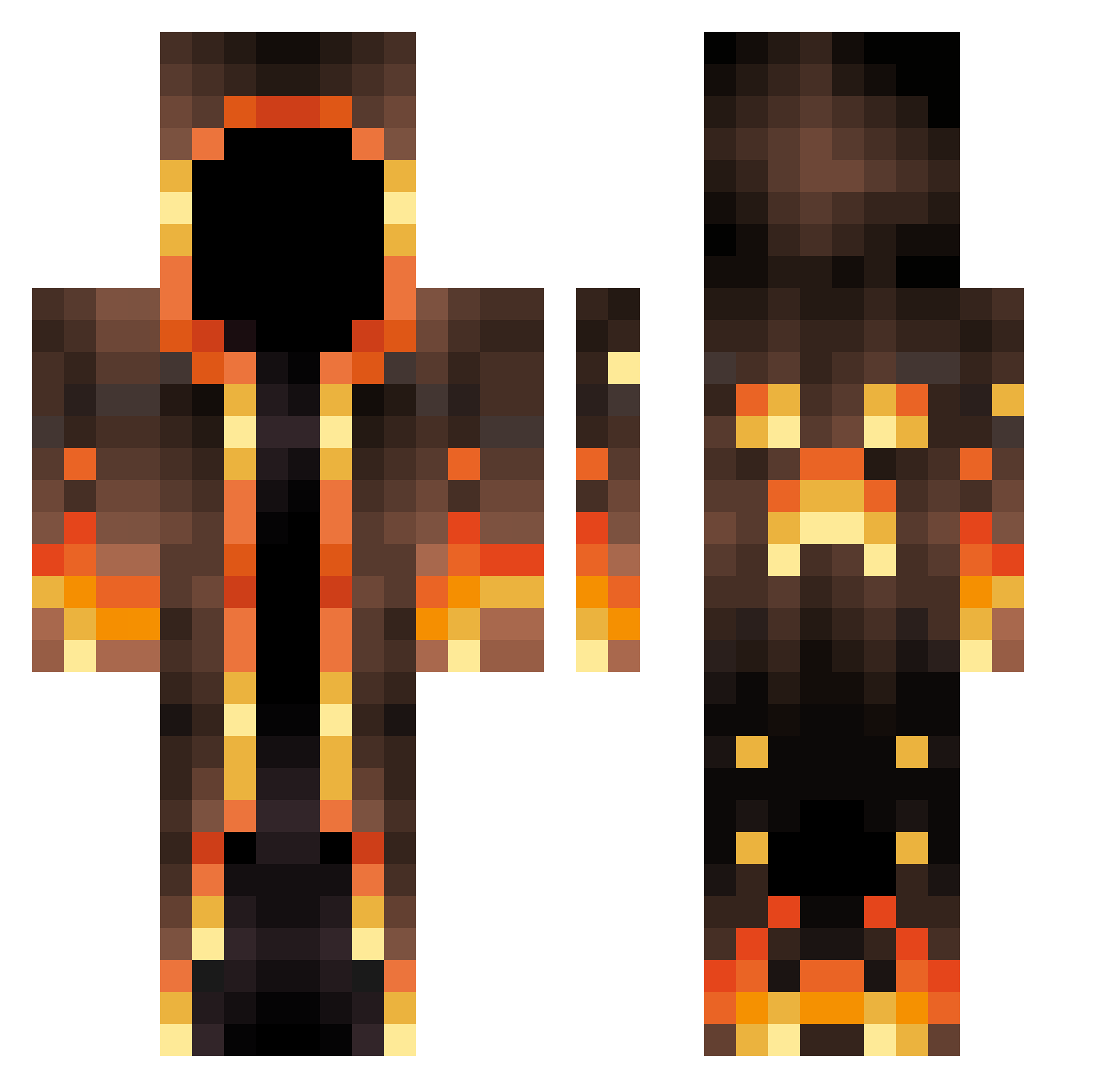
Other players with this skin (663)
Egor4ik_1999 was the 307th player we have seen with this skin, first spotted on 17.09.2026. The same skin was seen on these players. Open a nickname to see their current skin and skin history.
 Sailadm998 AlvinJer24 Xtraktors da2h0_106 SntacsRage erenbeast02 imsergey12 iXenios VyleVerse Keonishaka Kingkongegg SoloBeba Firefair2 Pirotehnik Dragonater1 CJSKclub AnimeEnjoyer_ Biiig_J Mlkro Holbirne55 nahuiii Minzox jujutroll BryceMaster MACJONSE Tin_Can_Minus Traktorista008 K1mk3s Ben2460 RedRobinKid EzcsakTuz Big_DoubleN supercow87 STaaark59 GordonHamsay Sonic1964 Nic_Endo Phant0mPhreak RatofMan Untamed_Pander assassan469 DenizWorld1281 Romotoma321 TheOrcCleaver DZJ940822 tomlegamer2008 monetortellone cod706 MisterXSL300 PastBench536101 Rox0_ drunko101 Popski79 YeeTheGoat Bandicoo iSebii Sub_ZERO610 sevattarr MariusGJ Discapan
More Magma Minecraft skins
How to install the Egor4ik_1999 skin
- Press the Download button above to save the skin as a PNG file.
- Minecraft: Bedrock Edition (PE): open the Dressing Room from the main menu (or tap your character → Edit Character), go to Classic Skins → Owned, press the + (new skin) button, choose the downloaded PNG and pick the Classic (Steve) model. Works on PC and mobile; consoles cannot import custom skins.
- Minecraft: Java Edition: open the Minecraft Launcher, go to the Skins tab, click New Skin, load the PNG, pick the Classic (Steve) model and press Save & Use. You can also upload it at minecraft.net → Profile → Change Skin.
The skin does not show up after import - what should I do?
Restart Minecraft and open the Dressing Room again - imported skins sometimes appear only after a restart. Also make sure you selected the imported skin and picked the Classic (Steve) model.
Which model should I choose, Classic or Slim?
This skin is designed for the Classic (Steve) model. If you pick the wrong model, the arms of the skin will look stretched or squeezed.
Is the skin of Egor4ik_1999 free to download?
Yes. Press Download, save the PNG file and use it in Minecraft: Bedrock Edition or Java Edition - no payment or registration needed. The skin also works on multiplayer servers and Realms.
More skins
Looking for more? Go back to all Minecraft skins and check the top skins of the week, month and all time, or find any player's skin by nickname.