
EggsLeggs - Minecraft Skins & Skin History
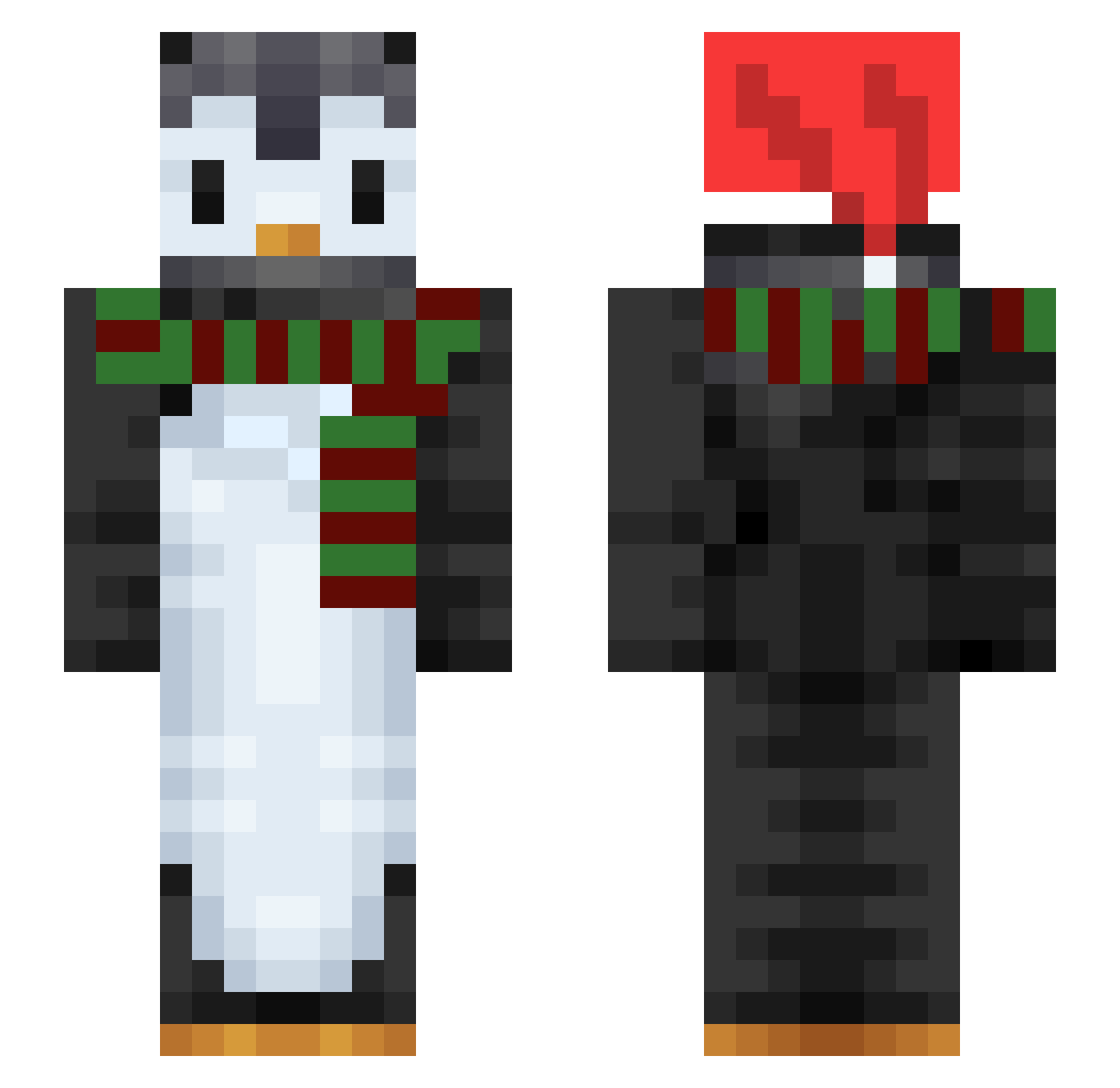
Current Minecraft skin of the player EggsLeggs, loaded from the official Mojang API. Rotate the 3D model with your mouse or finger, then download the skin as a PNG file and use it in Minecraft: Bedrock Edition or Java Edition for free. When EggsLeggs changes their skin, this page updates automatically and the old skin stays in the history below.
Other players with this skin (128)
EggsLeggs was the 85th player we have seen with this skin, first spotted on 11.10.2026. The same skin was seen on these players. Open a nickname to see their current skin and skin history.
 HyperPiper MooJooUltimate eragonzzozz DiamondPenguin43 1BlockiMan dodgydragon LandOnim moongchichi DeathMaster86 TheDot666 YunJia0203 SatteTheLatte Jbw38 jusk2848 SOBERUKL1938 ZakMaybe Danilpepe BUMYONG C4rpe YourSaltyBoi AntikaGaming MartiCraft ASuavePenguin linusbo Vorcane Kelniir rovly _Okdongja_ JamiePenguin09 SoldatPingouin metrokiLLer2000 Yongg Bulanan _GMann_ Barkely1 Lunaxdtys Little_Whale noir330 iappls WallyzStokedBro GaminByte nxckbxrkhxrdt DardyV SarcasticMare Froschboss Inel Deilig2 Mayz18 DJJoSway Ekazanez Jsmartt_ Proto92 OMG21 Awezone unwit Moko_Black Cordulegaster GhostofKC kmac611 Slerkii
More Penguin Minecraft skins
How to install the EggsLeggs skin
- Press the Download button above to save the skin as a PNG file.
- Minecraft: Bedrock Edition (PE): open the Dressing Room from the main menu (or tap your character → Edit Character), go to Classic Skins → Owned, press the + (new skin) button, choose the downloaded PNG and pick the Slim (Alex) model. Works on PC and mobile; consoles cannot import custom skins.
- Minecraft: Java Edition: open the Minecraft Launcher, go to the Skins tab, click New Skin, load the PNG, pick the Slim (Alex) model and press Save & Use. You can also upload it at minecraft.net → Profile → Change Skin.
The skin does not show up after import - what should I do?
Restart Minecraft and open the Dressing Room again - imported skins sometimes appear only after a restart. Also make sure you selected the imported skin and picked the Slim (Alex) model.
Which model should I choose, Classic or Slim?
This skin is designed for the Slim (Alex) model. If you pick the wrong model, the arms of the skin will look stretched or squeezed.
Is the skin of EggsLeggs free to download?
Yes. Press Download, save the PNG file and use it in Minecraft: Bedrock Edition or Java Edition - no payment or registration needed. The skin also works on multiplayer servers and Realms.
More skins
Looking for more? Go back to all Minecraft skins and check the top skins of the week, month and all time, or find any player's skin by nickname.