
Ectrian - Minecraft Skins & Skin History
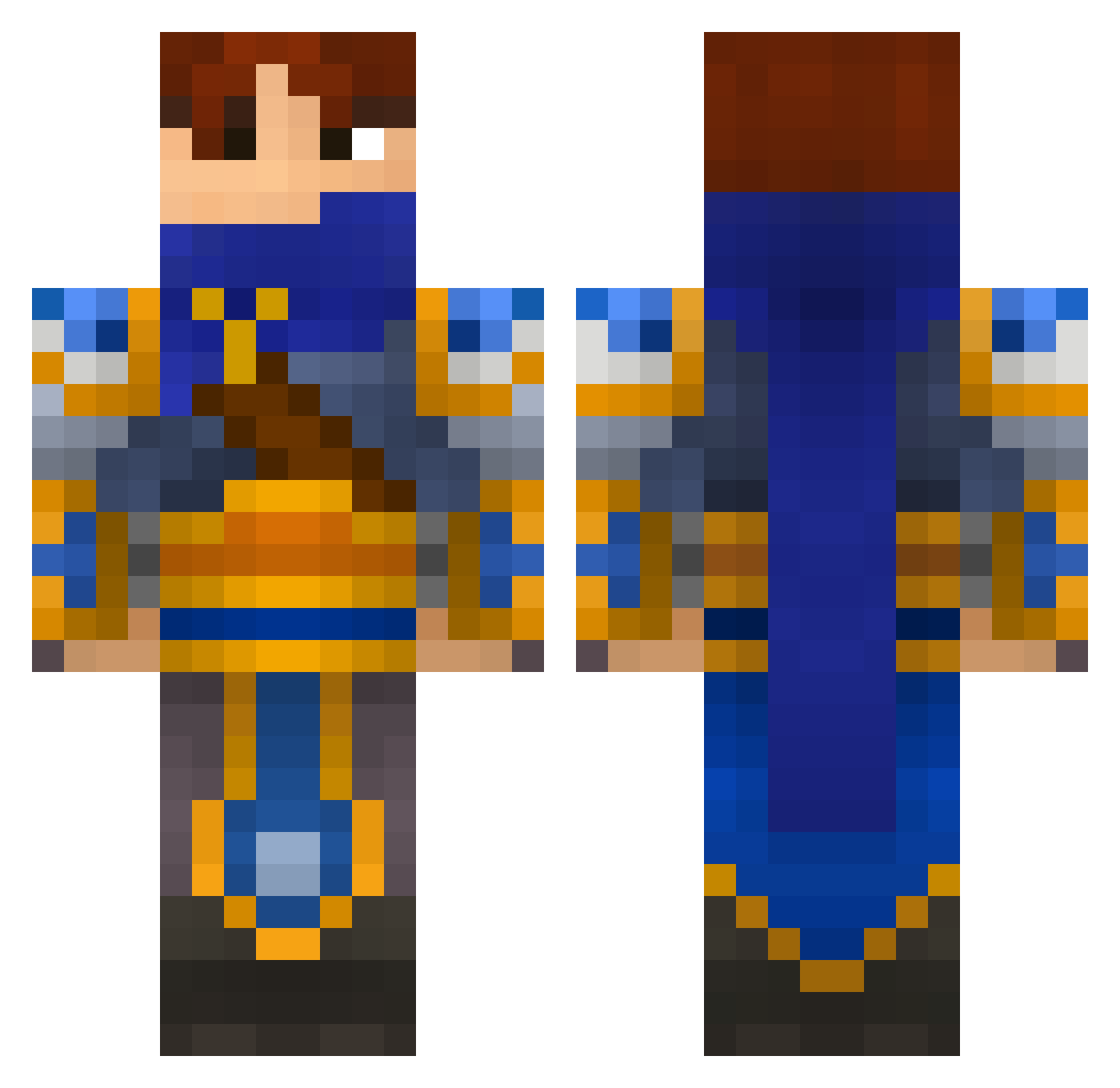
Current Minecraft skin of the player Ectrian, loaded from the official Mojang API. Rotate the 3D model with your mouse or finger, then download the skin as a PNG file and use it in Minecraft: Bedrock Edition or Java Edition for free. When Ectrian changes their skin, this page updates automatically and the old skin stays in the history below.
Other players with this skin (694)
Ectrian was the 40th player we have seen with this skin, first spotted on 02.08.2026. The same skin was seen on these players. Open a nickname to see their current skin and skin history.
 desert_marauder trytruce pomowokbeast GK_Leelove tibbers21 Gamecube_ BlinkinII Nick770 turbogamer1 scott_kid Fingerboard98 Kr1kS Kristian_Arsenal Mastaroth 56s_0 Bouh211 _Yeo_ Jorgeys michaellongg str1k3rz3r0 Killafuze JamesTheGreat21 nosbig1 DasFuhrer1027 yanyiyang cathead1212 Scalpelle calvin313 Ehrvinn chrisrey_22 Sanguine_Garen esiyedro gaypar yjjhh21 Jerrylcm Soriyaaaaa angstycade Whoknowswhom Macousin ray9107 javierpala KovuTalli DennkaTorg2k19 VIPICCB6 C0alMiner fizzydog64 GREAIN Ragrol Liberh0z Infynitee korendan MCHymer56 Ryan10029 __Xfire__ Toollki Lostnoble jorg17h TSM_Jaimit Goatsu bluedragon151
More Warrior Minecraft skins
How to install the Ectrian skin
- Press the Download button above to save the skin as a PNG file.
- Minecraft: Bedrock Edition (PE): open the Dressing Room from the main menu (or tap your character → Edit Character), go to Classic Skins → Owned, press the + (new skin) button, choose the downloaded PNG and pick the Classic (Steve) model. Works on PC and mobile; consoles cannot import custom skins.
- Minecraft: Java Edition: open the Minecraft Launcher, go to the Skins tab, click New Skin, load the PNG, pick the Classic (Steve) model and press Save & Use. You can also upload it at minecraft.net → Profile → Change Skin.
The skin does not show up after import - what should I do?
Restart Minecraft and open the Dressing Room again - imported skins sometimes appear only after a restart. Also make sure you selected the imported skin and picked the Classic (Steve) model.
Which model should I choose, Classic or Slim?
This skin is designed for the Classic (Steve) model. If you pick the wrong model, the arms of the skin will look stretched or squeezed.
Is the skin of Ectrian free to download?
Yes. Press Download, save the PNG file and use it in Minecraft: Bedrock Edition or Java Edition - no payment or registration needed. The skin also works on multiplayer servers and Realms.
More skins
Looking for more? Go back to all Minecraft skins and check the top skins of the week, month and all time, or find any player's skin by nickname.