
EIEI7 - Minecraft Skins & Skin History
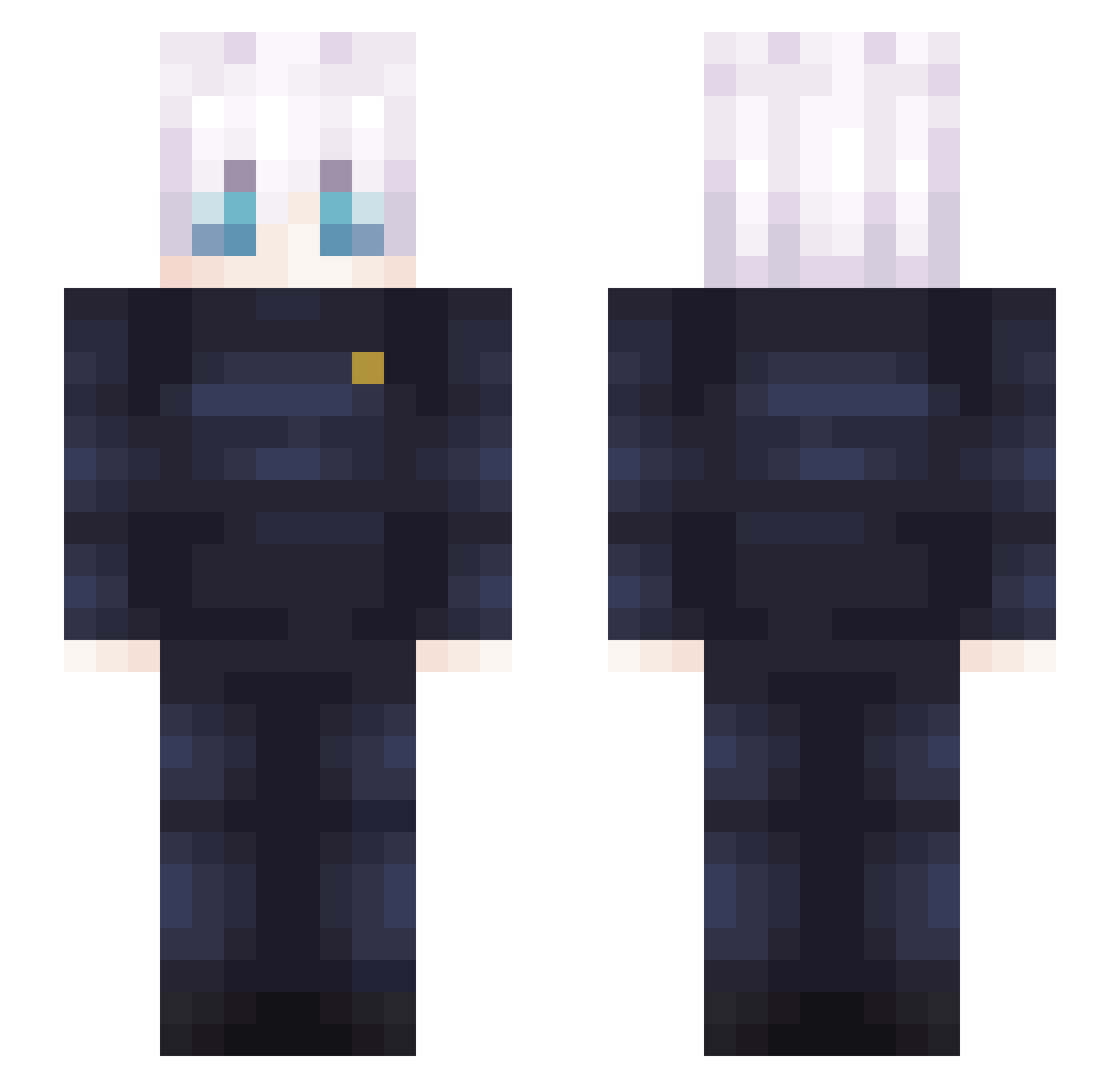
Current Minecraft skin of the player EIEI7, loaded from the official Mojang API. Rotate the 3D model with your mouse or finger, then download the skin as a PNG file and use it in Minecraft: Bedrock Edition or Java Edition for free. When EIEI7 changes their skin, this page updates automatically and the old skin stays in the history below.
Other players with this skin (408)
EIEI7 was the 22nd player we have seen with this skin, first spotted on 01.08.2026. The same skin was seen on these players. Open a nickname to see their current skin and skin history.
 woo_Berry ElSawwy BarbieGirlFan067 UNKOWNGOD123 Imguigs Satoru_Gojo_420 chil_man Iris9614 Vegiita TheKirserX Royale_Arda ThekingofUSA DelanoDeBanaan honest2117 kaqqo1 hideondonghyun aLarmWz XiaoLexo Zurxec kapibara_Mike domozomo17 Avicci7 SavagePlays15 DARK_LORD5 Arii_kim Altyn0p KENJll yiio_1 Syrox001 edyokali Soulxzz Candyshh Greenranger2141 kakeichi Hollerockt blurgaming23 Nyamrain Nicvi cursed10 ClippedCrow1 Sanseuu Henry_BD06 Darth_Revees Poxww jakekay Badfinger69 kevvv99999 Forneus11 luisram7 Treadyyy MACH_69 Marader11 WXZ666 yingzi_33 Merciful_God DocWolf_RSV4 haesung74 MingXue1101 Itadeki ivy2554
More Satoru Gojo Minecraft skins
See all 1375 Satoru Gojo skins
How to install the EIEI7 skin
- Press the Download button above to save the skin as a PNG file.
- Minecraft: Bedrock Edition (PE): open the Dressing Room from the main menu (or tap your character → Edit Character), go to Classic Skins → Owned, press the + (new skin) button, choose the downloaded PNG and pick the Slim (Alex) model. Works on PC and mobile; consoles cannot import custom skins.
- Minecraft: Java Edition: open the Minecraft Launcher, go to the Skins tab, click New Skin, load the PNG, pick the Slim (Alex) model and press Save & Use. You can also upload it at minecraft.net → Profile → Change Skin.
The skin does not show up after import - what should I do?
Restart Minecraft and open the Dressing Room again - imported skins sometimes appear only after a restart. Also make sure you selected the imported skin and picked the Slim (Alex) model.
Which model should I choose, Classic or Slim?
This skin is designed for the Slim (Alex) model. If you pick the wrong model, the arms of the skin will look stretched or squeezed.
Is the skin of EIEI7 free to download?
Yes. Press Download, save the PNG file and use it in Minecraft: Bedrock Edition or Java Edition - no payment or registration needed. The skin also works on multiplayer servers and Realms.
More skins
Looking for more? Go back to all Minecraft skins and check the top skins of the week, month and all time, or find any player's skin by nickname.