
DziadekW3dkarz_ - Minecraft Skins & Skin History
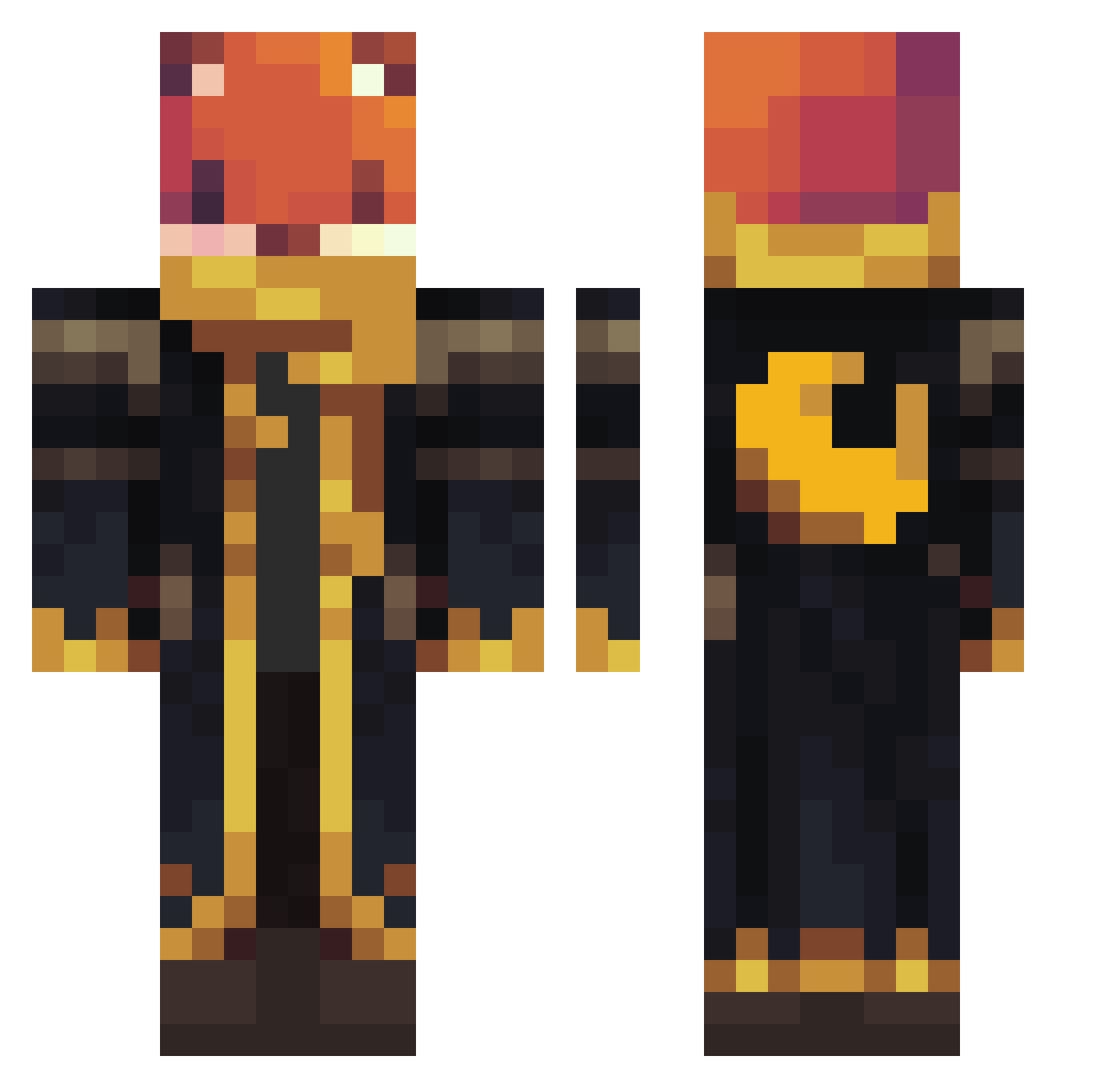
Current Minecraft skin of the player DziadekW3dkarz_, loaded from the official Mojang API. Rotate the 3D model with your mouse or finger, then download the skin as a PNG file and use it in Minecraft: Bedrock Edition or Java Edition for free. When DziadekW3dkarz_ changes their skin, this page updates automatically and the old skin stays in the history below.
Other players with this skin (1062)
DziadekW3dkarz_ was the 1017th player we have seen with this skin, first spotted on 28.10.2026. The same skin was seen on these players. Open a nickname to see their current skin and skin history.
 Papoll1 Eliran12121 Future_Semmel MattyDragneel DragonWharf BCrafty1234 Mussedunder SaltyAxel blueA7907 xanoa Osobyy robomaxus henmrman2 LittleBlueKitKat mutonic74 Steeins cauagamer Seraphina02 Faxles Bobzeus Keepin_It_Golden GGeleven ENSCROLL KIndGreek Outlaw0621 ZACKBAKR Kirihiro CreeperHD1351 Bashy000 Jebbo5 2William6 Lora011 JagerDaBlackRose hamppang Masksgrin SharpAlvin Elijamander cptgoober MilowMeow Apply_exe oriken954 LelandMatthew ARCHIE5692 META_MONG irlan1 Coolkidro64 AhoiBahamut Rowlecik Zanelim18 REDtimo95 GreyLawnmower Szlfg foxi22 MinusRn mgmgmgmgh Shadow_Armadillo RIDER1917 KSA19 Laki0 Shakyrage
More Crescent Moon Minecraft skins
See all 274 Crescent Moon skins
How to install the DziadekW3dkarz_ skin
- Press the Download button above to save the skin as a PNG file.
- Minecraft: Bedrock Edition (PE): open the Dressing Room from the main menu (or tap your character → Edit Character), go to Classic Skins → Owned, press the + (new skin) button, choose the downloaded PNG and pick the Classic (Steve) model. Works on PC and mobile; consoles cannot import custom skins.
- Minecraft: Java Edition: open the Minecraft Launcher, go to the Skins tab, click New Skin, load the PNG, pick the Classic (Steve) model and press Save & Use. You can also upload it at minecraft.net → Profile → Change Skin.
The skin does not show up after import - what should I do?
Restart Minecraft and open the Dressing Room again - imported skins sometimes appear only after a restart. Also make sure you selected the imported skin and picked the Classic (Steve) model.
Which model should I choose, Classic or Slim?
This skin is designed for the Classic (Steve) model. If you pick the wrong model, the arms of the skin will look stretched or squeezed.
Is the skin of DziadekW3dkarz_ free to download?
Yes. Press Download, save the PNG file and use it in Minecraft: Bedrock Edition or Java Edition - no payment or registration needed. The skin also works on multiplayer servers and Realms.
More skins
Looking for more? Go back to all Minecraft skins and check the top skins of the week, month and all time, or find any player's skin by nickname.