
Dusty_onion - Minecraft Skins & Skin History
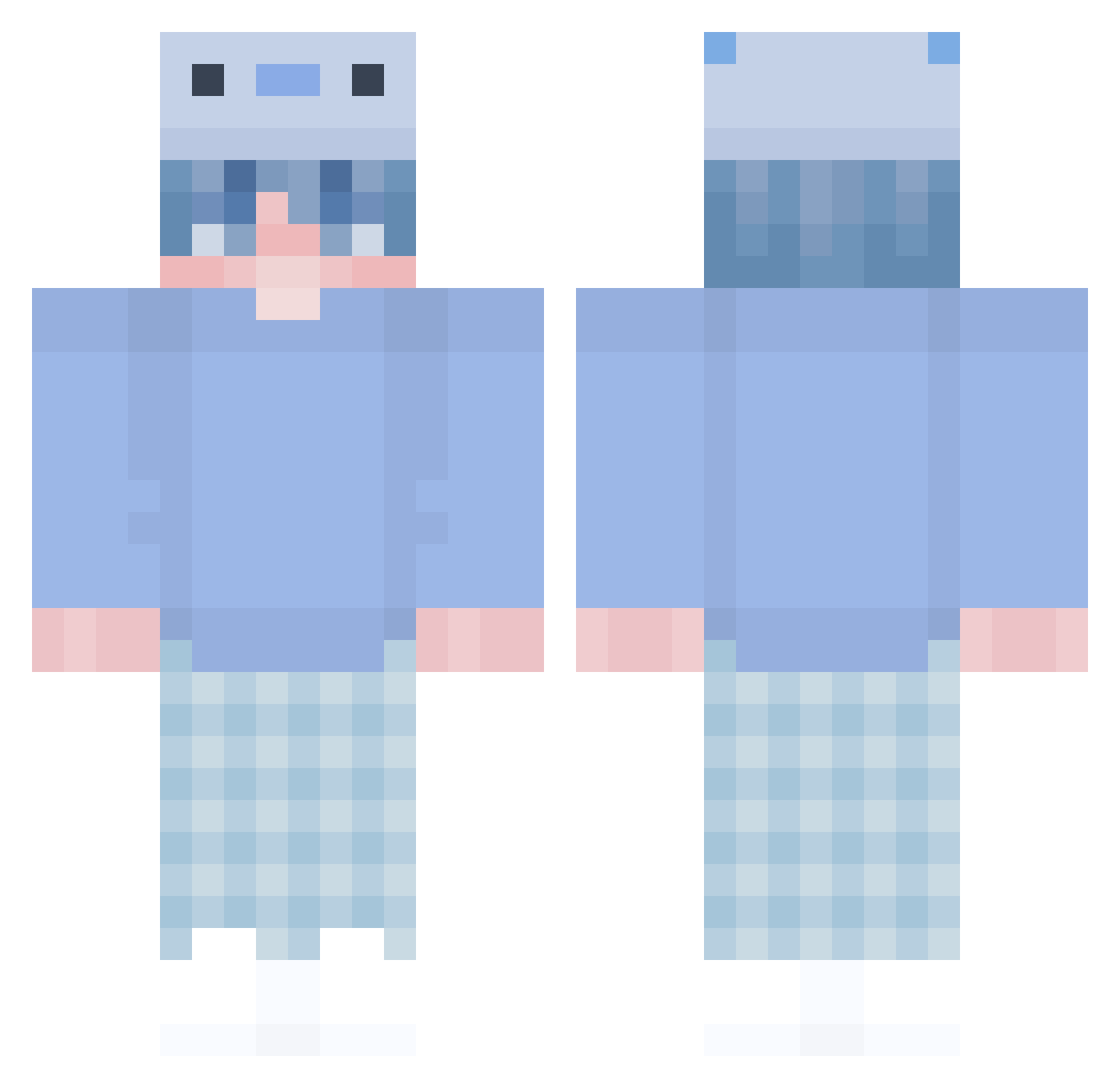
Current Minecraft skin of the player Dusty_onion, loaded from the official Mojang API. Rotate the 3D model with your mouse or finger, then download the skin as a PNG file and use it in Minecraft: Bedrock Edition or Java Edition for free. When Dusty_onion changes their skin, this page updates automatically and the old skin stays in the history below.
Other players with this skin (302)
Dusty_onion was the 45th player we have seen with this skin, first spotted on 09.08.2026. The same skin was seen on these players. Open a nickname to see their current skin and skin history.
 GamePulse teoplayz_ _xX___Xx_ UTKOO kahkahan Ashrimpie Itz_Soft ZweKo Lyione_ Melissa_311 Sawa1219 Benvinnyo buttersturtles mc_detran CrubbyXD LuckySeven2011 Kussukaike Cobey_HD J_u_s_t Bili_xiaozhejeff Paraade sid9218 f0kiee ZarMischok RaphiBert xKunaiii _IceT N3egative Landy568 docsxin Tomcat2012 BangBangDN PENPENDAZOU KayraBoss42 Ksabandox aquanixo French_fries0828 pedrinzg juran7275 Kiritoper chompchomp0808 kawaneid18 Enesko_11 Ihaxminecraft Nataneq Bad_n00b
 Vynsross shiffony H4rydino njcfire Rodolfinho
 HuIppea T0mmy_001 0KhanhTriet_ kacav41 Tony4tw BananaGHG Bili_xiaozheieff QuitoSixteen
 eymQ
eymQMore Axolotl Minecraft skins
How to install the Dusty_onion skin
- Press the Download button above to save the skin as a PNG file.
- Minecraft: Bedrock Edition (PE): open the Dressing Room from the main menu (or tap your character → Edit Character), go to Classic Skins → Owned, press the + (new skin) button, choose the downloaded PNG and pick the Classic (Steve) model. Works on PC and mobile; consoles cannot import custom skins.
- Minecraft: Java Edition: open the Minecraft Launcher, go to the Skins tab, click New Skin, load the PNG, pick the Classic (Steve) model and press Save & Use. You can also upload it at minecraft.net → Profile → Change Skin.
The skin does not show up after import - what should I do?
Restart Minecraft and open the Dressing Room again - imported skins sometimes appear only after a restart. Also make sure you selected the imported skin and picked the Classic (Steve) model.
Which model should I choose, Classic or Slim?
This skin is designed for the Classic (Steve) model. If you pick the wrong model, the arms of the skin will look stretched or squeezed.
Is the skin of Dusty_onion free to download?
Yes. Press Download, save the PNG file and use it in Minecraft: Bedrock Edition or Java Edition - no payment or registration needed. The skin also works on multiplayer servers and Realms.
More skins
Looking for more? Go back to all Minecraft skins and check the top skins of the week, month and all time, or find any player's skin by nickname.