
DuckleDNA - Minecraft Skins & Skin History
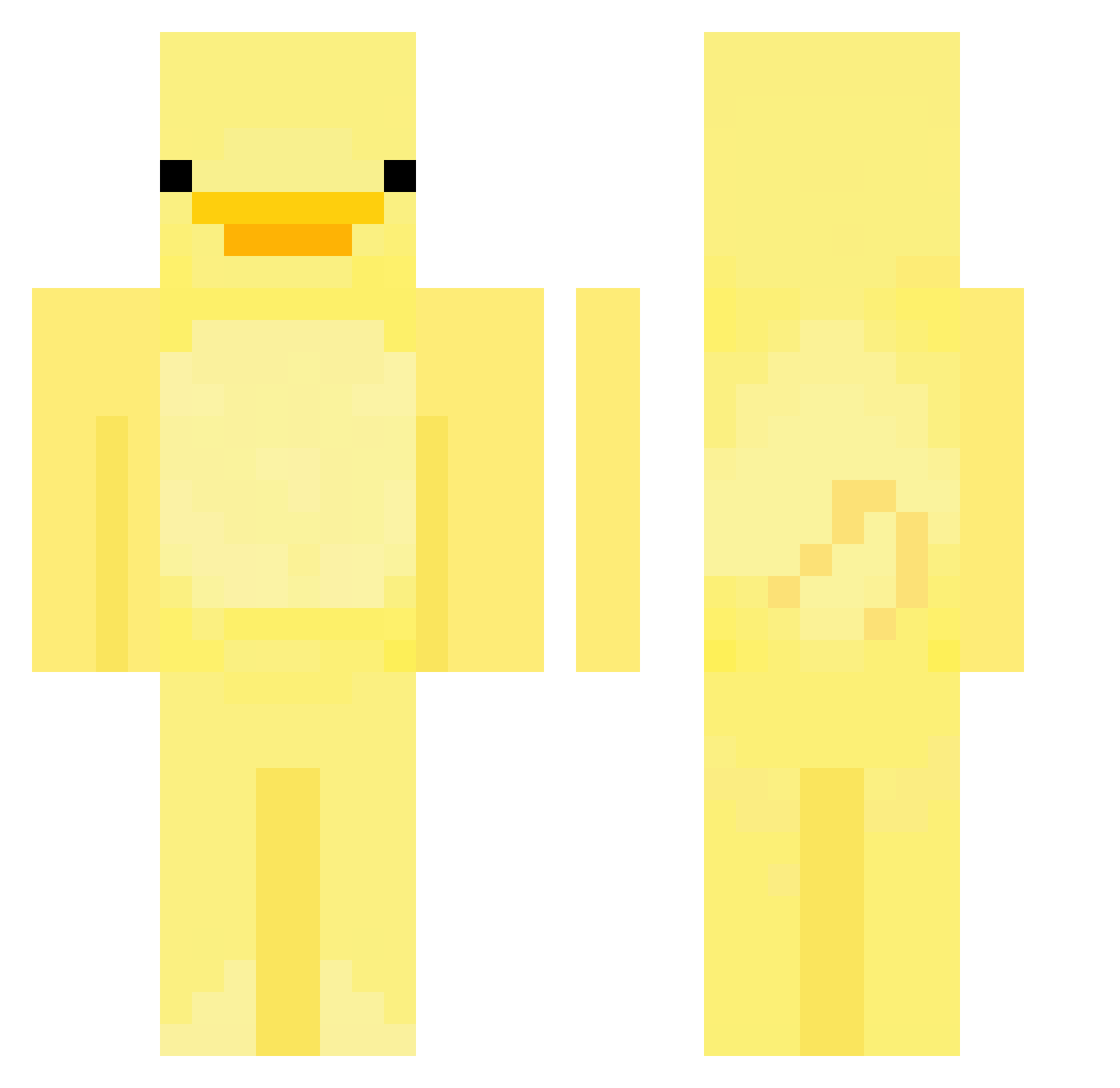
Current Minecraft skin of the player DuckleDNA, loaded from the official Mojang API. Rotate the 3D model with your mouse or finger, then download the skin as a PNG file and use it in Minecraft: Bedrock Edition or Java Edition for free. When DuckleDNA changes their skin, this page updates automatically and the old skin stays in the history below.
Other players with this skin (552)
DuckleDNA was the 304th player we have seen with this skin, first spotted on 14.09.2026. The same skin was seen on these players. Open a nickname to see their current skin and skin history.
 KinG_Hei YoungFokson lordreyna99 KimGunW00 Leoissogood KAIKAIPRO pinkpiggy69420 TakingTheW lorinir Seowori TIDEPOD_1001 lejrpladsen BalloonNest6052 fishpooeightytwo revitheslattt grumpyhog watermeloniscool DarthNoggles hubiax12 thelibra98 Flick008 AresowyAres shurqx KellyIsAMonkey Rbnoi MCDUCKxd123 eggseyy HAmiGUA_hehe BonsouerRPZ ufoatom KillaWag Juno427 coolerperson MagmaParker battmoyce Laowwi YINGOO207 gracielouuu TyJ0e OBAN14 AnduGabriel roundjh02 yodinob maddem Osxzr2 Hexcupid15 obbyobs Ducstream Christeuphe CRAZYKIDJ0SH 1TorN caradeline AFabulousDuck RYUYEORM straawbee aliencatjuice Morgplote01 Andysnow252 Mamabox22 Chiakiiy
More Bird Minecraft skins
How to install the DuckleDNA skin
- Press the Download button above to save the skin as a PNG file.
- Minecraft: Bedrock Edition (PE): open the Dressing Room from the main menu (or tap your character → Edit Character), go to Classic Skins → Owned, press the + (new skin) button, choose the downloaded PNG and pick the Classic (Steve) model. Works on PC and mobile; consoles cannot import custom skins.
- Minecraft: Java Edition: open the Minecraft Launcher, go to the Skins tab, click New Skin, load the PNG, pick the Classic (Steve) model and press Save & Use. You can also upload it at minecraft.net → Profile → Change Skin.
The skin does not show up after import - what should I do?
Restart Minecraft and open the Dressing Room again - imported skins sometimes appear only after a restart. Also make sure you selected the imported skin and picked the Classic (Steve) model.
Which model should I choose, Classic or Slim?
This skin is designed for the Classic (Steve) model. If you pick the wrong model, the arms of the skin will look stretched or squeezed.
Is the skin of DuckleDNA free to download?
Yes. Press Download, save the PNG file and use it in Minecraft: Bedrock Edition or Java Edition - no payment or registration needed. The skin also works on multiplayer servers and Realms.
More skins
Looking for more? Go back to all Minecraft skins and check the top skins of the week, month and all time, or find any player's skin by nickname.