
Dragonification - Minecraft Skins & Skin History
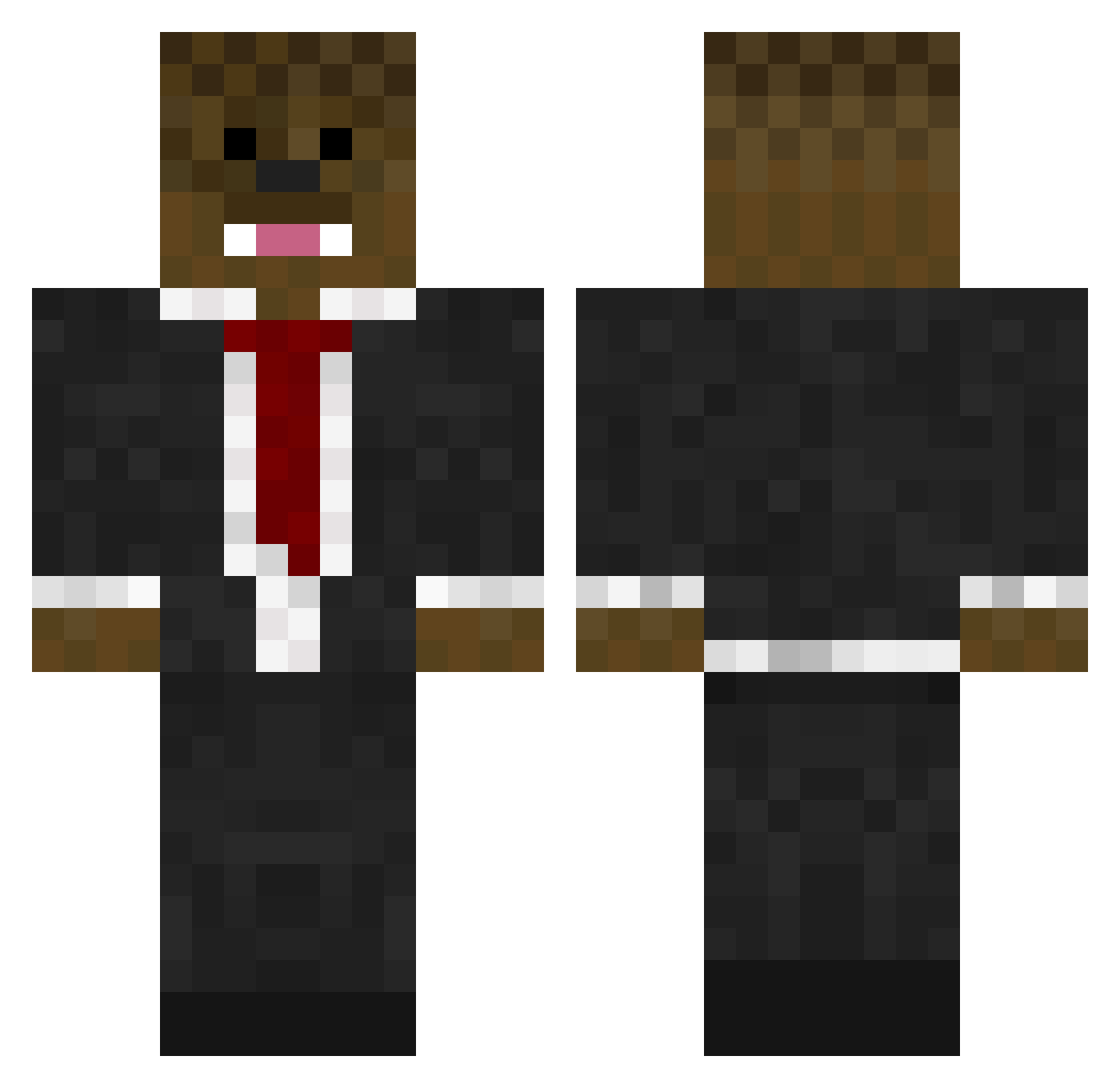
Current Minecraft skin of the player Dragonification, loaded from the official Mojang API. Rotate the 3D model with your mouse or finger, then download the skin as a PNG file and use it in Minecraft: Bedrock Edition or Java Edition for free. When Dragonification changes their skin, this page updates automatically and the old skin stays in the history below.
Other players with this skin (65)
Dragonification was the 37th player we have seen with this skin, first spotted on 28.09.2026. The same skin was seen on these players. Open a nickname to see their current skin and skin history.
 KINGSIZEDELUXE Rus01x Ettin_ol ToxicDave45 Mryely2024 Javocol652 Uwillxx SkyKat5 IPlaybodyMC KIEW12 kingmarmar1 Kasll NashvilleChicken Snoopy_425 123_banana_123 FlappingNonDonor w33niewarrior gio_storm RetributedHero Squidslayer12 skyarmy123ee johah2 jproduct74 Liquid_Cyb3r ABM789 DragonHunter0505 Gio_Crazy C00KIE_NINJA Schmitty038 wstcoastbeast hermann28 Hippiechu calkingO2 irylWithUrMom supreme___rage NisoSoup17 NoLimitZachy oxycodone4 xAndrew6G Mic81 ItsYeBoiKats xV1KINGx SomeNubby Bamibal313 brezzskyblock Loehex flammin WillTheWizard_ Marisa419 Wassupzi brezzily
 R1zz13r Moancraft Klevea SmokedOutDrako BACCASLAYER sparerskate88 ResBumi hslc markgoat2121
More Chewbacca Minecraft skins
How to install the Dragonification skin
- Press the Download button above to save the skin as a PNG file.
- Minecraft: Bedrock Edition (PE): open the Dressing Room from the main menu (or tap your character → Edit Character), go to Classic Skins → Owned, press the + (new skin) button, choose the downloaded PNG and pick the Classic (Steve) model. Works on PC and mobile; consoles cannot import custom skins.
- Minecraft: Java Edition: open the Minecraft Launcher, go to the Skins tab, click New Skin, load the PNG, pick the Classic (Steve) model and press Save & Use. You can also upload it at minecraft.net → Profile → Change Skin.
The skin does not show up after import - what should I do?
Restart Minecraft and open the Dressing Room again - imported skins sometimes appear only after a restart. Also make sure you selected the imported skin and picked the Classic (Steve) model.
Which model should I choose, Classic or Slim?
This skin is designed for the Classic (Steve) model. If you pick the wrong model, the arms of the skin will look stretched or squeezed.
Is the skin of Dragonification free to download?
Yes. Press Download, save the PNG file and use it in Minecraft: Bedrock Edition or Java Edition - no payment or registration needed. The skin also works on multiplayer servers and Realms.
More skins
Looking for more? Go back to all Minecraft skins and check the top skins of the week, month and all time, or find any player's skin by nickname.