
Dragon123player - Minecraft Skins & Skin History
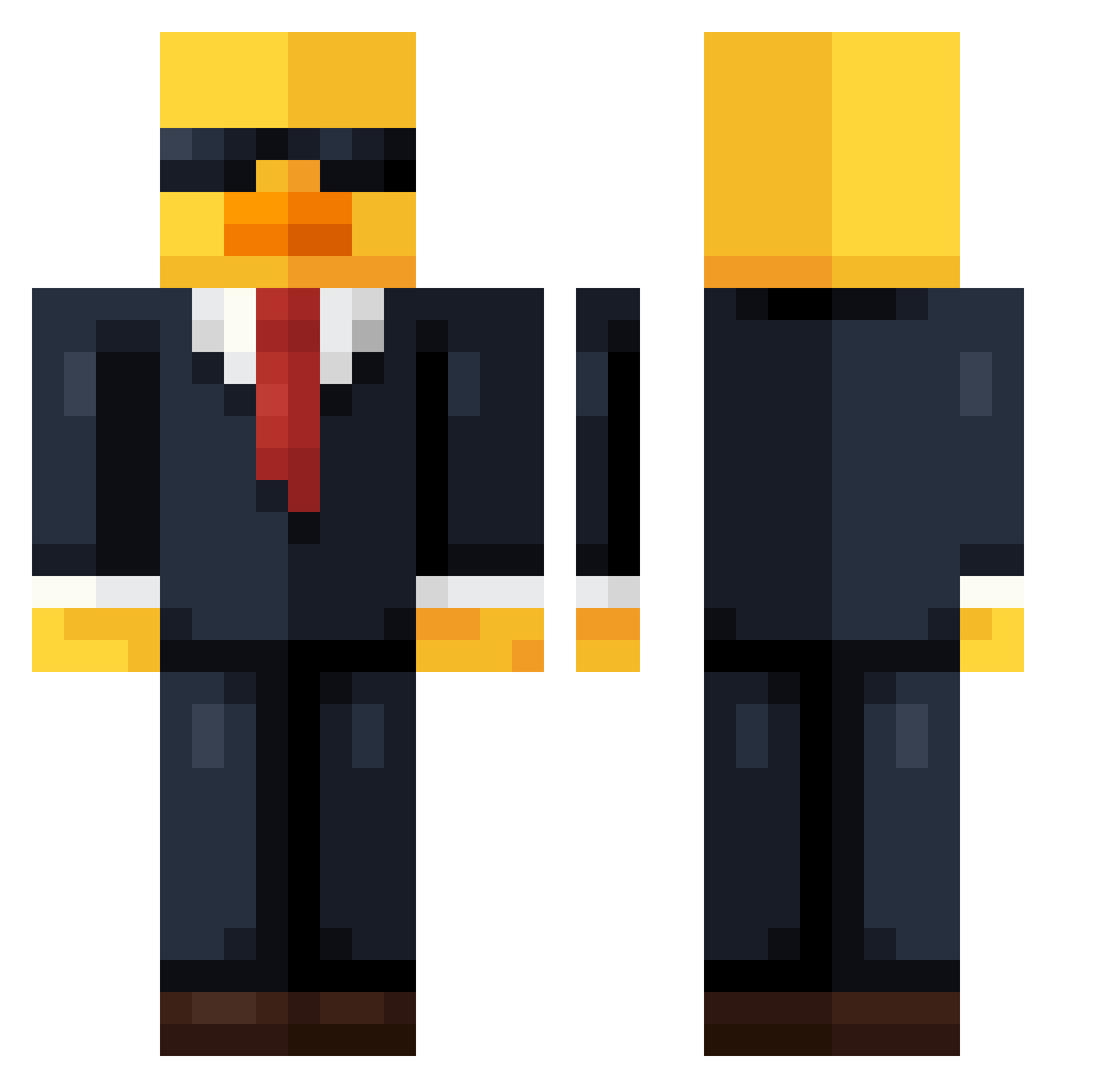
Current Minecraft skin of the player Dragon123player, loaded from the official Mojang API. Rotate the 3D model with your mouse or finger, then download the skin as a PNG file and use it in Minecraft: Bedrock Edition or Java Edition for free. When Dragon123player changes their skin, this page updates automatically and the old skin stays in the history below.
Other players with this skin (754)
Dragon123player was the 673rd player we have seen with this skin, first spotted on 26.10.2026. The same skin was seen on these players. Open a nickname to see their current skin and skin history.
 joy0o0 Huwin_ Faris1040 wojteQ210 tomtom_12 liang012 Swedish_Bread _sneakpeak_ Alter_Romeo Datnikodoe Manu567 Yoon_Tang KofodDK Aman7546 Emp3r1 Akelino rmdwn keunrok Mrchickabean123 aw00h mystery_33 cay656 AdelsonJK09 TheDyslexicOne42 _NanoR_ noce15 Steewek Don_Quixote_Love Shoel69 ekmek500 Hassandenstore Rainb0w112 Wingsofagriffin BigSillyPal Oliver07148 RodriFran Juliandyy Gurrab6942 Vanchuwu pepikxd _Qal_ Nerdicals MarshBob Rex_1123 HASAN2222 Godao20 WarriorShema Lolman6590 Edison20_9 WillGamer27 Brett365 mega1ne tryrtw MartinezShao Kumachiiii Shvzvm JackDew3 Gunbread0000 GamingNick203 GuiAkashi
More Duck Minecraft skins
How to install the Dragon123player skin
- Press the Download button above to save the skin as a PNG file.
- Minecraft: Bedrock Edition (PE): open the Dressing Room from the main menu (or tap your character → Edit Character), go to Classic Skins → Owned, press the + (new skin) button, choose the downloaded PNG and pick the Classic (Steve) model. Works on PC and mobile; consoles cannot import custom skins.
- Minecraft: Java Edition: open the Minecraft Launcher, go to the Skins tab, click New Skin, load the PNG, pick the Classic (Steve) model and press Save & Use. You can also upload it at minecraft.net → Profile → Change Skin.
The skin does not show up after import - what should I do?
Restart Minecraft and open the Dressing Room again - imported skins sometimes appear only after a restart. Also make sure you selected the imported skin and picked the Classic (Steve) model.
Which model should I choose, Classic or Slim?
This skin is designed for the Classic (Steve) model. If you pick the wrong model, the arms of the skin will look stretched or squeezed.
Is the skin of Dragon123player free to download?
Yes. Press Download, save the PNG file and use it in Minecraft: Bedrock Edition or Java Edition - no payment or registration needed. The skin also works on multiplayer servers and Realms.
More skins
Looking for more? Go back to all Minecraft skins and check the top skins of the week, month and all time, or find any player's skin by nickname.