
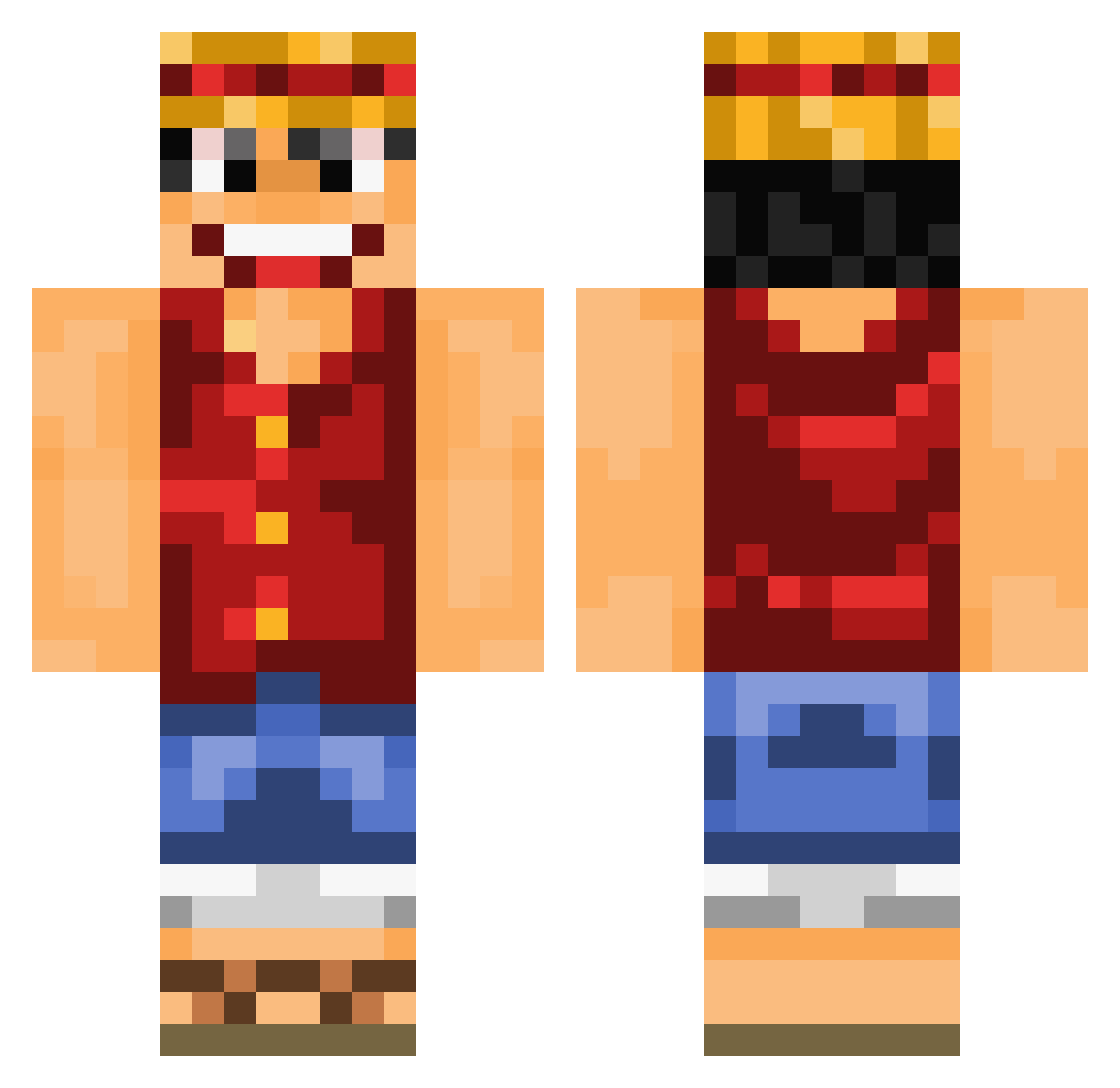
Current Minecraft skin of the player DomROS, loaded from the official Mojang API. Rotate the 3D model with your mouse or finger, then download the skin as a PNG file and use it in Minecraft: Bedrock Edition or Java Edition for free. When DomROS changes their skin, this page updates automatically and the old skin stays in the history below.
Other players with this skin (691)
DomROS was the 439th player we have seen with this skin, first spotted on 21.09.2026. The same skin was seen on these players. Open a nickname to see their current skin and skin history.
 tamodshooter LucasVasi0 hundobeans NoXiTo22 Yarp_Yarp MonkeyDLuffy_D Itsyaboyryan AJB1101 xxEKOPLEXxx EscalopeFroideee AIGLEGIVREEE DaRouded Nero0747 Balikesirli HappyJellyCc MieserWilli DannyDRaffy shigirakitom zebrasniff dreyus KristieQual Maitre__Alpha dori9187 Sharkyterie manakamea Kirin12501 Meek197 mdrree IceGod1217 Flash_Gorden TranslatorCape Jsmith510 MarcosF25 ixDear OrangaTango wageto Wizoou zekzinho Fairytai136 LILDUD Roobiedoob Mazen_90 SeniorTiker6170 Skyquint hmood612 Efecan_90 shaketaso BigPattyDaddy vLouTTV Lackschuhh EmonSlogger EliaGeremia MiniNengue AlexusFreibergus Ergotus mitikmatt99 m7md90 midnight_moe LiteG93 victorp78
More Monkey D Luffy Minecraft skins
See all 826 Monkey D Luffy skins
How to install the DomROS skin
- Press the Download button above to save the skin as a PNG file.
- Minecraft: Bedrock Edition (PE): open the Dressing Room from the main menu (or tap your character → Edit Character), go to Classic Skins → Owned, press the + (new skin) button, choose the downloaded PNG and pick the Classic (Steve) model. Works on PC and mobile; consoles cannot import custom skins.
- Minecraft: Java Edition: open the Minecraft Launcher, go to the Skins tab, click New Skin, load the PNG, pick the Classic (Steve) model and press Save & Use. You can also upload it at minecraft.net → Profile → Change Skin.
The skin does not show up after import - what should I do?
Restart Minecraft and open the Dressing Room again - imported skins sometimes appear only after a restart. Also make sure you selected the imported skin and picked the Classic (Steve) model.
Which model should I choose, Classic or Slim?
This skin is designed for the Classic (Steve) model. If you pick the wrong model, the arms of the skin will look stretched or squeezed.
Is the skin of DomROS free to download?
Yes. Press Download, save the PNG file and use it in Minecraft: Bedrock Edition or Java Edition - no payment or registration needed. The skin also works on multiplayer servers and Realms.
More skins
Looking for more? Go back to all Minecraft skins and check the top skins of the week, month and all time, or find any player's skin by nickname.