
Dodekaphonie - Minecraft Skins & Skin History
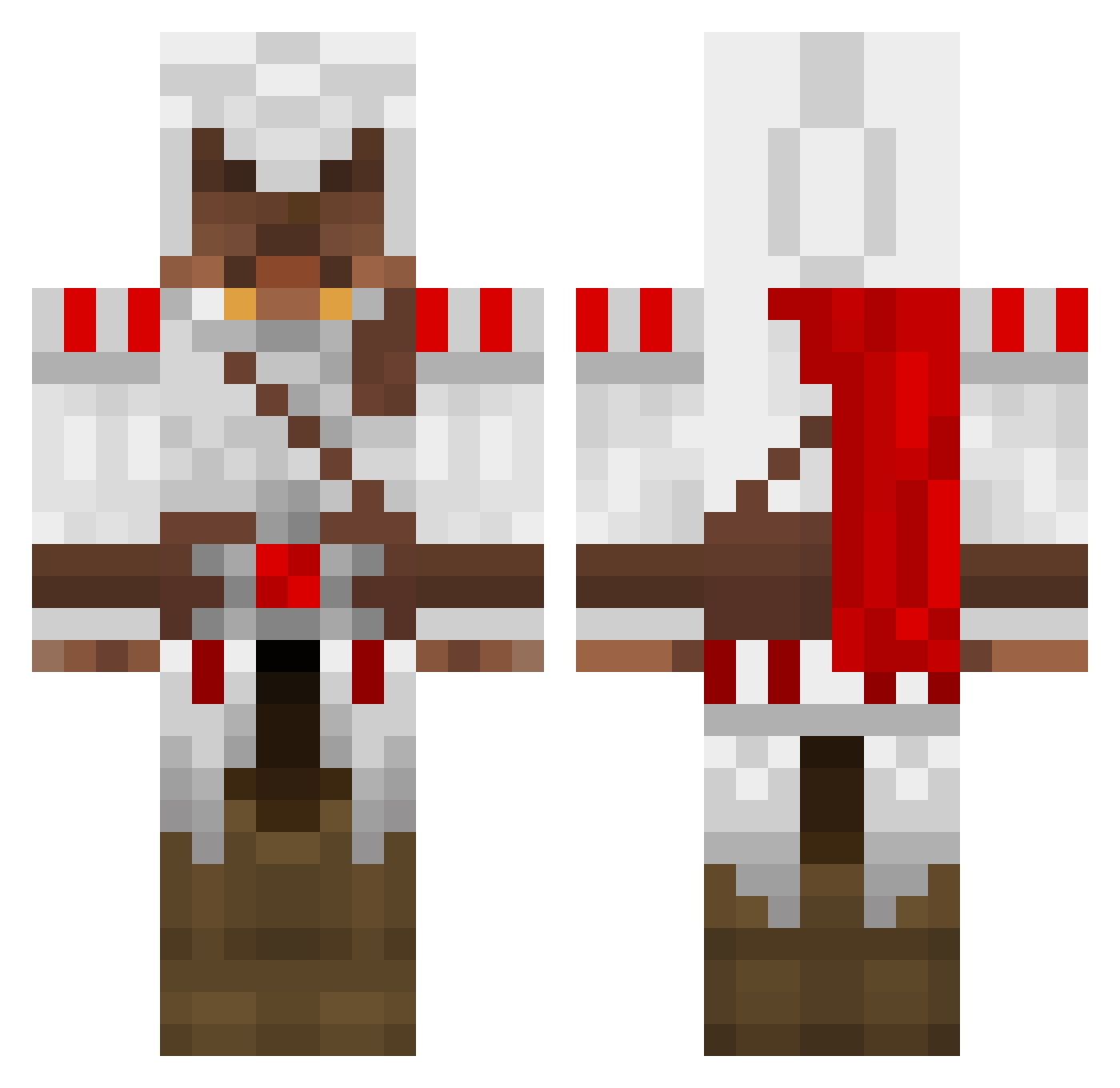
Current Minecraft skin of the player Dodekaphonie, loaded from the official Mojang API. Rotate the 3D model with your mouse or finger, then download the skin as a PNG file and use it in Minecraft: Bedrock Edition or Java Edition for free. When Dodekaphonie changes their skin, this page updates automatically and the old skin stays in the history below.
Other players with this skin (1388)
Dodekaphonie was the 1237th player we have seen with this skin, first spotted on 21.10.2026. The same skin was seen on these players. Open a nickname to see their current skin and skin history.
 StormAssassin1 jojohannas bergerak Goalieur b0lt100 espositot ConnectionDropp danielpu Rafiki44680 apsbuilder6 dragon1327 Nithu54 ValinorAmar Morzy Lammy15 andy1234118 JMarshall2018 Chriscjt Aragorn894 Bobcioo ZachShaw XKeepCoolX royalflush51 tinyterror98 rth26 hedman98 Trayver klam200 rickrob24 Corex3 Quadranite Tank568 DagonLicz Gustric Dman0707 lilNate28 Pavloos96 zoron19 jordanadams1 EpicSprint PrestonC69 Slothunter Nazgulator Yug0h vmaitino jst2bored MeridianWebster Unknown_Poptart gnomo90 littlewolf2000 xxicreeperxx4756 Ruanpo1 megajuger 100cotton werewolf_nr TheChrisCrysis colees pieguydie platz97 hebrewhamm3r
More Altair Ibn La Ahad Minecraft skins
See all 196 Altair Ibn La Ahad skins
How to install the Dodekaphonie skin
- Press the Download button above to save the skin as a PNG file.
- Minecraft: Bedrock Edition (PE): open the Dressing Room from the main menu (or tap your character → Edit Character), go to Classic Skins → Owned, press the + (new skin) button, choose the downloaded PNG and pick the Classic (Steve) model. Works on PC and mobile; consoles cannot import custom skins.
- Minecraft: Java Edition: open the Minecraft Launcher, go to the Skins tab, click New Skin, load the PNG, pick the Classic (Steve) model and press Save & Use. You can also upload it at minecraft.net → Profile → Change Skin.
The skin does not show up after import - what should I do?
Restart Minecraft and open the Dressing Room again - imported skins sometimes appear only after a restart. Also make sure you selected the imported skin and picked the Classic (Steve) model.
Which model should I choose, Classic or Slim?
This skin is designed for the Classic (Steve) model. If you pick the wrong model, the arms of the skin will look stretched or squeezed.
Is the skin of Dodekaphonie free to download?
Yes. Press Download, save the PNG file and use it in Minecraft: Bedrock Edition or Java Edition - no payment or registration needed. The skin also works on multiplayer servers and Realms.
More skins
Looking for more? Go back to all Minecraft skins and check the top skins of the week, month and all time, or find any player's skin by nickname.