
DobbyDaDobbster - Minecraft Skins & Skin History
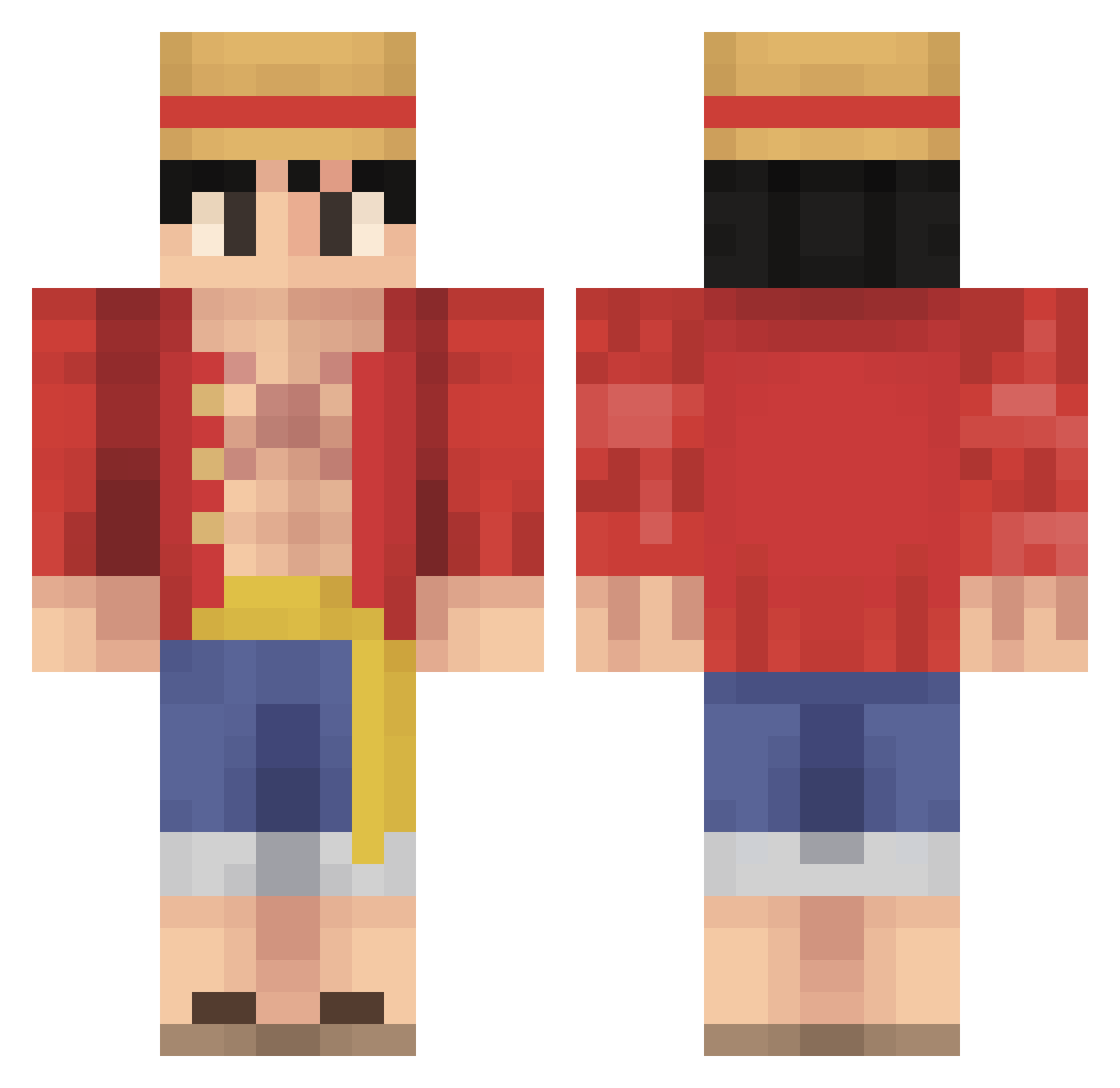
Current Minecraft skin of the player DobbyDaDobbster, loaded from the official Mojang API. Rotate the 3D model with your mouse or finger, then download the skin as a PNG file and use it in Minecraft: Bedrock Edition or Java Edition for free. When DobbyDaDobbster changes their skin, this page updates automatically and the old skin stays in the history below.
Other players with this skin (485)
DobbyDaDobbster was the 229th player we have seen with this skin, first spotted on 11.09.2026. The same skin was seen on these players. Open a nickname to see their current skin and skin history.
 Evzark69 EliadRak11 Diecide aedwn bo_nbsha Veldora23 Enkuu k0sm0s_337 NAA_HAZZA MilesNiles iQzon OakCereal_26 98Enderdragon yourmum111 qantumentangled Jimmer4301 Kslayer619 Cafta01 Mstyg soulsnatcher227 Chewbacca771 SL3ni lucn12 CasMustard NellyWelly z7xov yoboypc cbmcl2011 fantaztec HoraryCosine LuffyDMonkey123 AlienFAFA juicelightning CrazyMoHD xGoingUnderCover earnest2829 Ar2rito rcarlock gigigi513 Weltraumklempner Shahrul1213 MtShadow11 enviouk SanityGoBrrr XxMarino95xX LaserBlaster24 Ian_DaBaby Epiccberry CraftyRanger1_ BluPhant0m Boife02 PFerreira MFH7Miranda Datac kattzx SeraphSlinky brachiobob ChaziX_29 wisedog25 jiong61
More Monkey D Luffy Minecraft skins
See all 860 Monkey D Luffy skins
How to install the DobbyDaDobbster skin
- Press the Download button above to save the skin as a PNG file.
- Minecraft: Bedrock Edition (PE): open the Dressing Room from the main menu (or tap your character → Edit Character), go to Classic Skins → Owned, press the + (new skin) button, choose the downloaded PNG and pick the Classic (Steve) model. Works on PC and mobile; consoles cannot import custom skins.
- Minecraft: Java Edition: open the Minecraft Launcher, go to the Skins tab, click New Skin, load the PNG, pick the Classic (Steve) model and press Save & Use. You can also upload it at minecraft.net → Profile → Change Skin.
The skin does not show up after import - what should I do?
Restart Minecraft and open the Dressing Room again - imported skins sometimes appear only after a restart. Also make sure you selected the imported skin and picked the Classic (Steve) model.
Which model should I choose, Classic or Slim?
This skin is designed for the Classic (Steve) model. If you pick the wrong model, the arms of the skin will look stretched or squeezed.
Is the skin of DobbyDaDobbster free to download?
Yes. Press Download, save the PNG file and use it in Minecraft: Bedrock Edition or Java Edition - no payment or registration needed. The skin also works on multiplayer servers and Realms.
More skins
Looking for more? Go back to all Minecraft skins and check the top skins of the week, month and all time, or find any player's skin by nickname.