
DevilDaros - Minecraft Skins & Skin History
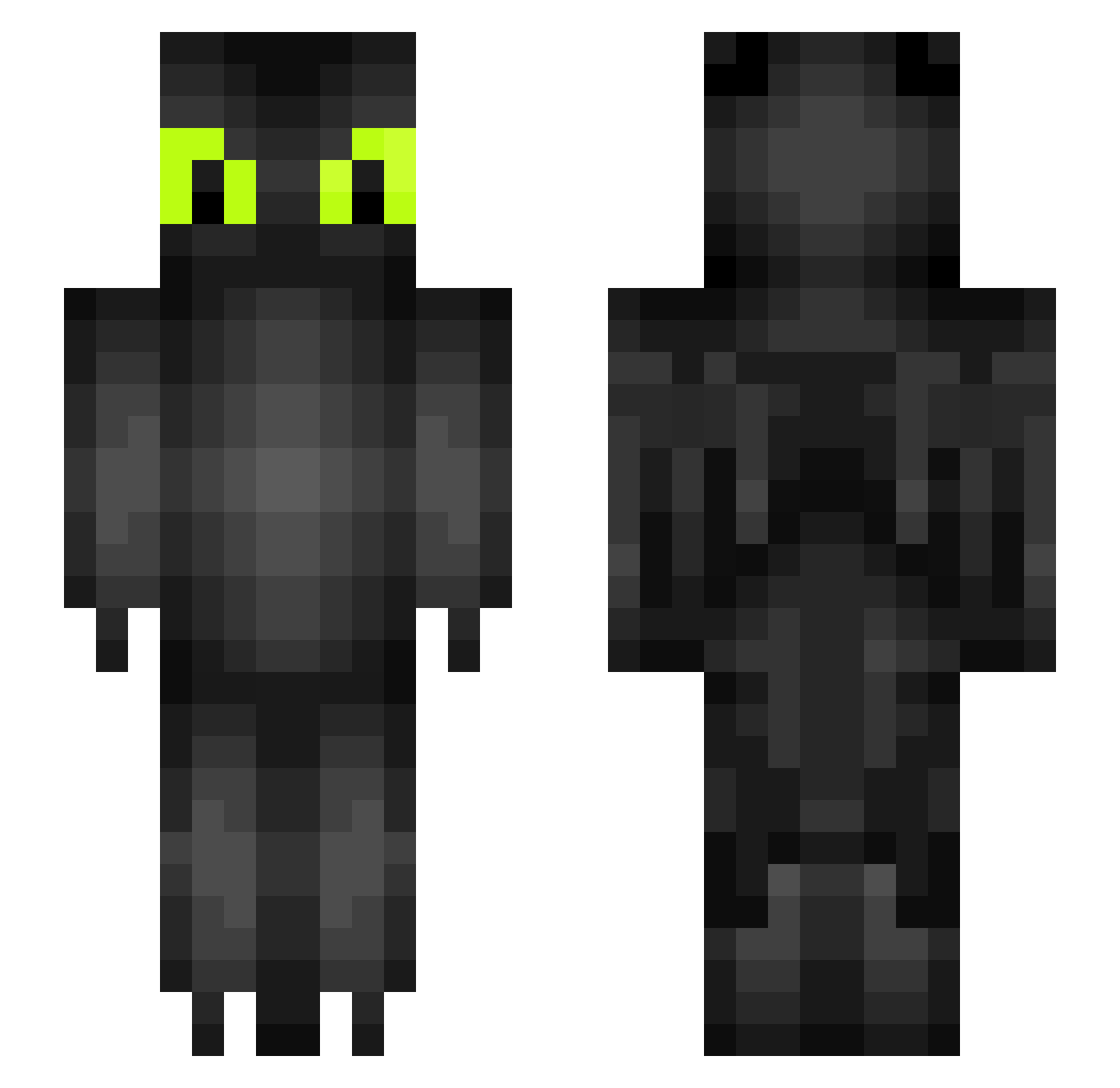
Current Minecraft skin of the player DevilDaros, loaded from the official Mojang API. Rotate the 3D model with your mouse or finger, then download the skin as a PNG file and use it in Minecraft: Bedrock Edition or Java Edition for free. When DevilDaros changes their skin, this page updates automatically and the old skin stays in the history below.
Other players with this skin (234)
DevilDaros was the 126th player we have seen with this skin, first spotted on 24.09.2026. The same skin was seen on these players. Open a nickname to see their current skin and skin history.
 Krysha_8 boBishii 70PercentFluff Sherlock_Holmes4 MuthieSmoothie bubbaaaaaaaaa Mort269 astrale_j JavaChips 1_RoZe_1 Dratronz TheQuackening LightFuryJu AndwSX Gullstrand_ chonka_ jooyung_ Hugh12138 bonzaaa foxmoon12345 Kingxsman DragonUwU3324 chanwo_221 goldenbau3004 pvtdragon jleets11 redpandaarcher ToasterMuffin920 Elmoworld246 OhMyGoats16 Lutharon Ash2545 Needytripod GlacierKing FILIMINE23 wpInvictus Kotek_1239 KrissTheDragon Dimetria Nadelius natbat1738 d4bdaddy Eli0915 Zn0rt efk2013 Wlatca_Czeeesio tepo_ NanGong19 sassymelon SilentDragon6 Wendy41wong Aliisky ImDaveS samtayler30 Ralseikun FrostOkami JodiePebble conscool xeroxaraxuli alexxa0
More Toothless Minecraft skins
How to install the DevilDaros skin
- Press the Download button above to save the skin as a PNG file.
- Minecraft: Bedrock Edition (PE): open the Dressing Room from the main menu (or tap your character → Edit Character), go to Classic Skins → Owned, press the + (new skin) button, choose the downloaded PNG and pick the Slim (Alex) model. Works on PC and mobile; consoles cannot import custom skins.
- Minecraft: Java Edition: open the Minecraft Launcher, go to the Skins tab, click New Skin, load the PNG, pick the Slim (Alex) model and press Save & Use. You can also upload it at minecraft.net → Profile → Change Skin.
The skin does not show up after import - what should I do?
Restart Minecraft and open the Dressing Room again - imported skins sometimes appear only after a restart. Also make sure you selected the imported skin and picked the Slim (Alex) model.
Which model should I choose, Classic or Slim?
This skin is designed for the Slim (Alex) model. If you pick the wrong model, the arms of the skin will look stretched or squeezed.
Is the skin of DevilDaros free to download?
Yes. Press Download, save the PNG file and use it in Minecraft: Bedrock Edition or Java Edition - no payment or registration needed. The skin also works on multiplayer servers and Realms.
More skins
Looking for more? Go back to all Minecraft skins and check the top skins of the week, month and all time, or find any player's skin by nickname.