
DesertFox011 - Minecraft Skins & Skin History
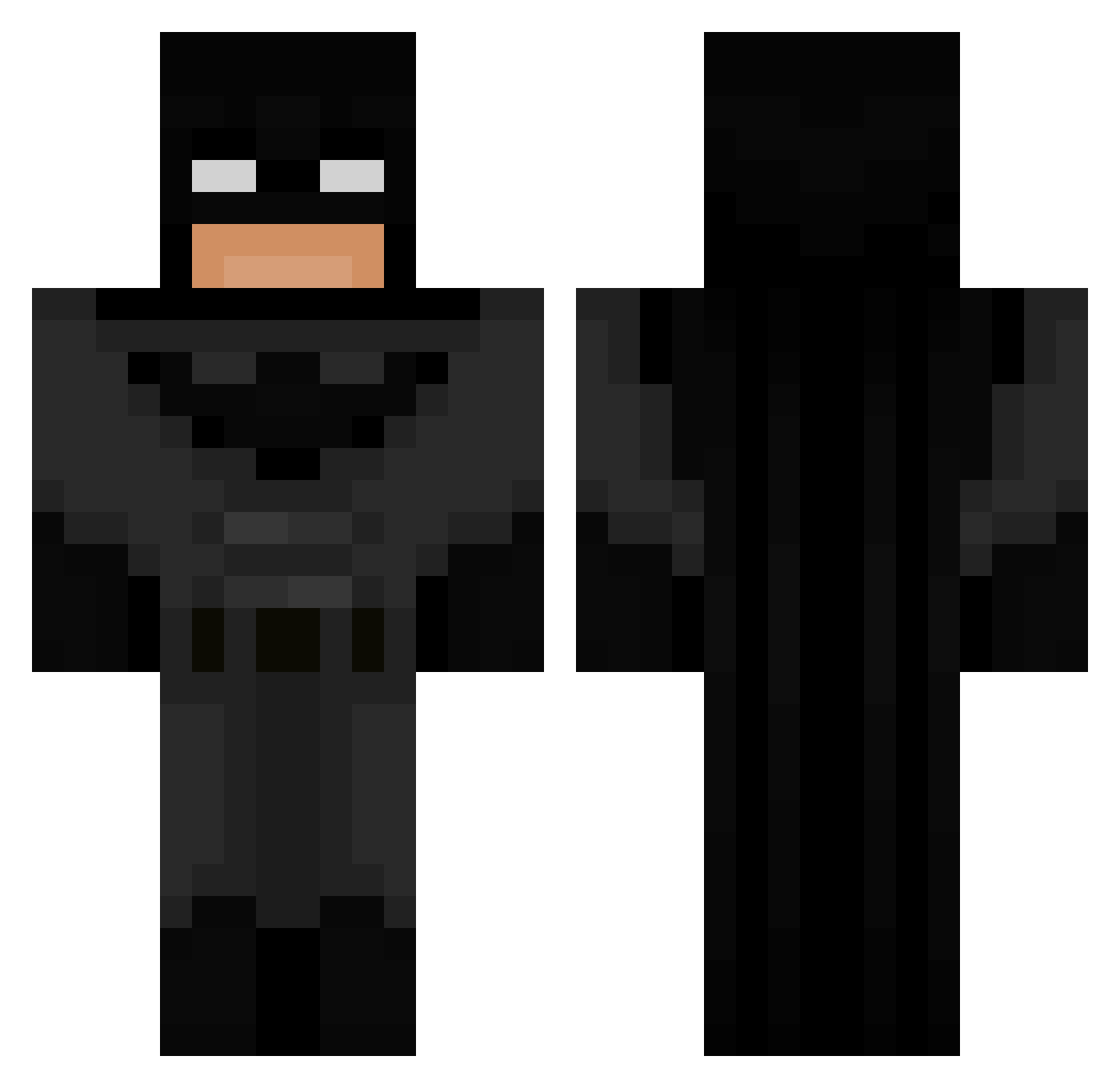
Current Minecraft skin of the player DesertFox011, loaded from the official Mojang API. Rotate the 3D model with your mouse or finger, then download the skin as a PNG file and use it in Minecraft: Bedrock Edition or Java Edition for free. When DesertFox011 changes their skin, this page updates automatically and the old skin stays in the history below.
Other players with this skin (61)
DesertFox011 was the 22nd player we have seen with this skin, first spotted on 28.08.2026. The same skin was seen on these players. Open a nickname to see their current skin and skin history.
 notmotionz dikke_lala MasterGood_23 SKIBBBBB misteregues CakesWORTH37 Delta481 SuicideBoys4L Axrus1 FreshYouns ytBluephoenixyt Mika_abi123 Hiddayyyyy YeetBoii_22 Yunghavier callaid21 Mason211 gamidou miojakkai Bugilone MaSeTyson maxomixmom Breezeroom Dnld_Gus TheYarnballer Zeekster1423 Lenoushka_ 3l1j4h_ XxGhostxX1012 yasin_mostafa345 KingKong20242024 CHlC0_ KnifeNFork qvik2009 emilyyyy_055 snxw3 Aleks_333 Supertenuto m5ha FinneManne Flxxx84 Windtigerz Deijscoman321 balls0324 RemiGABD AvadaKedavra76 lordpepe2272 BIRD_11 Nosicaa ArtBurger FEDERICO5626 b4de3b phyzz_ Poliskokosboll69 J3NXXXX MyhZaZa brizzyfv AceFlaming AntiTh0ts freakiest7
More Batman Minecraft skins
How to install the DesertFox011 skin
- Press the Download button above to save the skin as a PNG file.
- Minecraft: Bedrock Edition (PE): open the Dressing Room from the main menu (or tap your character → Edit Character), go to Classic Skins → Owned, press the + (new skin) button, choose the downloaded PNG and pick the Classic (Steve) model. Works on PC and mobile; consoles cannot import custom skins.
- Minecraft: Java Edition: open the Minecraft Launcher, go to the Skins tab, click New Skin, load the PNG, pick the Classic (Steve) model and press Save & Use. You can also upload it at minecraft.net → Profile → Change Skin.
The skin does not show up after import - what should I do?
Restart Minecraft and open the Dressing Room again - imported skins sometimes appear only after a restart. Also make sure you selected the imported skin and picked the Classic (Steve) model.
Which model should I choose, Classic or Slim?
This skin is designed for the Classic (Steve) model. If you pick the wrong model, the arms of the skin will look stretched or squeezed.
Is the skin of DesertFox011 free to download?
Yes. Press Download, save the PNG file and use it in Minecraft: Bedrock Edition or Java Edition - no payment or registration needed. The skin also works on multiplayer servers and Realms.
More skins
Looking for more? Go back to all Minecraft skins and check the top skins of the week, month and all time, or find any player's skin by nickname.