
DerpTech - Minecraft Skins & Skin History
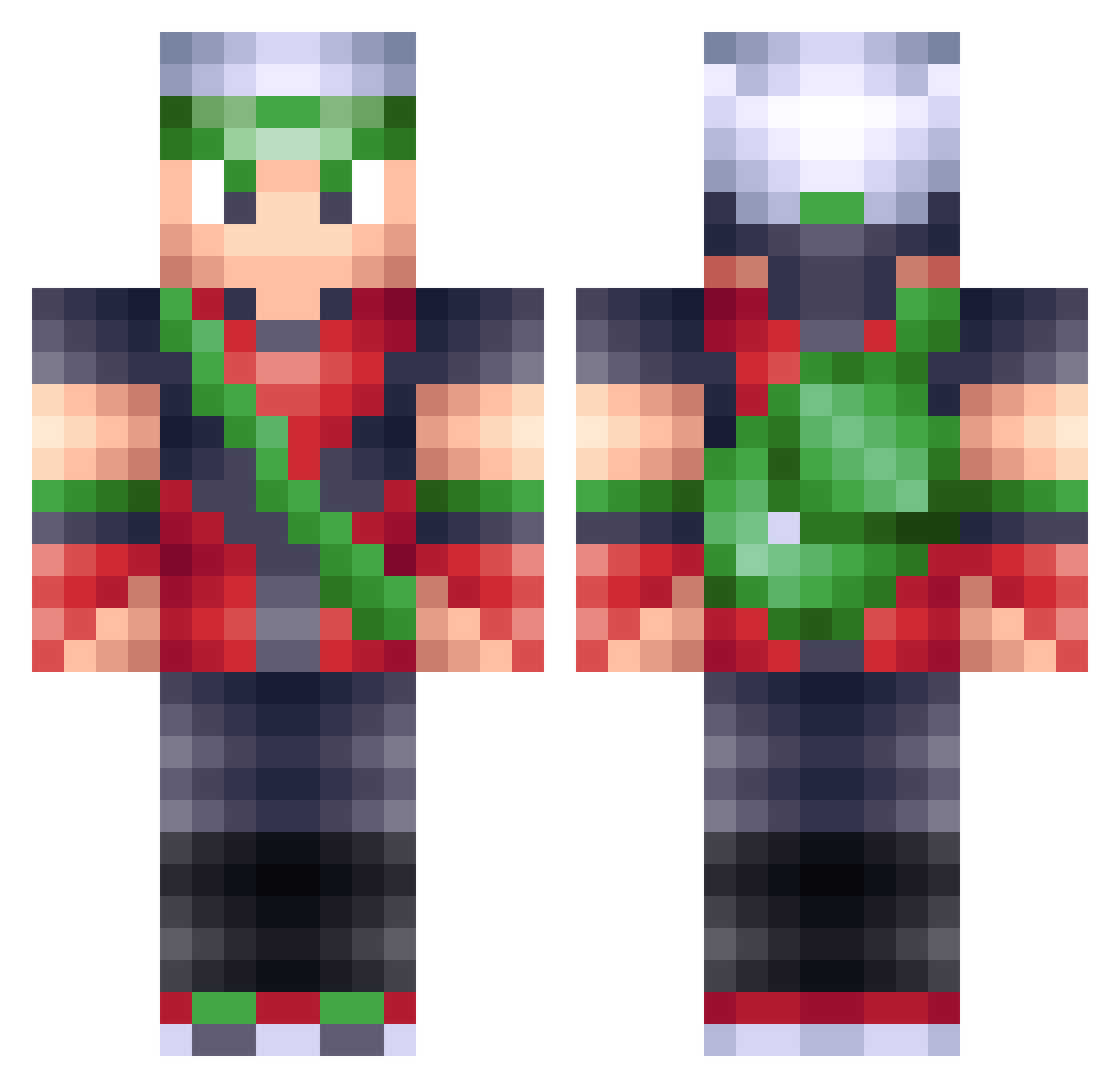
Current Minecraft skin of the player DerpTech, loaded from the official Mojang API. Rotate the 3D model with your mouse or finger, then download the skin as a PNG file and use it in Minecraft: Bedrock Edition or Java Edition for free. When DerpTech changes their skin, this page updates automatically and the old skin stays in the history below.
Other players with this skin (201)
DerpTech was the 53rd player we have seen with this skin, first spotted on 27.08.2026. The same skin was seen on these players. Open a nickname to see their current skin and skin history.
 slendermen108 _Ruku_ Arecksu Phrostyst jacksonpooles Datum JossiOtto Cavtheman Anxo_42 trystalmeth benlight voltshot16 MysticCri G3NG4R00 kennoji3 FernandoTorres9 TemporalCasualty cragnoters Unexistent96 Beat_The__Clutch Marviz Mister_Kalan spyrou6452Cy Cleggosaurus24 RabbitDAce Mel1710 z0b00maf00l TheMagicBambi Tr3shawn ParkourMaster482 perry5556 Electrykid floppet lycanthrope611 SHAME_SHAME Convenientsalmon magezhavix swf89 VauxiA samjakbro SBpro321 Capt_Pineapple9 GrisbyNMT PazzyBird kululu10 miticoDj123 LordMoonwalker MrBlue577 creeper_boy91 Jyless JordanPikachev 2zf MrBananas759 Cxrterr Bigtomo sting1321 Groundpounder01 boambastic KronoSteel Simulationfun
More Brendan Minecraft skins
How to install the DerpTech skin
- Press the Download button above to save the skin as a PNG file.
- Minecraft: Bedrock Edition (PE): open the Dressing Room from the main menu (or tap your character → Edit Character), go to Classic Skins → Owned, press the + (new skin) button, choose the downloaded PNG and pick the Classic (Steve) model. Works on PC and mobile; consoles cannot import custom skins.
- Minecraft: Java Edition: open the Minecraft Launcher, go to the Skins tab, click New Skin, load the PNG, pick the Classic (Steve) model and press Save & Use. You can also upload it at minecraft.net → Profile → Change Skin.
The skin does not show up after import - what should I do?
Restart Minecraft and open the Dressing Room again - imported skins sometimes appear only after a restart. Also make sure you selected the imported skin and picked the Classic (Steve) model.
Which model should I choose, Classic or Slim?
This skin is designed for the Classic (Steve) model. If you pick the wrong model, the arms of the skin will look stretched or squeezed.
Is the skin of DerpTech free to download?
Yes. Press Download, save the PNG file and use it in Minecraft: Bedrock Edition or Java Edition - no payment or registration needed. The skin also works on multiplayer servers and Realms.
More skins
Looking for more? Go back to all Minecraft skins and check the top skins of the week, month and all time, or find any player's skin by nickname.