
Demon_Asce_Nar - Minecraft Skins & Skin History
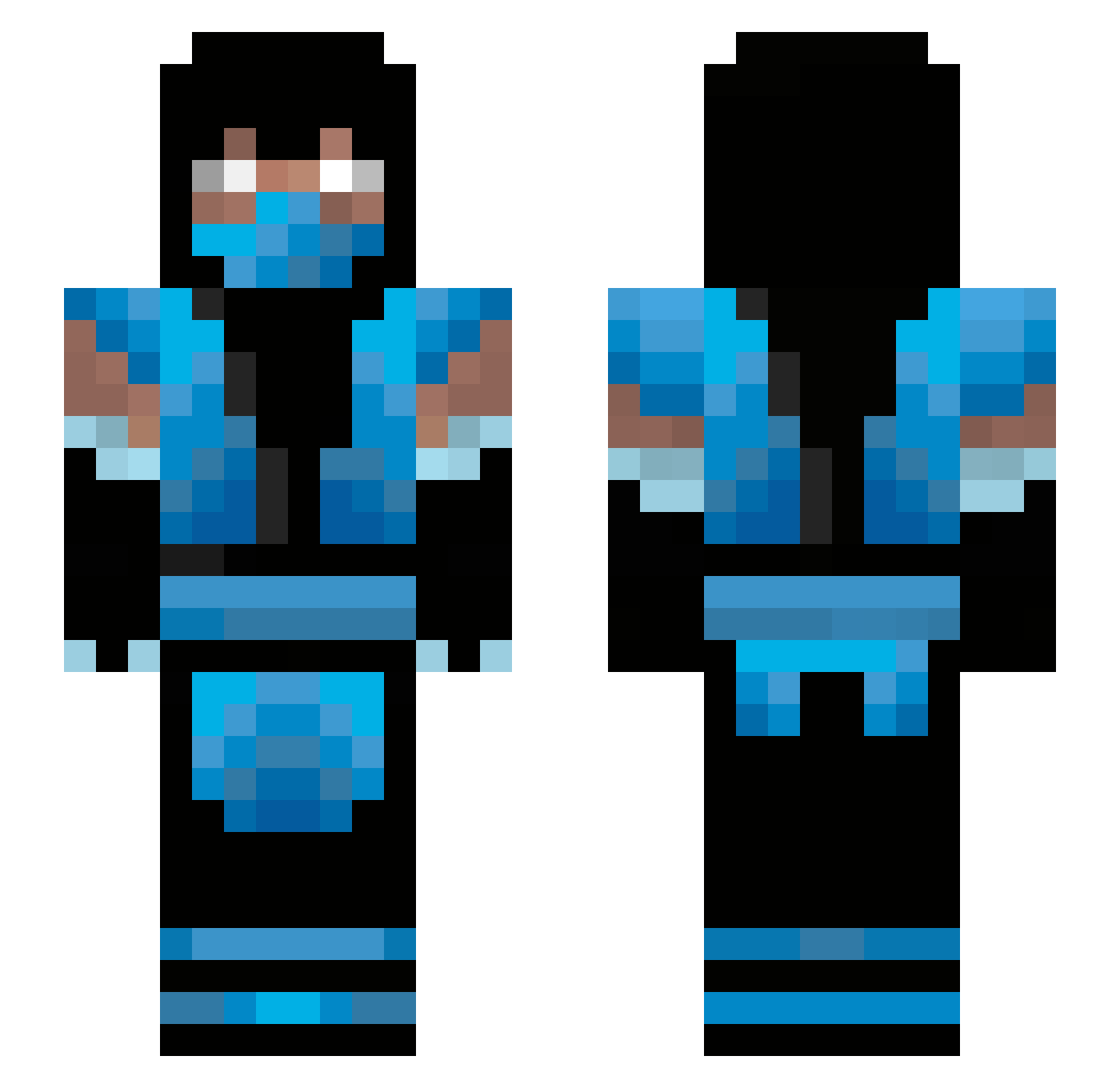
Current Minecraft skin of the player Demon_Asce_Nar, loaded from the official Mojang API. Rotate the 3D model with your mouse or finger, then download the skin as a PNG file and use it in Minecraft: Bedrock Edition or Java Edition for free. When Demon_Asce_Nar changes their skin, this page updates automatically and the old skin stays in the history below.
Other players with this skin (66)
Demon_Asce_Nar was the 17th player we have seen with this skin, first spotted on 20.08.2026. The same skin was seen on these players. Open a nickname to see their current skin and skin history.
 Callyfo henblak SunnyFlare super_butter AlejandroCR666 SeductiveChicken GamerRodriguinho Bulldoghorn Dark3stMK Adzetsu Zay2Shifty CypherVX JG_laser Mankymum143 TwiCe1h krizchan BWBeans Xian_707 Brucenonox Somefear Blackdogcop FrankBinbou supdiuk RaisoDoD14 kevincio Slowmoloko Gatzoid kowii_G LeProDesPros Sildark Danyfp Cryomanxer Emansubzero weez82 jampea02 Zacchurcher Nightwind4 muddymitch Elvisquito LtFubuki Subzeerroo OrangeChicken69 Stachouse20 Coletrain667 AcK3120 MMEL0509 OwieJohn pcrmc Shirukan madatl MKxKiller Adestro2000 Daniel232 Palmuu RandomdomV2 l0or96 MokaShake Dan_Ave Jetherex r0bstrong0
More Sub-Zero Minecraft skins
How to install the Demon_Asce_Nar skin
- Press the Download button above to save the skin as a PNG file.
- Minecraft: Bedrock Edition (PE): open the Dressing Room from the main menu (or tap your character → Edit Character), go to Classic Skins → Owned, press the + (new skin) button, choose the downloaded PNG and pick the Slim (Alex) model. Works on PC and mobile; consoles cannot import custom skins.
- Minecraft: Java Edition: open the Minecraft Launcher, go to the Skins tab, click New Skin, load the PNG, pick the Slim (Alex) model and press Save & Use. You can also upload it at minecraft.net → Profile → Change Skin.
The skin does not show up after import - what should I do?
Restart Minecraft and open the Dressing Room again - imported skins sometimes appear only after a restart. Also make sure you selected the imported skin and picked the Slim (Alex) model.
Which model should I choose, Classic or Slim?
This skin is designed for the Slim (Alex) model. If you pick the wrong model, the arms of the skin will look stretched or squeezed.
Is the skin of Demon_Asce_Nar free to download?
Yes. Press Download, save the PNG file and use it in Minecraft: Bedrock Edition or Java Edition - no payment or registration needed. The skin also works on multiplayer servers and Realms.
More skins
Looking for more? Go back to all Minecraft skins and check the top skins of the week, month and all time, or find any player's skin by nickname.