
Deadfantasy13 - Minecraft Skins & Skin History
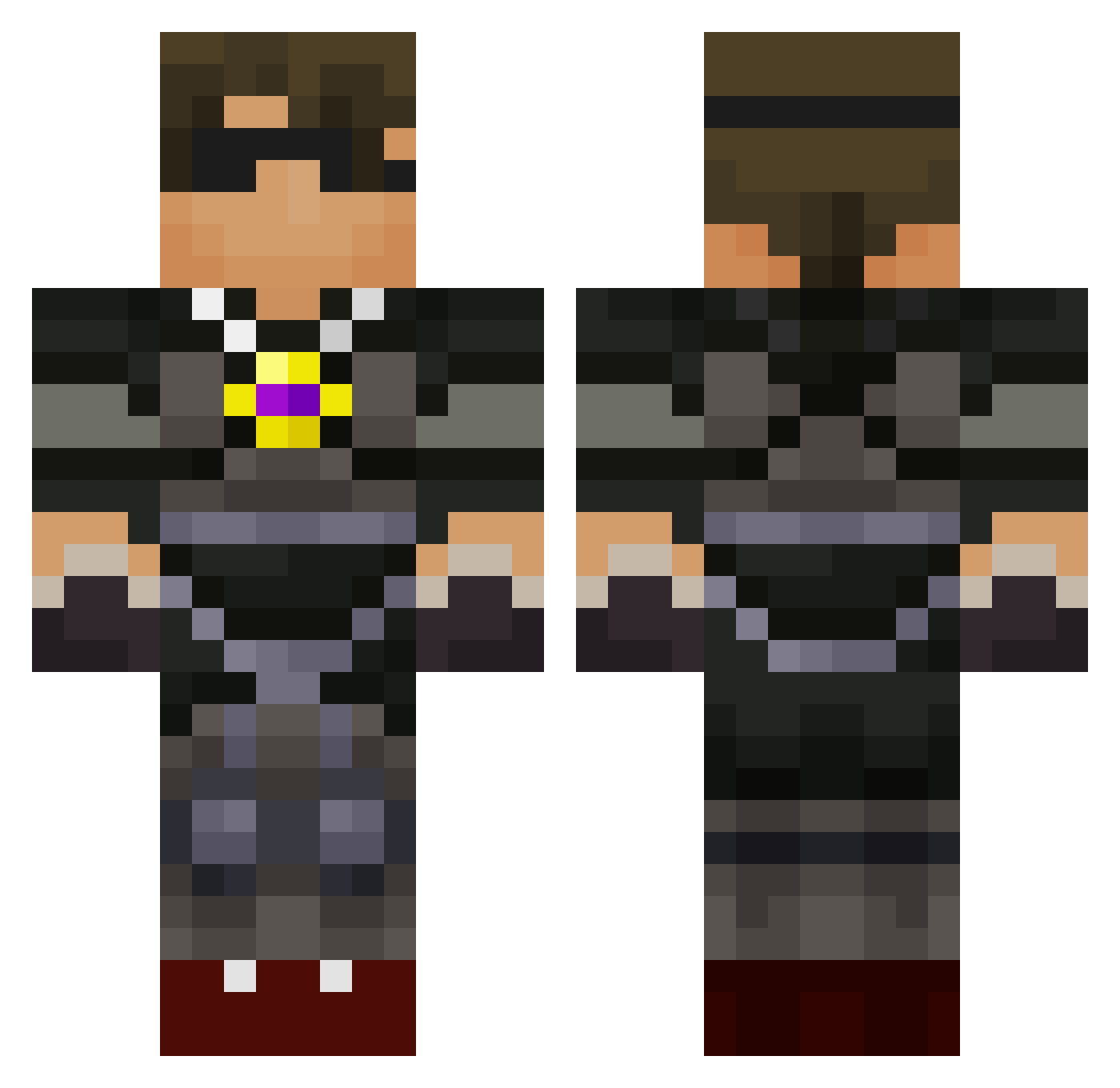
Current Minecraft skin of the player Deadfantasy13, loaded from the official Mojang API. Rotate the 3D model with your mouse or finger, then download the skin as a PNG file and use it in Minecraft: Bedrock Edition or Java Edition for free. When Deadfantasy13 changes their skin, this page updates automatically and the old skin stays in the history below.
Other players with this skin (588)
Deadfantasy13 was the 551st player we have seen with this skin, first spotted on 16.10.2026. The same skin was seen on these players. Open a nickname to see their current skin and skin history.
 mrbutterboss gbthe1 SWagK1ngC0bra kylahjewel Harrison894 oren84 nickjbennis noahb615 caspercon PollitosEsports Dion33 mcdude2002 firey1234 Romanabout dylanisftw steve_888 DeadBoyDude zachary0625 SeaViper18 HBCook2003 Pokelogan23 diamondsbelike Chrille_17 CallumMinecraft0 laikasamppa TKL07 callum200318 Timmo27 J_nev1118 ParkerOKC zombiehunter239 Bertram_CR Herobrine4166 Brainstormer77 Austinsagun97 gabe4821 KBoxer humdingy SkythekidrsIII ThebudderkingJT Chessmaniack KTL2115 batman0104 cvoman Mogar12Live Seanklfc FaZe_NyKeR averyjackson mineDallDay Chicago154 BlueMoose2013 SavageNgirls Dwanien ejtphonehome Weqqn Khalidona Bezztia tylerxty rigbydude1 jorgevel
More Necklace Minecraft skins
How to install the Deadfantasy13 skin
- Press the Download button above to save the skin as a PNG file.
- Minecraft: Bedrock Edition (PE): open the Dressing Room from the main menu (or tap your character → Edit Character), go to Classic Skins → Owned, press the + (new skin) button, choose the downloaded PNG and pick the Classic (Steve) model. Works on PC and mobile; consoles cannot import custom skins.
- Minecraft: Java Edition: open the Minecraft Launcher, go to the Skins tab, click New Skin, load the PNG, pick the Classic (Steve) model and press Save & Use. You can also upload it at minecraft.net → Profile → Change Skin.
The skin does not show up after import - what should I do?
Restart Minecraft and open the Dressing Room again - imported skins sometimes appear only after a restart. Also make sure you selected the imported skin and picked the Classic (Steve) model.
Which model should I choose, Classic or Slim?
This skin is designed for the Classic (Steve) model. If you pick the wrong model, the arms of the skin will look stretched or squeezed.
Is the skin of Deadfantasy13 free to download?
Yes. Press Download, save the PNG file and use it in Minecraft: Bedrock Edition or Java Edition - no payment or registration needed. The skin also works on multiplayer servers and Realms.
More skins
Looking for more? Go back to all Minecraft skins and check the top skins of the week, month and all time, or find any player's skin by nickname.