
DawidZacisk - Minecraft Skins & Skin History
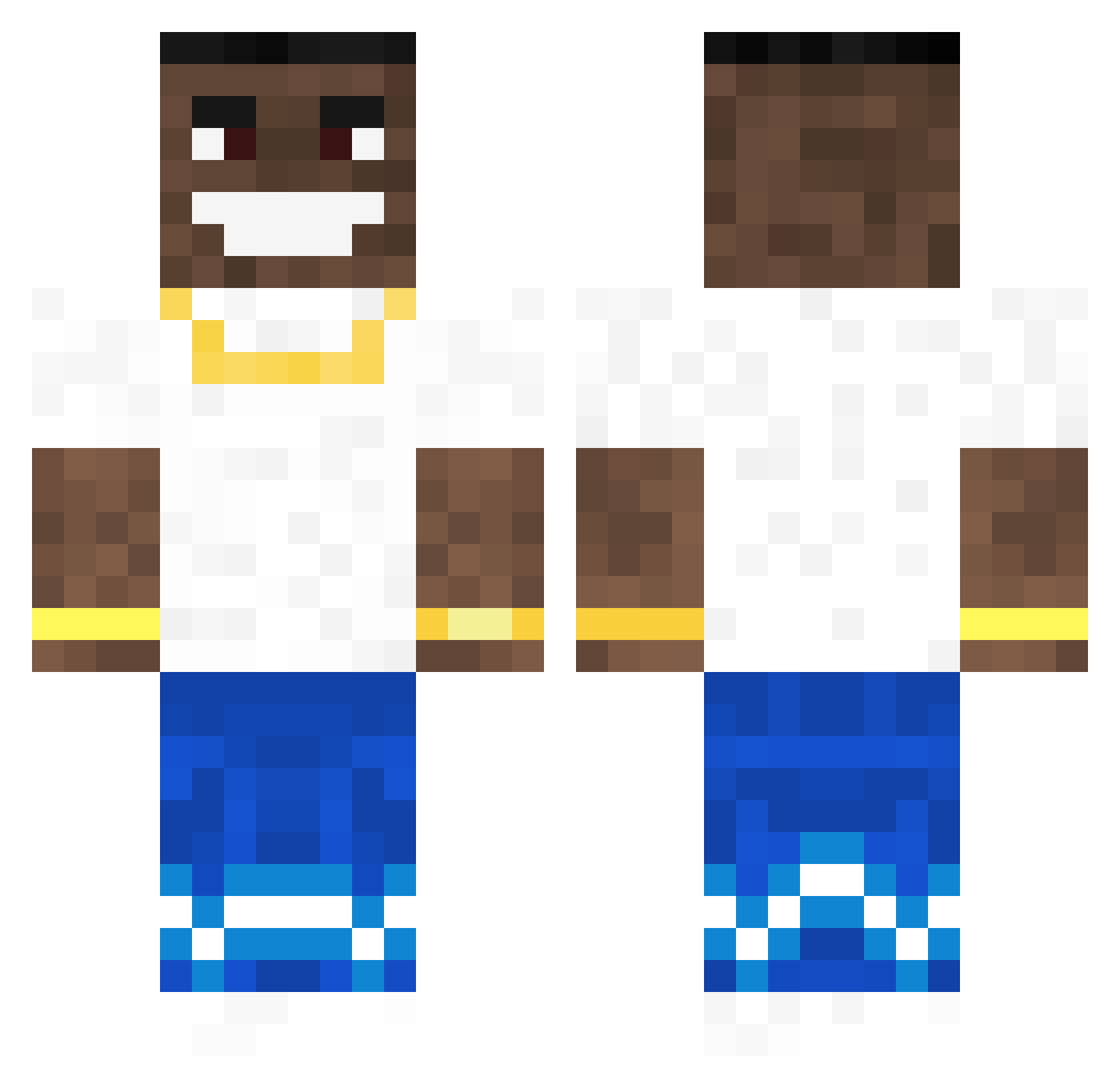
Current Minecraft skin of the player DawidZacisk, loaded from the official Mojang API. Rotate the 3D model with your mouse or finger, then download the skin as a PNG file and use it in Minecraft: Bedrock Edition or Java Edition for free. When DawidZacisk changes their skin, this page updates automatically and the old skin stays in the history below.
Other players with this skin (114)
DawidZacisk was the 70th player we have seen with this skin, first spotted on 01.10.2026. The same skin was seen on these players. Open a nickname to see their current skin and skin history.
 Thallion MonkeyBalls_Jr sloppytoppy64 RalphOnDrgs Yas1k Yvxr Pesozz Modestganner Erekcja abokees12 Breezy27 ballrooms ienjoyweed Leopardo1216 SpatialFiber366 dragoeen FriedChknLover69 J4ymann jumajackson IbRa761 Zuvy AlvinGamer39 IZom1x QuandelDingleton Alexisfamous banan21_ cx_brick BuffOtter krindz GitchField PegasusGotSwag Juehan Ctephfan nemzo bitzern IronPackerUsesv4 taken88 JoseMONDA Eastrussia PONDA_0 szoom4 dal0rn Klappstuhlgang Otakuuu iamtonylopez Kentinn czarnyglock_19 Specwastaken j_Adameq_d wimpthepimb JPCaesar jjaniss
 Kyblmaster Blizzrdus iiEddietheYeti Rkyiamn KingB0ulder TwistedTrav Ararat13 bigblackfalukorv
More Dababy Minecraft skins
How to install the DawidZacisk skin
- Press the Download button above to save the skin as a PNG file.
- Minecraft: Bedrock Edition (PE): open the Dressing Room from the main menu (or tap your character → Edit Character), go to Classic Skins → Owned, press the + (new skin) button, choose the downloaded PNG and pick the Classic (Steve) model. Works on PC and mobile; consoles cannot import custom skins.
- Minecraft: Java Edition: open the Minecraft Launcher, go to the Skins tab, click New Skin, load the PNG, pick the Classic (Steve) model and press Save & Use. You can also upload it at minecraft.net → Profile → Change Skin.
The skin does not show up after import - what should I do?
Restart Minecraft and open the Dressing Room again - imported skins sometimes appear only after a restart. Also make sure you selected the imported skin and picked the Classic (Steve) model.
Which model should I choose, Classic or Slim?
This skin is designed for the Classic (Steve) model. If you pick the wrong model, the arms of the skin will look stretched or squeezed.
Is the skin of DawidZacisk free to download?
Yes. Press Download, save the PNG file and use it in Minecraft: Bedrock Edition or Java Edition - no payment or registration needed. The skin also works on multiplayer servers and Realms.
More skins
Looking for more? Go back to all Minecraft skins and check the top skins of the week, month and all time, or find any player's skin by nickname.