
DaveLewiz - Minecraft Skins & Skin History
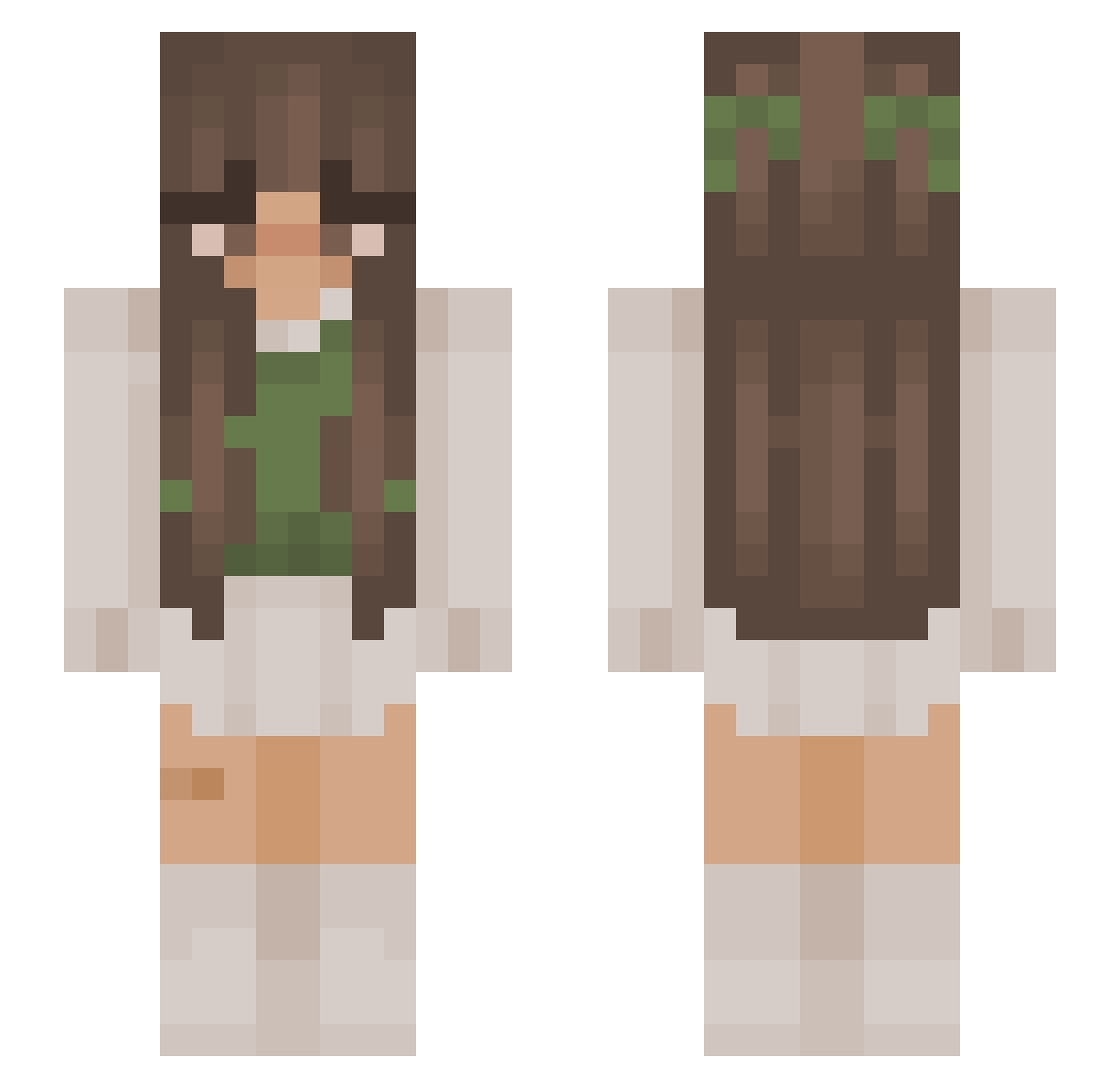
Current Minecraft skin of the player DaveLewiz, loaded from the official Mojang API. Rotate the 3D model with your mouse or finger, then download the skin as a PNG file and use it in Minecraft: Bedrock Edition or Java Edition for free. When DaveLewiz changes their skin, this page updates automatically and the old skin stays in the history below.
Other players with this skin (982)
DaveLewiz was the 450th player we have seen with this skin, first spotted on 09.09.2026. The same skin was seen on these players. Open a nickname to see their current skin and skin history.
 emcia125 Elliptis Sp1cymamaz daniissleepy FierceTKDGirl brandnwcity Tokena Ensiam iiM1lk lillyyyttt GooseGooose Bhaviboo Gunns0819 LordSian Youssibooty Imposia malus20 ZwergausdemBerg_ NanPatch apau2008 thestardoctor7 Yukineki Basia0 an_ji2 Mikenzi MagMalastruc infirescoffee Mollzorn Amixlein
 lenacy nicolec8 ExoPenguin gloomy_fae_ CUH_miko
 MeliMelo2016 Nikace02 Lxxln vegankroket Neatr0 Im_Lix luvvlyrat out85321 nicole_chloe _iq100 Notificatie miiaurr Tjoflong Valevi0r keeleyeatscats Jeanny2201 Suskaaaa doly_dc CloudD89 Mukeline _lackoooo_ belovedbrooke Jay48160 ffleurrr ellie_789 vvolpee
More Cottagecore Minecraft skins
See all 6440 Cottagecore skins
How to install the DaveLewiz skin
- Press the Download button above to save the skin as a PNG file.
- Minecraft: Bedrock Edition (PE): open the Dressing Room from the main menu (or tap your character → Edit Character), go to Classic Skins → Owned, press the + (new skin) button, choose the downloaded PNG and pick the Slim (Alex) model. Works on PC and mobile; consoles cannot import custom skins.
- Minecraft: Java Edition: open the Minecraft Launcher, go to the Skins tab, click New Skin, load the PNG, pick the Slim (Alex) model and press Save & Use. You can also upload it at minecraft.net → Profile → Change Skin.
The skin does not show up after import - what should I do?
Restart Minecraft and open the Dressing Room again - imported skins sometimes appear only after a restart. Also make sure you selected the imported skin and picked the Slim (Alex) model.
Which model should I choose, Classic or Slim?
This skin is designed for the Slim (Alex) model. If you pick the wrong model, the arms of the skin will look stretched or squeezed.
Is the skin of DaveLewiz free to download?
Yes. Press Download, save the PNG file and use it in Minecraft: Bedrock Edition or Java Edition - no payment or registration needed. The skin also works on multiplayer servers and Realms.
More skins
Looking for more? Go back to all Minecraft skins and check the top skins of the week, month and all time, or find any player's skin by nickname.