
DarkMC1 - Minecraft Skins & Skin History
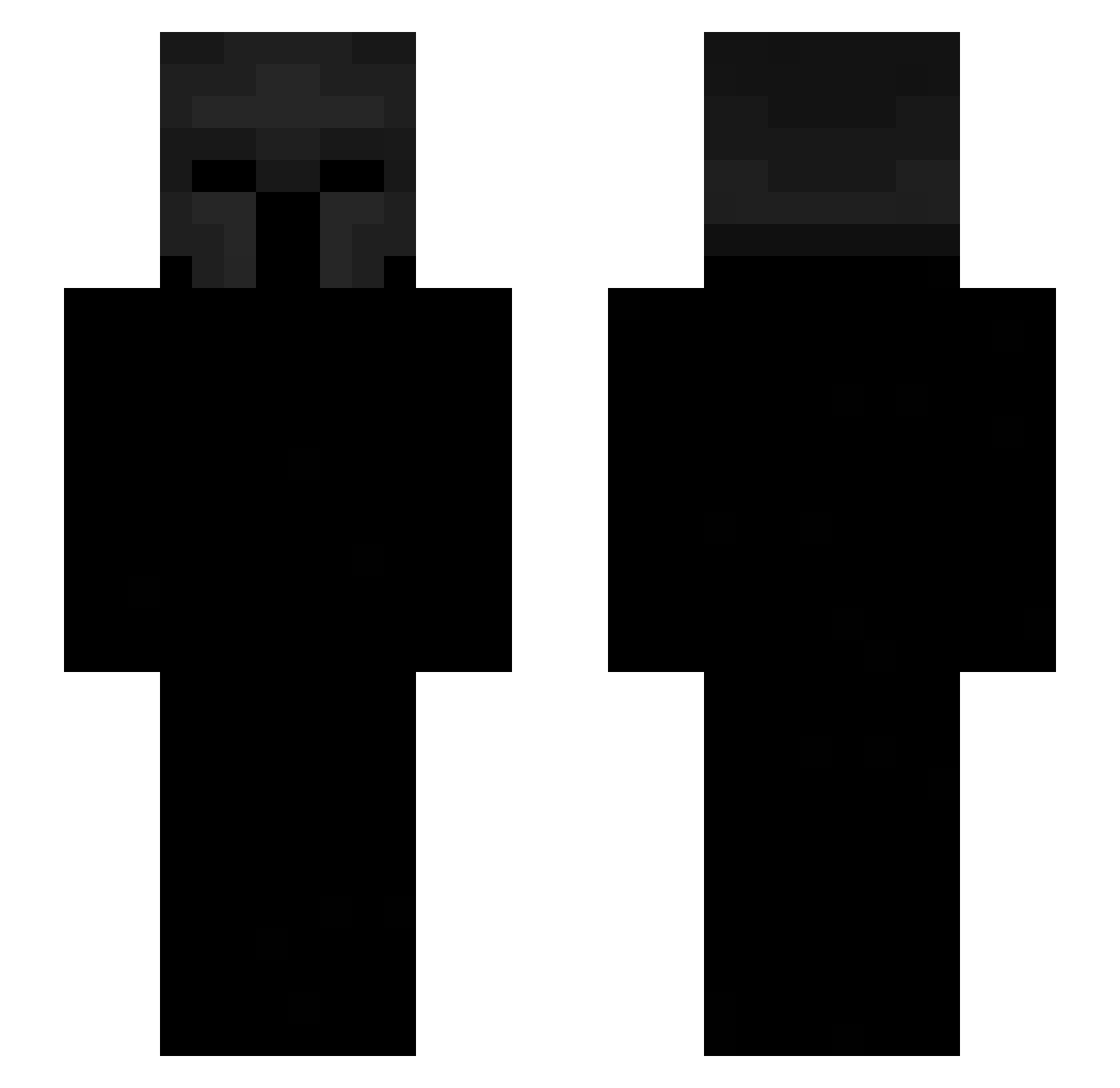
Current Minecraft skin of the player DarkMC1, loaded from the official Mojang API. Rotate the 3D model with your mouse or finger, then download the skin as a PNG file and use it in Minecraft: Bedrock Edition or Java Edition for free. When DarkMC1 changes their skin, this page updates automatically and the old skin stays in the history below.
Other players with this skin (442)
DarkMC1 was the 209th player we have seen with this skin, first spotted on 15.09.2026. The same skin was seen on these players. Open a nickname to see their current skin and skin history.
 tenfenpvp e9arab Mikusxoxo ___TUKI___ sagacs7 Microkz 7duq Aattuu_ hitslct muszlaaa Vulstorm xDz_YT nahvlol hgPEEK hoyoung_b TheeCorso sourtriad Eric237 Patres_21 xCyferv2 SeanBludders DemonVoid__ Miichh Ang_ssaksu_tti 21demon 13omz Myotix OrangeToes4 Sa1ntEx0 waliofix _Ch4rry egzion JM2431 Cxhilll monofonik COSMOBM AMONSUS
 XXXXXX67 jamie0246 ooka_ff rafa_4ever SlinkyCube2557 Paf2juif Zbysiek_69 uStrunz LinhNeondq5UwU AndyBandy2014_ HHTILL WickedWails SNoelle08 Vermiiliion p2nch lionesssht PotatoMan606 chinaoi schnuebbler yuvawastaken sedziasoplica zavodchin_rdd oSponk
More Spartan Minecraft skins
How to install the DarkMC1 skin
- Press the Download button above to save the skin as a PNG file.
- Minecraft: Bedrock Edition (PE): open the Dressing Room from the main menu (or tap your character → Edit Character), go to Classic Skins → Owned, press the + (new skin) button, choose the downloaded PNG and pick the Slim (Alex) model. Works on PC and mobile; consoles cannot import custom skins.
- Minecraft: Java Edition: open the Minecraft Launcher, go to the Skins tab, click New Skin, load the PNG, pick the Slim (Alex) model and press Save & Use. You can also upload it at minecraft.net → Profile → Change Skin.
The skin does not show up after import - what should I do?
Restart Minecraft and open the Dressing Room again - imported skins sometimes appear only after a restart. Also make sure you selected the imported skin and picked the Slim (Alex) model.
Which model should I choose, Classic or Slim?
This skin is designed for the Slim (Alex) model. If you pick the wrong model, the arms of the skin will look stretched or squeezed.
Is the skin of DarkMC1 free to download?
Yes. Press Download, save the PNG file and use it in Minecraft: Bedrock Edition or Java Edition - no payment or registration needed. The skin also works on multiplayer servers and Realms.
More skins
Looking for more? Go back to all Minecraft skins and check the top skins of the week, month and all time, or find any player's skin by nickname.