
Dan_1337 - Minecraft Skins & Skin History
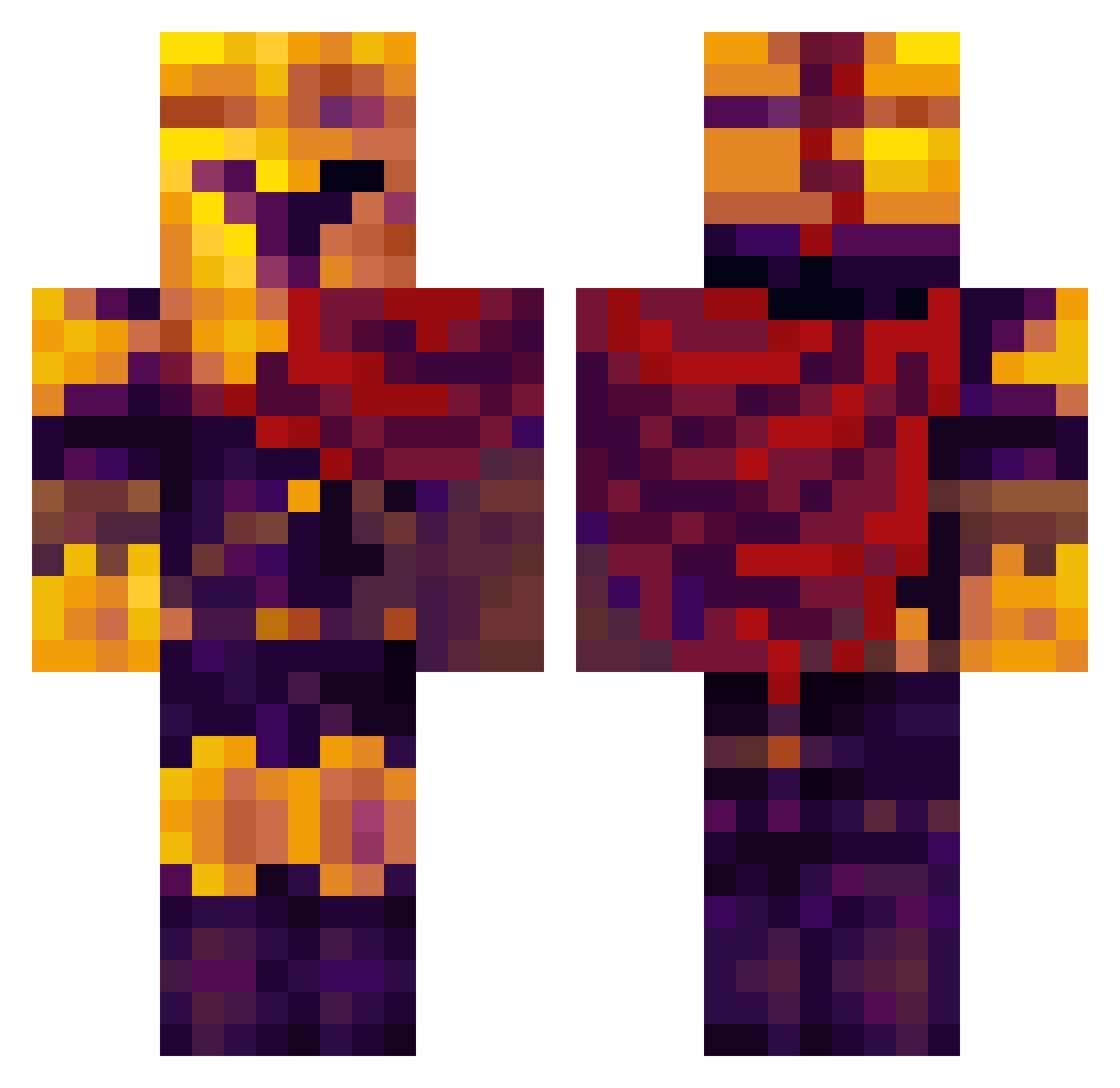
Current Minecraft skin of the player Dan_1337, loaded from the official Mojang API. Rotate the 3D model with your mouse or finger, then download the skin as a PNG file and use it in Minecraft: Bedrock Edition or Java Edition for free. When Dan_1337 changes their skin, this page updates automatically and the old skin stays in the history below.
Other players with this skin (332)
Dan_1337 was the 34th player we have seen with this skin, first spotted on 01.08.2026. The same skin was seen on these players. Open a nickname to see their current skin and skin history.
 ExoStack zaaia1 AzureBeast1232 Izan_diaz1 shiki437 Ex910 Bruno232
 drblaaaze JustMalik AprilStevens __D3rlord3_
 dezzzzie Awesome_Peoples InsertNameHere09 Roaylem
 Schrodinger8k Drizzon03 RTX3090user Gabernaut Gangster__Granny Big_Herny natcia06 AshvaIe Erpanilijus MPS0 Tossing_Euros SeventhPaige Truckulese aixabarbie3000 tpeti04 Bluetooth4 Ionyyy d3rlord3d3rek Itreee51 sosuke_aizen911 Kyzemn Junyoung0714 MoneyJ00 IronLeonidasLit Fleeblys IbnJohn aymL07 Novadaeous actuallyanonion CraftyMo SmokingNaoi _Boeing_
 RaydomGamer2008 Jemkoty
 etc_tera ilbisogno
 CrazyX707 Azazel0083 RitzCrackrz lycaonvon ZeroDG nrpr Battem ulplain Ower1n
More Spartan Minecraft skins
How to install the Dan_1337 skin
- Press the Download button above to save the skin as a PNG file.
- Minecraft: Bedrock Edition (PE): open the Dressing Room from the main menu (or tap your character → Edit Character), go to Classic Skins → Owned, press the + (new skin) button, choose the downloaded PNG and pick the Classic (Steve) model. Works on PC and mobile; consoles cannot import custom skins.
- Minecraft: Java Edition: open the Minecraft Launcher, go to the Skins tab, click New Skin, load the PNG, pick the Classic (Steve) model and press Save & Use. You can also upload it at minecraft.net → Profile → Change Skin.
The skin does not show up after import - what should I do?
Restart Minecraft and open the Dressing Room again - imported skins sometimes appear only after a restart. Also make sure you selected the imported skin and picked the Classic (Steve) model.
Which model should I choose, Classic or Slim?
This skin is designed for the Classic (Steve) model. If you pick the wrong model, the arms of the skin will look stretched or squeezed.
Is the skin of Dan_1337 free to download?
Yes. Press Download, save the PNG file and use it in Minecraft: Bedrock Edition or Java Edition - no payment or registration needed. The skin also works on multiplayer servers and Realms.
More skins
Looking for more? Go back to all Minecraft skins and check the top skins of the week, month and all time, or find any player's skin by nickname.