
DaaliLlama - Minecraft Skins & Skin History
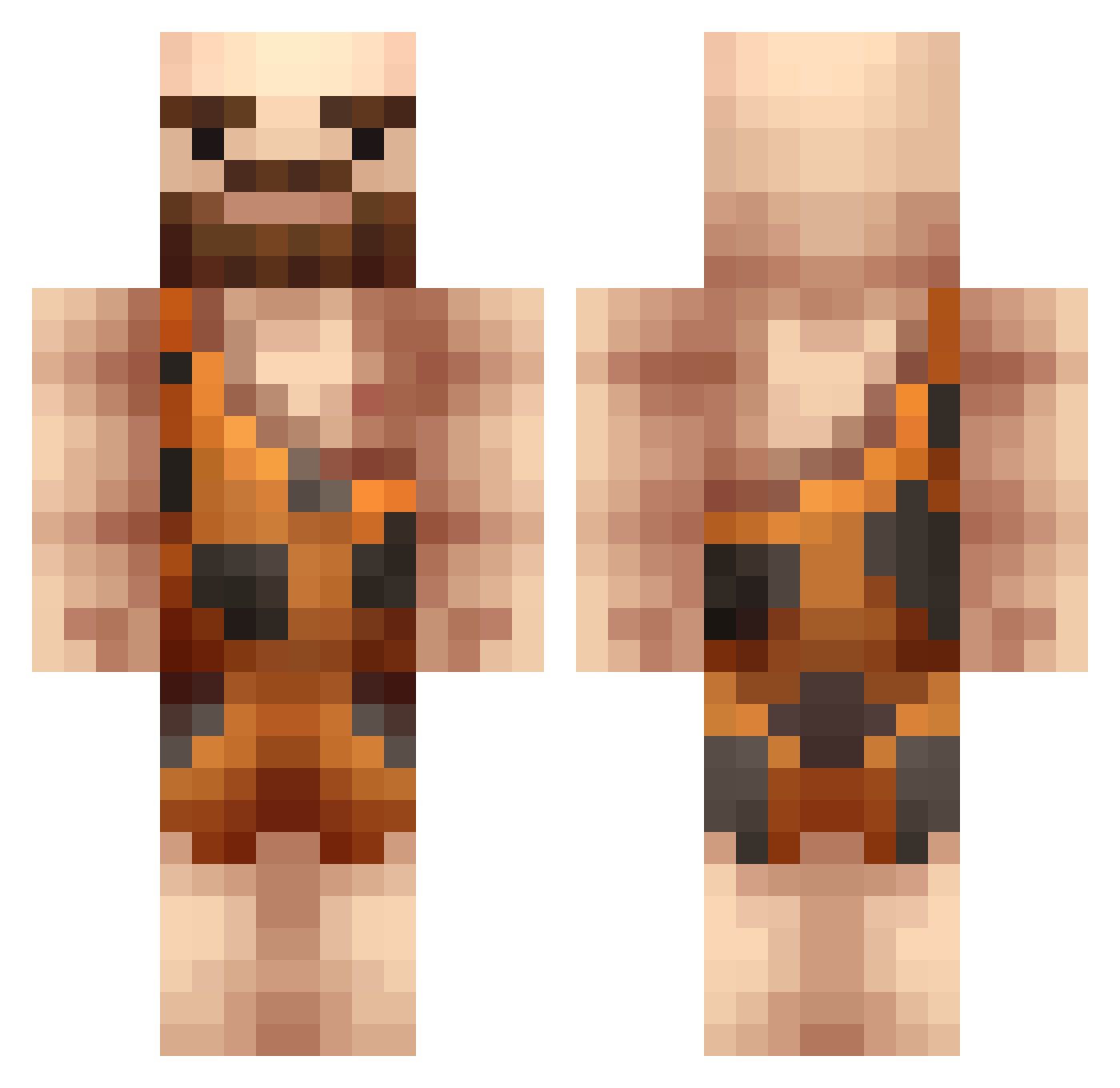
Current Minecraft skin of the player DaaliLlama, loaded from the official Mojang API. Rotate the 3D model with your mouse or finger, then download the skin as a PNG file and use it in Minecraft: Bedrock Edition or Java Edition for free. When DaaliLlama changes their skin, this page updates automatically and the old skin stays in the history below.
Other players with this skin (220)
DaaliLlama was the 103rd player we have seen with this skin, first spotted on 16.09.2026. The same skin was seen on these players. Open a nickname to see their current skin and skin history.
 MacheSempai Kunrak QballRMe LesRetards GummoStump BaffledCanadian Crafting_Caveman to_ehm andisfast Nuglar Chadunga icon1235 Gamelette TS_sir L0T0M4I brickyface __tacocat__ Bioyou WilcoNinja ChuPuppy MfireBS SHERMOA Juanald_Weasley Nyanjivka StreetRS addme4pics CaveNam5 frewdister INVE_ propfrackle MrPapuche ajelek nineteentw3 PootyTastic SuperKiwi2018 WrightMeow hypemasterer oogabooga16 Webbster809 o_ol004 LeJault Weeeiii DatBoiChad Homo_Sapiens_Nr3 XleiNB Julekzz BoomMann1017 Zio_Lepo smkRambo Grimmel22 Shappiro ChefPenguini Mebloscianka966 hmives ddddhwan Cheriioo Garudian Cakai Benzooka PsymonJC
More Caveman Minecraft skins
How to install the DaaliLlama skin
- Press the Download button above to save the skin as a PNG file.
- Minecraft: Bedrock Edition (PE): open the Dressing Room from the main menu (or tap your character → Edit Character), go to Classic Skins → Owned, press the + (new skin) button, choose the downloaded PNG and pick the Classic (Steve) model. Works on PC and mobile; consoles cannot import custom skins.
- Minecraft: Java Edition: open the Minecraft Launcher, go to the Skins tab, click New Skin, load the PNG, pick the Classic (Steve) model and press Save & Use. You can also upload it at minecraft.net → Profile → Change Skin.
The skin does not show up after import - what should I do?
Restart Minecraft and open the Dressing Room again - imported skins sometimes appear only after a restart. Also make sure you selected the imported skin and picked the Classic (Steve) model.
Which model should I choose, Classic or Slim?
This skin is designed for the Classic (Steve) model. If you pick the wrong model, the arms of the skin will look stretched or squeezed.
Is the skin of DaaliLlama free to download?
Yes. Press Download, save the PNG file and use it in Minecraft: Bedrock Edition or Java Edition - no payment or registration needed. The skin also works on multiplayer servers and Realms.
More skins
Looking for more? Go back to all Minecraft skins and check the top skins of the week, month and all time, or find any player's skin by nickname.